

Minecraft 1.20.1, 1.21.1용 AntiCheatObfuscator 플러그인
Hide Your Anti-Cheat from Hackers – Stay One Step Ahead
 Bukkit
 Paper
Paper Purpur
 Spigot
AntiCheatObfuscator
AntiCheatObfuscator will creating a smokescreen of false commands, it becomes significantly harder for cheaters to determine which anti-cheat measures are actually in place, thereby enhancing your server's security.

Successful cases
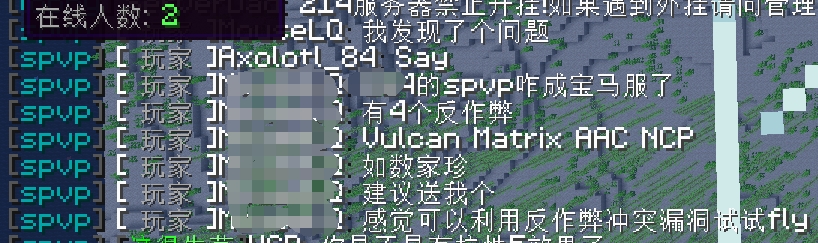
Translation:
- HackerM: I find that this is server having 4 anti cheat plugin!
- HackerM: Matrix aac vulcan ncp
- HackerM: I feel like I can use the anti cheating vulnerability to try to fly
- However,this server only have grim matrix and vulcan

Features
- Fake Commands: Register fake commands for well-known anti-cheat plugins like Matrix, Grim, AAC, and more. This helps to obfuscate the real anti-cheat plugin in use.
- Configurable Commands: Easily enable or disable specific fake commands through a configuration file. The configuration file allows you to specify which fake commands to activate, providing flexibility in managing command visibility.
- Auto-Completion Support: Enhance user experience by implementing auto-completion for the fake commands. This feature ensures that users can quickly and accurately use the fake commands, improving usability and reducing potential errors.
- Notice administrators when player try to use the fake commmand
- Packet Obfuscation:send some fake packet to obfuscate hacker!(New)

Packet Obfuscation
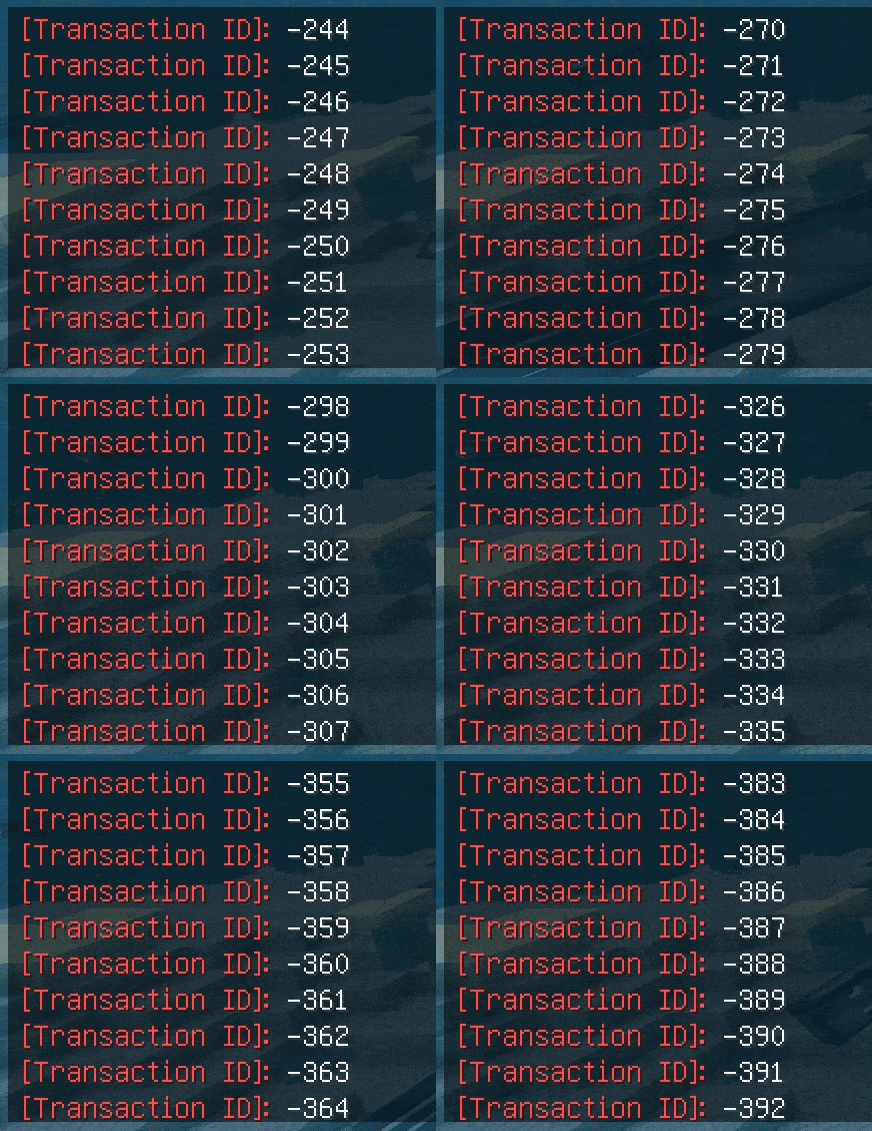
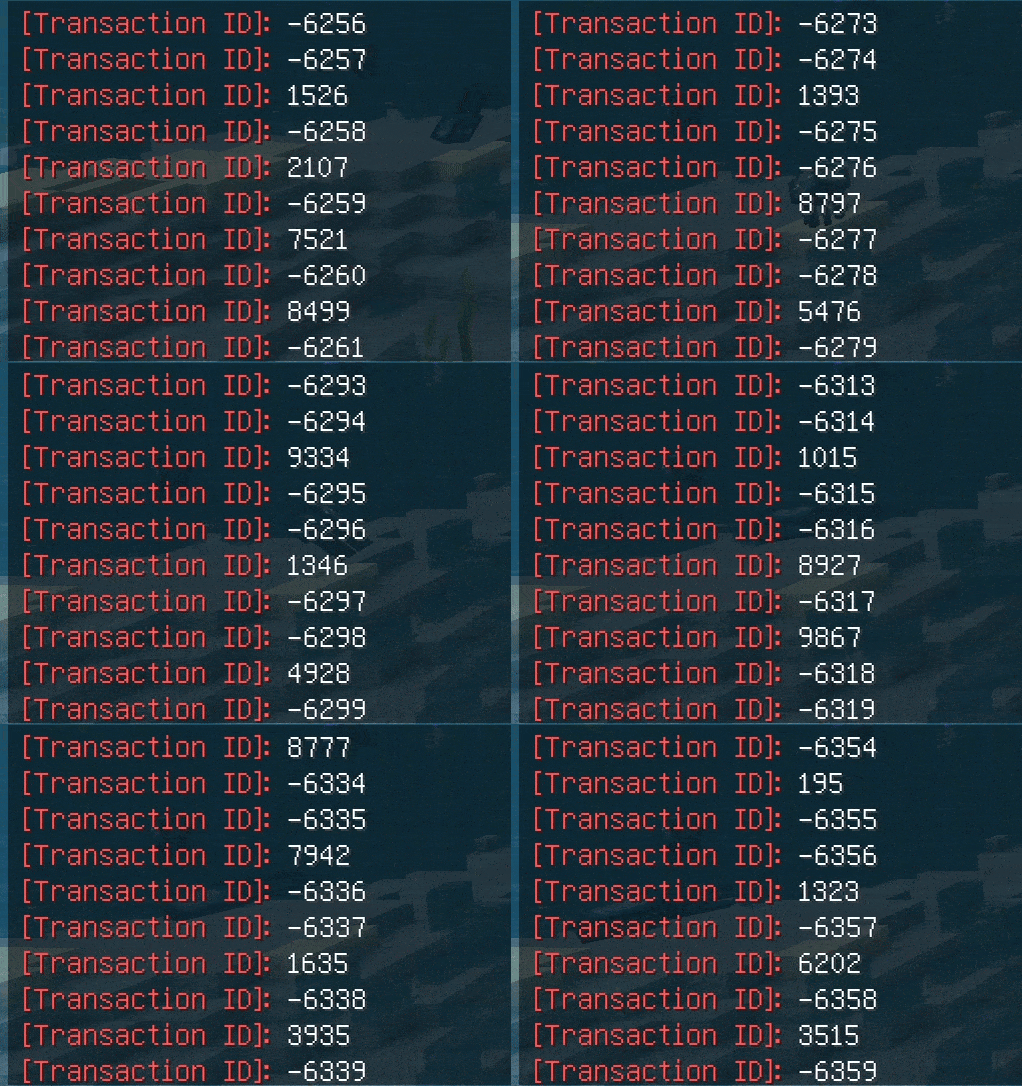
Packet Obfuscation (experimental): This new feature aims to enhance anti-cheat effectiveness by sending obfuscated packets with randomized action numbers. It helps to obscure detection mechanisms and improve cheat prevention. Please be aware that this feature is experimental and may impact server performance. Monitor your server's performance when enabled and adjust settings as needed.
Before
After
Fake Commands support
- /grimac
- /grim
- /aac
- /matrix
- /ncp
- /polar
- /vulcan
- /spiter
- ...
Configuration
example config
The fake command that you want to register
True means the command will be register
Please restart server after using it!
Show player fake help message instead of no permission
The commands that support this option are: /grimac /grim /matrix /vulcan
fakeOpMode: false
This will block player from using /plugins and /pl
Permission: aco.checkPlugins
blockPluginsCommand: true blockPluginsCommandMessage: "§cYou do not have permission to use this command!"
||| This feature is experimental and may impact server performance |||
When enabled, this feature sends fake packets to obfuscate the action
numbers used by the anti-cheat system, making it harder for cheats to
detect anti-cheat mechanisms. It does not detect anti-cheat systems but
aims to prevent them from accurately identifying and flagging cheats.
1.17+ and ProtocolLib
packetObfuscate: false
Minimum delay of sending fake packet
minInterval: 1
Maximum delay of sending fake packet
maxInterval: 3
Fake Command Warning
enableWarning: true
Register fake command
enableFakeCommands: true
commands:
GrimAC: No permission / fake help message
grimac: true
grim: true
AAC: No permission
aac: true
Matrix: Basic information / fake help message
matrix: true
NCP: No permission / fake help message
ncp: true
polar: No permission
polar: true
vulcan: No permission / fake help message
vulcan: true
spiter: No permission
spiter: true
antiaura: No permission
antiaura: true
phoenix: No permission
phoenix: true
horizon: No permission
horizon: true
godseye: No permission
godseye: true
You could add other command also! Default return: No permission
Tips: After modifying the configuration file, remember to restart the server to apply the changes(y)
AntiCheatObfuscator 설치 방법
A server on Paper, Purpur, Spigot or Bukkit
The plugin runs on the server core for Minecraft 1.8.9–1.21.11; players do not need to install anything.
File goes into the plugins folder
Download the file AntiCheatObfuscator-1.4.5.jar (38 KB) and put it into the server’s plugins folder.
Restart the server
On startup the plugin creates its own settings folder in plugins.
Use the “To server” button
On Millida Hosting, the button at the top of the page uploads the file to your server and restarts it for you.
Minecraft 1.21.11 runs on Java 21: with a different Java version the game may close right after launch.
버전
의존성 포함
| Minecraft | 로더 | 파일 | 작업 |
|---|---|---|---|
| 1.12.2 | Bukkit, Paper, Purpur, Spigot | 1.12.238 KB 1 |
리뷰
AntiCheatObfuscator의 첫 평가를 남겨 보세요


