
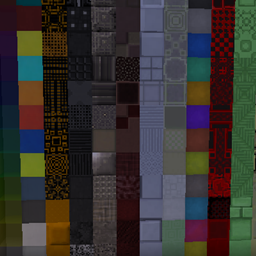
Minecraft 1.20.1, 1.19.2용 Xtones Reworked 모드
다양한 현대적, 미래적, 판타지 스타일의 장식용 건축 블록을 추가하는 Xtones 모드의 포트
 NeoForge
 Forge
ForgeXtones Reworked 모드 정보
모드 업데이트가 중단되었습니다. riciJak의 BetterBlockZ 모드를 사용해 주세요:
https:/www.curseforge.com/minecraft/mc-mods/betterblockz

Xtones Reworked
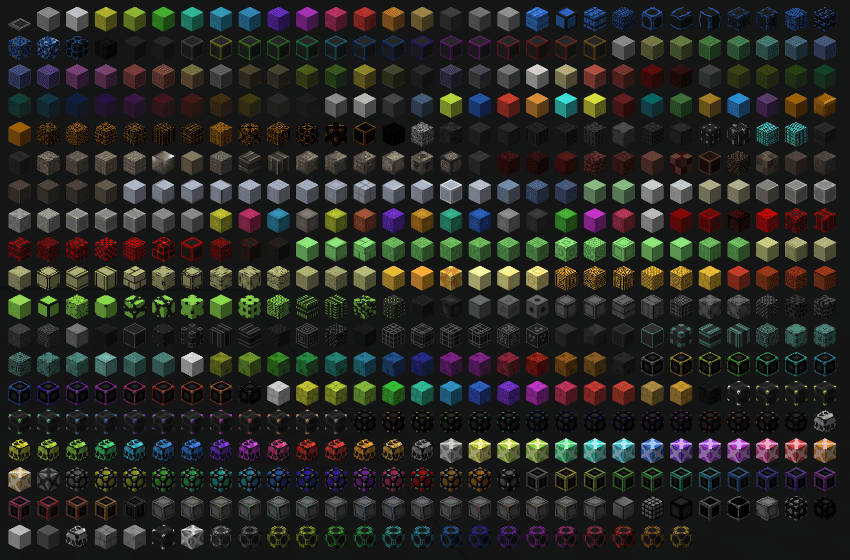
Xtones Reworked는 Minecraft 1.19.2 이상을 위한 모드로, 다양한 현대적이고 미래적인, 판타지 스타일의 장식용 건축 블록과 램프를 추가합니다!
이 모드는 건축과 장식에 사용할 수 있는 512가지의 다양한 건축 블록을 추가합니다. 원래 Xtones 모드에서도 볼 수 있는 34가지 원본 블록 종류와 각각의 15가지 하위 변형을 모두 찾을 수 있습니다.
Agon이나 Kryp 같은 기본 블록은 간단한 레시피로 제작한 뒤, 염료 레시피나 석재 절단기를 사용해 다양한 변형으로 바꿀 수 있습니다.
TehNut의 Xtones 모드를 포팅한 것입니다. 코드는 처음부터 다시 작성되었고 기존 텍스처는 유지되었습니다.
참고
Forge 지원은 계속하지 않고 Neoforged에 집중할 예정이지만, 이 모드를 위한 Fabric 프로젝트 지원은 시작할 것입니다.
Xtones Reworked 설치 방법
With Millida Launcher
Install Millida Launcher
The launcher is free: download it at millida.net/launcher and sign in with any nickname.
Click “Install” on this page
The launcher opens and installs the mod for Minecraft 1.19.2–1.21.10 on Forge or NeoForge automatically.
Launch the game
A profile with it appears in the launcher: click “Play”.
Manually
Install Forge or NeoForge
The loader must match the game version of the mod file, for example Minecraft 1.21.10. After installing it, a separate profile appears in your launcher.
Download the file for your version
In the version list above, pick the file xtonesreworked-1.0.0-1.21.9.jar (1.3 MB) for your game version and loader.
Put it in the mods folder
The folder is inside .minecraft (Windows: %appdata%\.minecraft\mods). If it does not exist, create it.
Launch the loader profile
Open “Mods” in the main menu: Xtones Reworked should be in the list.
Minecraft 1.21.10 runs on Java 21: with a different Java version the game may close right after launch.
버전
의존성 포함
| Minecraft | 로더 | 파일 | 날짜 | 작업 |
|---|---|---|---|---|
| 1.21.9 | NeoForge | xtonesreworked-1.0.0-1.21.9-1.21.x.jar1.3 MB | ||
| 1.20.1 | Forge | xtonesreworked-1.0.4-F_1.20.1-47.2.0.jar1.3 MB | ||
| 1.19.2 | — | xtonesreworked-1.0.1-1.19.2.jar1.3 MB |
리뷰
Xtones Reworked의 첫 평가를 남겨 보세요


