
 NeoForge
 Forge
ForgeTotemic 모드 정보
This is a magic mod about Totem Poles, nature and the power of music.
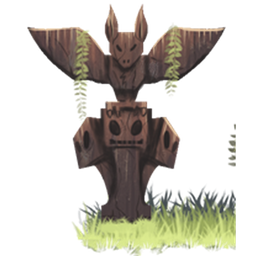
The mod's main focus lies on Totem Poles. They can give passive boons to players nearby, but more importantly, they are the central piece of Ceremonies: Dancing around a Totem Pole and playing various musical instruments to invoke strong effects and manipulate the world.
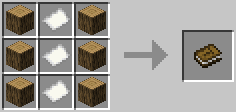
Patchouli is recommended so you get the Totempedia, an in-game guide to the mod's content.
We have a Discord channel, join us here: https://discord.gg/4dZFZrE
Currently, only Forge/NeoForge are supported, but ZestyBlaze is working on a Fabric version. Stay tuned for that.
Totemic has built-in integration with KubeJS in 1.20.1+, no add-on mod is required (although this might change in the future). See the KubeJS wiki for the documentation.
Modpacks:
You are free to include the mod in a modpack.
Credits:
- Pokefenn for originally creating the mod
- Sunconure11 for textures, models and many ideas
- nojustgavin, Dylan Kaizer and Poppycocks for creating lots of textures for the mod
- Nefilto for the Totem Pole models
- Kerri Lake for the Flute sounds, slightly changed in pitch and cut from overblow.mp3, used under CC BY 3.0.
- Kirindave, Wayoftime, Joshie and Emoniph helped with code and ideas
- Vazkii for most of the (legacy) Totempedia code, based on Botania
- wiiv for the Tipi model
- BigBadChris for the logo
- CyanideX for the wind chime model
Totemic 설치 방법
With Millida Launcher
Install Millida Launcher
The launcher is free: download it at millida.net/launcher and sign in with any nickname.
Click “Install” on this page
The launcher opens and installs the mod for Minecraft 1.7.10–1.21.1 on Forge or NeoForge automatically.
Launch the game
A profile with it appears in the launcher: click “Play”.
Manually
Install Forge or NeoForge
The loader must match the game version of the mod file, for example Minecraft 1.21.1. After installing it, a separate profile appears in your launcher.
Download the file for your version
In the version list above, pick the file Totemic-neoforge-1.21.1-0.12.19.jar (1.2 MB) for your game version and loader.
Put it in the mods folder
The folder is inside .minecraft (Windows: %appdata%\.minecraft\mods). If it does not exist, create it.
Launch the loader profile
Open “Mods” in the main menu: Totemic should be in the list.
Minecraft 1.21.1 runs on Java 21: with a different Java version the game may close right after launch.
버전
의존성 포함
| Minecraft | 로더 | 파일 | 날짜 | 작업 |
|---|---|---|---|---|
| 1.21.1 | NeoForge | Totemic-neoforge-1.21.1-0.12.19.jar1.2 MB | ||
| 1.7.10 | Forge | Totemic-1.7.10-0.7.1.jar1.6 MB | ||
| 1.20.1 | Forge, NeoForge | Totemic-forge-1.20.1-0.12.18.jar1.2 MB | ||
| 1.21.1 | NeoForge | Totemic-neoforge-1.21.1-0.12.18.jar1.1 MB | ||
| 1.20.1 | NeoForge, Forge | Totemic-forge-1.20.1-0.12.17.jar1.1 MB | ||
| 1.21.1 | NeoForge | Totemic-neoforge-1.21.1-0.12.17.jar1.1 MB | ||
| 1.12.2 | — | Totemic-1.12.2-0.11.6.jar1.1 MB | ||
| 1.12.2 | — | Totemic-1.12.2-0.11.5.jar1.1 MB |
FAQ
Which Minecraft versions does Totemic work on?
There are files for 1.21.1, 1.20.1, 1.12.2, 1.7.10. The newest is 1.21.1.
Is Totemic for Forge or Fabric?
There are files for Forge: 1.7.10–1.20.1 and for NeoForge: 1.20.1–1.21.1. There are no files for Fabric: a mod for another loader will not start.
Does Totemic need other mods?
The author lists no required dependencies: the Forge or NeoForge loader is enough.
Which Java does Totemic need?
Minecraft 1.21.1 runs on Java 21. If the game closes right after launch, the usual cause is the wrong Java version in the profile settings.
Where can I download Totemic safely?
On this page: the file Totemic-neoforge-1.21.1-0.12.19.jar (1.2 MB) is stored on Millida’s server, with no link shorteners. SHA-1 checksum: ea04d92b0a368c05a32e6a7ae4a76d300345e047.
리뷰
Totemic의 첫 평가를 남겨 보세요


