
 Fabric
 Quilt
Quilt NeoForge
Toms Mobs 모드 정보
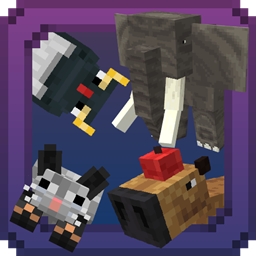
This Serverside Fabric mod brings a small collection of new mobs to your server, all without any additional downloads required by players.
It runs entirely server-side, from resourcepack generation to distribution using polymer autohost. Players wont have to download any mods, they can join with vanilla clients!
Mobs:
Hostile
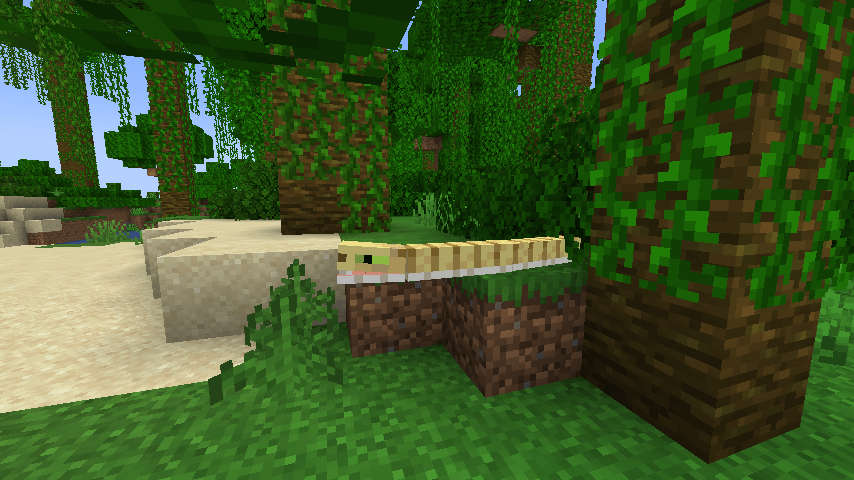
- Snake
- Type: Hostile
- Description: These slithery foes will add a bite of challenge to your exploration!
- Spawns in: Jungles, Deserts, Swamps
- Sculkling
- Type: Hostile
- Description: Mischievous mobs that steal your XP when they attack. Defeat them to get your XP back
- Spawns in: All caves except lush caves, below y-level 40
- Iceologer
- Type: Hostile
- Description: Chilly spellcaster Illager that summons icy spikes and clusters to freeze you in your tracks
- Spawns in: Last waves of raids in snowy mountain areas and in the overworld, in snowy moutains with y-level higher than 150
- Showmaster
- Type: Hostile
- Description: An Illager that throws potions, unleashes a rapid fire of arrows and summons circles of fangs, to test your combat skills.
- Spawns in: Last waves of raids
Passive / Ambient
- Capybara
- Type: Passive
- Description: The world's largest rodent, capybaras are friendly and social animals that bring a sense of calm to your world.
- Spawns in: Swamps
- Food: Apple, Melon, Pumpkin, Sugar Cane
- Firemoths
- Type: Passive
- Description: Beautiful, fiery creatures that flit around, adding a touch of particle goodness to your world.
- Spawns in: All nether biomes, except basalt deltas
- Butterfly
- Type: Passive
- Description: These colorful butterflies bring a touch of life to your server
- Spawns in: All over the overworld, except for cold biomes
- Penguin
- Type: Passive
- Description: They waddle around, very charmingly. Will defend itself if angered!
- Spawns in: Snowy/Icy biomes
- Drops: 1-3 Feathers
- Food: Raw Salmon, Raw Cod
- Elephant
- Type: Passive, Rideable
- Description: Ever wanted to explore the world in style? Now you can, ride these gentle giants!
- Spawns in: savanna_plateau, Jungle
- Food: Sugar, Sugar Cane, Bamboo
- Nautilus
- Type: Passive
- Description: This ancient creatures is home to oceans
- Spawns in: Oceans
- Drops: Small chance to drop a Nautilus shell Fragment, craft 9 of them together for a nautilus shell
- Mantaray
- Type: Passive
- Description: Manta rays glide smoothly through the ocean, adding a touch of beauty and calm to the underwater world
- Spawns in: Oceans
- Yellowfin Tuna
- Type: Passive
- Description: Swift and sleek, these Yellowfin Tuna are a vibrant addition to the oceanic life in your world, adding a splash of color as they dart through the water
- Spawns in: Oceans
- Lobster
- Type: Passive
- Description: Crawling along the ocean floor, these Lobsters add a touch of the underwater world’s richness
- Spawns in: Oceans, Rivers, Beaches, Mangrove Swamps
Simple Server-Side Setup:
Just install Toms Mobs on your server together with:
- Polymer
- Fabric-API
The server automatically generates a resource pack using the blockbench-import-library and provides it to the clients via polymer's autohost functionality.
The entities are available under the namespace toms_mobs (toms_mobs:elephant, etc.)
There are no configs.
Test Sever
Join the test server with a 1.20.5-1.21+ client on
mc.tomalbrc.de:25565
to test this mod and my other mods + upcoming, unreleased mods and features!
Toms Mobs 설치 방법
With Millida Launcher
Install Millida Launcher
The launcher is free: download it at millida.net/launcher and sign in with any nickname.
Click “Install” on this page
The launcher opens and installs the mod for Minecraft 1.20–26.2 on Fabric, NeoForge or Quilt automatically.
Launch the game
A profile with it appears in the launcher: click “Play”.
Manually
Install Fabric, NeoForge or Quilt
The loader must match the game version of the mod file, for example Minecraft 26.2. After installing it, a separate profile appears in your launcher.
Download the file for your version
In the version list above, pick the file toms_mobs-3.1.0+26.2.jar (3.9 MB) for your game version and loader.
Put it in the mods folder
The folder is inside .minecraft (Windows: %appdata%\.minecraft\mods). If it does not exist, create it.
Launch the loader profile
Open “Mods” in the main menu: Toms Mobs should be in the list.
버전
의존성 포함
| Minecraft | 로더 | 파일 | 날짜 | 작업 |
|---|---|---|---|---|
| 26.2 | Fabric, Quilt | toms_mobs-3.1.0+26.2.jar3.9 MB | ||
| 26.2 | NeoForge | toms_mobs_neo-3.0.4-beta.1+26.2.jar2.5 MB | ||
| 1.20.1 | Fabric, Quilt | toms_mobs-2.1.0+1.20.1.jar1.9 MB |
리뷰
Toms Mobs의 첫 평가를 남겨 보세요


