
 Forge
Forge Fabric
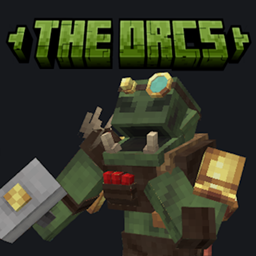
The Orcs! 모드 정보
Patreon Support!
If you would like to support this or any of the other things that I am working on Patreon is an amazing way to say thank you.
Discord!
Come say hi, ask questions or make suggestions for the mod
Twitch!
I stream over on twitch!
YouTube!
Lore Heavy Building Vids
The Orcs! 설치 방법
Install Millida Launcher
The launcher is free: download it at millida.net/launcher and sign in with any nickname.
Click “Install” on this page
The launcher opens and installs the mod for Minecraft 1.20.1–1.20.4 on Fabric or Forge automatically.
Launch the game
A profile with it appears in the launcher: click “Play”.
Minecraft 1.20.4 runs on Java 17: with a different Java version the game may close right after launch.
버전
의존성 포함
| Minecraft | 로더 | 파일 | 날짜 | 작업 |
|---|---|---|---|---|
| 1.20.2 | Forge | The Orcs Forge 1.20.x v1.0622 KB | ||
| 1.20.2 | Fabric | TheOrcs Fabric 1.20.x620 KB |
FAQ
Which Minecraft versions does The Orcs! work on?
There are files for 1.20.4, 1.20.3, 1.20.2, 1.20.1. The newest is 1.20.4.
Is The Orcs! for Forge or Fabric?
There are files for Fabric: 1.20.1–1.20.4 and for Forge: 1.20.1–1.20.4. There are no files for NeoForge: a mod for another loader will not start.
Does The Orcs! need other mods?
The author lists no required dependencies: the Fabric or Forge loader is enough.
Which Java does The Orcs! need?
Minecraft 1.20.4 runs on Java 17. If the game closes right after launch, the usual cause is the wrong Java version in the profile settings.
How do I download The Orcs!?
With Millida Launcher: it installs The Orcs! into a modpack by itself, for the right game version and loader. The launcher is free.
리뷰
The Orcs!의 첫 평가를 남겨 보세요


