

Minecraft 1.18.2, 1.19용 Table Top Craft (Forge) 모드
Table Top Craft는 마인크래프트에 플레이 가능한 보드게임을 추가하는 모드입니다.
 Fabric
 Forge
Table Top Craft (Forge) 모드 정보
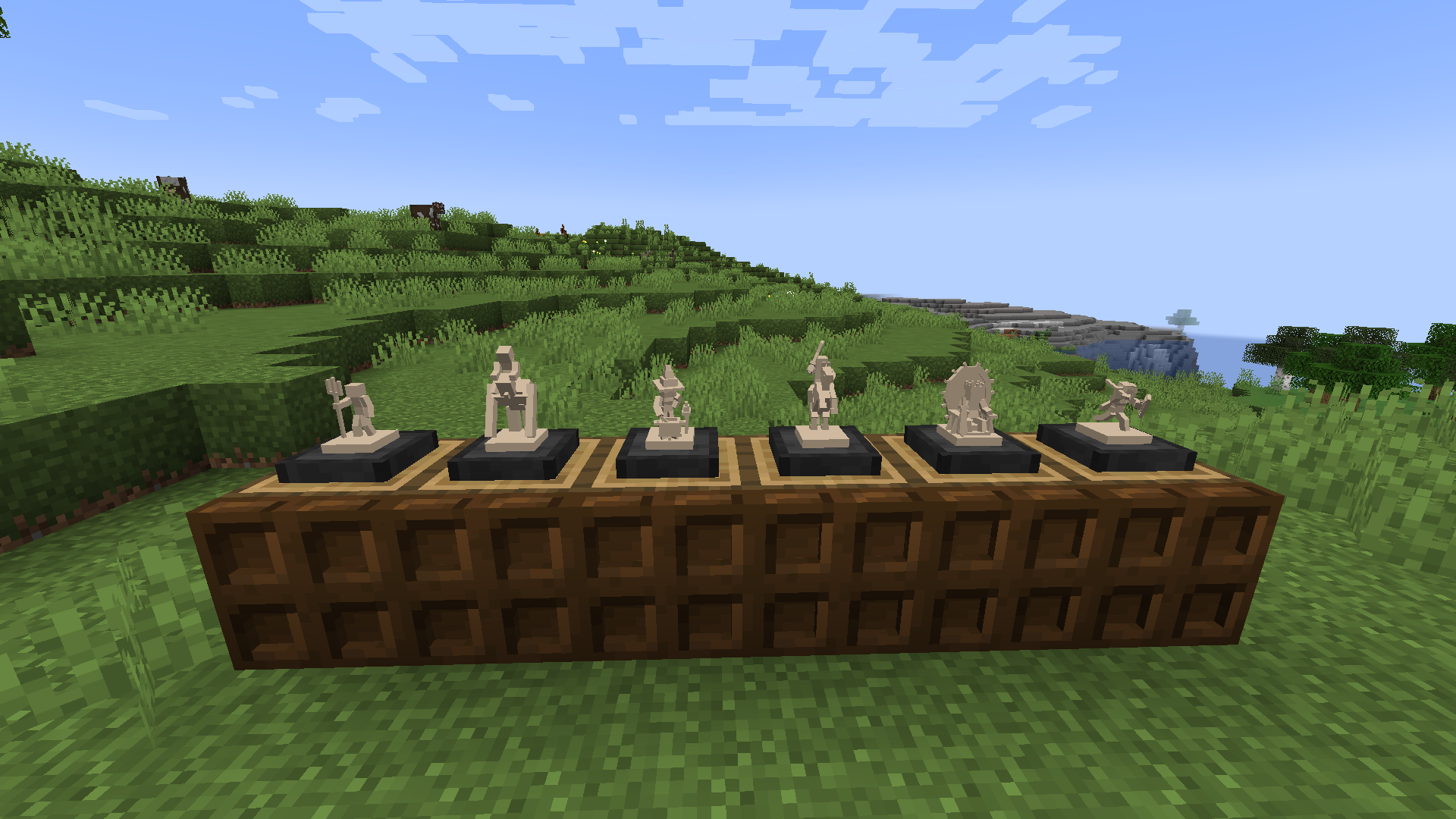
Table Top Craft는 보드 게임을 도입하여 게임 경험을 향상시키는 정교하게 제작된 Minecraft 모드입니다. 최신 업데이트를 통해 이 모드는 이제 더욱 확장된 게임 모음을 제공합니다. 체스의 전략적 탁월함에 빠져들어 전술적 기량을 시험해 보세요. 또는 빠른 대결에 완벽한 틱택토의 향수를 즐겨보세요. 하지만 그게 전부가 아닙니다! 커뮤니티의 압도적인 지지에 힘입어 커넥트 포를 포함하게 되었음을 자랑스럽게 알려드립니다. Table Top Craft에서 제공하는 커스터마이징 옵션의 깊이는 정말 놀랍습니다. 타일 색상, 말 색상, 심지어 이동 하이라이트 색상까지 변경하여 보드 게임을 원하는 대로 맞춤 설정할 수 있습니다. Table Top Craft의 특별한 기능 중 하나는 Minecraft 세계에 매끄럽게 통합된다는 점입니다. GUI의 한계를 뛰어넘는 게임플레이를 즐기며 블록을 클릭하기만 하면 플레이할 수 있습니다. 솔로 모험이든 멀티플레이어의 재미든, 이 모드는 여러분의 필요를 충족시킵니다. 블록을 멋진 장식품으로 활용하거나 친구들에게 도전해 보세요!
이 모드의 Forge 버전은 어떤 의존성도 없습니다.
이 모드의 Fabric 버전은 [여기]에서 다운로드할 수 있습니다.
변형의 경우 참나무 판자를 다른 유효한 블록으로 교체하세요. 더 자세한 레시피 목록은 JEI를 사용하세요.
셰이더:
- 셰이더는 체스 말 렌더러를 깨뜨립니다 (대체 렌더 시스템, 버전 1.19 이상에서 추가됨)
Q: 이 모드를 내 모드팩에서 사용할 수 있나요? A: 네, 물론입니다! 제 모드를 모드팩에서 자유롭게 사용하세요.
Q: 모드를 버전 [x]로 업데이트할 수 있나요? A: 저는 항상 모드를 최신 상태로 유지하려고 노력하므로, 업데이트가 없다면 단순히 작업할 시간이 없었다는 뜻입니다!
Q: 모드를 버전 [x]로 백포트할 수 있나요? A: 아니요, 제 모드를 백포트하지 않습니다. 구버전은 과거의 버전이며 이를 지원하기 위해 애쓰지 않습니다!
Q: 서바이벌에서 체스 말 세트를 어떻게 잠금 해제하나요? A: 세트 컬렉터 발전 과제를 달성해야 합니다 (한 세트의 6가지 말 유형을 모두 획득)
Q: "FEN"이 무엇인가요? A: FEN은 "Forsyth-Edwards-Notation"의 약자로, 간단히 말해 체스 게임의 특정 보드 위치를 설명하는 표준 표기법입니다.
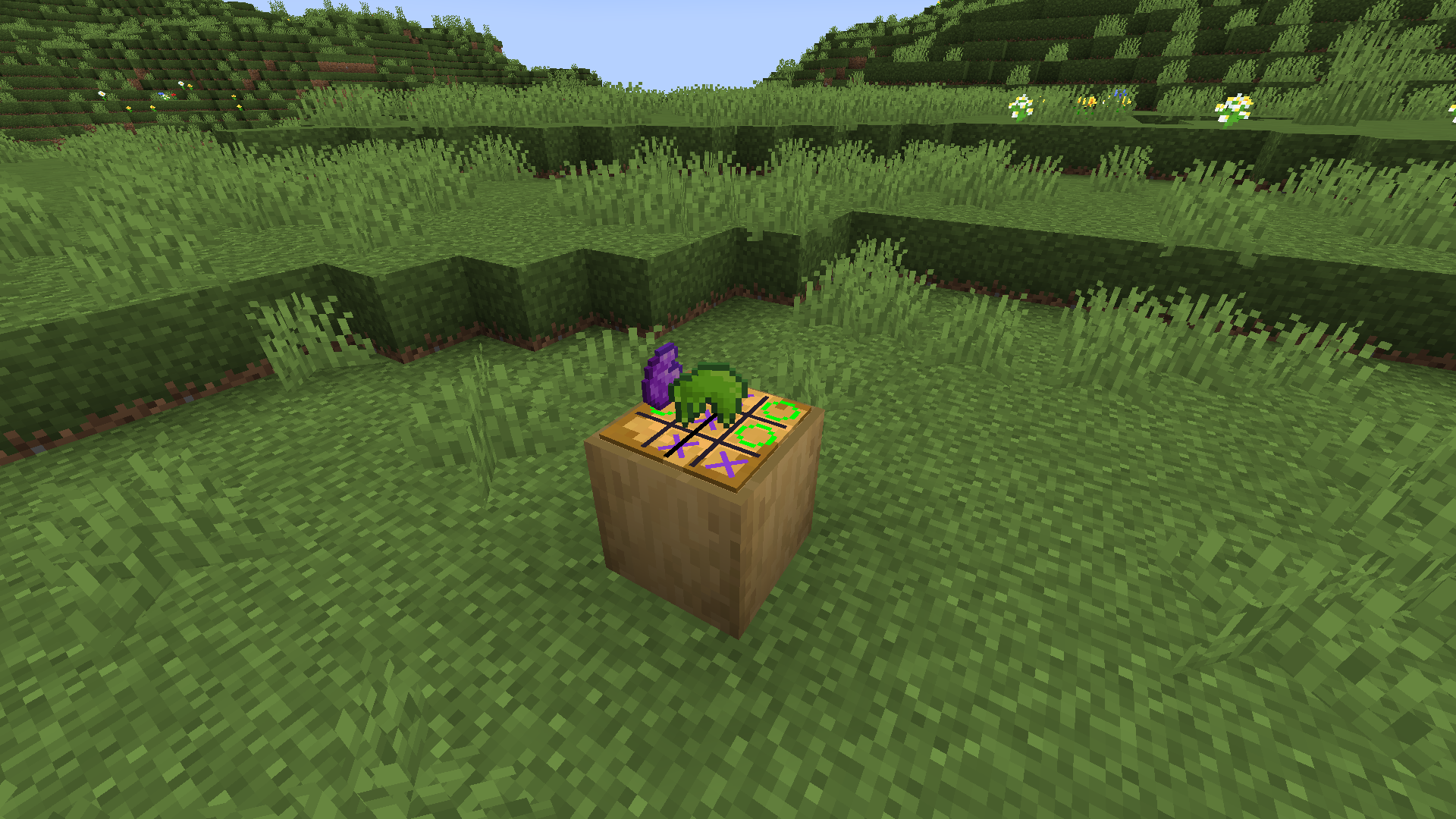
Table Top Craft (Forge) 설치 방법
With Millida Launcher
Install Millida Launcher
The launcher is free: download it at millida.net/launcher and sign in with any nickname.
Click “Install” on this page
The launcher opens and installs the mod for Minecraft 1.18.2–1.19 on Fabric or Forge automatically.
Launch the game
A profile with it appears in the launcher: click “Play”.
Manually
Install Fabric or Forge
The loader must match the game version of the mod file, for example Minecraft 1.19. After installing it, a separate profile appears in your launcher.
Download the file for your version
In the version list above, pick the file table_top_craft-1.19-2.0.0.jar (1.0 MB) for your game version and loader.
Put it in the mods folder
The folder is inside .minecraft (Windows: %appdata%\.minecraft\mods). If it does not exist, create it.
Launch the loader profile
Open “Mods” in the main menu: Table Top Craft (Forge) should be in the list.
Minecraft 1.19 runs on Java 17: with a different Java version the game may close right after launch.
버전
의존성 포함
| Minecraft | 로더 | 파일 | 날짜 | 작업 |
|---|---|---|---|---|
| 1.18.2 | Forge | Forge Table Top Craft-1.18.2-2.2.01017 KB | ||
| 1.19 | Fabric | (Old) Table Top Craft-1.19-2.0.01 MB |
FAQ
Which Minecraft versions does Table Top Craft (Forge) work on?
There are files for 1.19, 1.18.2. The newest is 1.19.
Is Table Top Craft (Forge) for Forge or Fabric?
There are files for Fabric: 1.19 and for Forge: 1.18.2. There are no files for NeoForge: a mod for another loader will not start.
Does Table Top Craft (Forge) need other mods?
The author lists no required dependencies: the Fabric or Forge loader is enough.
Which Java does Table Top Craft (Forge) need?
Minecraft 1.19 runs on Java 17. If the game closes right after launch, the usual cause is the wrong Java version in the profile settings.
How do I download Table Top Craft (Forge)?
With Millida Launcher: it installs Table Top Craft (Forge) into a modpack by itself, for the right game version and loader. The launcher is free.
리뷰
Table Top Craft (Forge)의 첫 평가를 남겨 보세요


