

 NeoForge
 Fabric
 Quilt
Quilt Forge
ForgeSmooth Swapping
정보
Smooth Swapping은 인벤토리 안에서 아이템 이동을 애니메이션으로 보여주는 클라이언트 측 모드입니다.
- Fabric과 Forge에서 사용할 수 있습니다 (Minecraft 버전 1.19.4부터)
- Architectury를 사용해 작성되었지만 Forge와 Fabric 모두 Architectury API가 필요하지 않습니다
- Fabric 버전을 사용한다면 Fabric API가 필요하며, 설정 메뉴에 접근하려면 ModMenu가 필요합니다
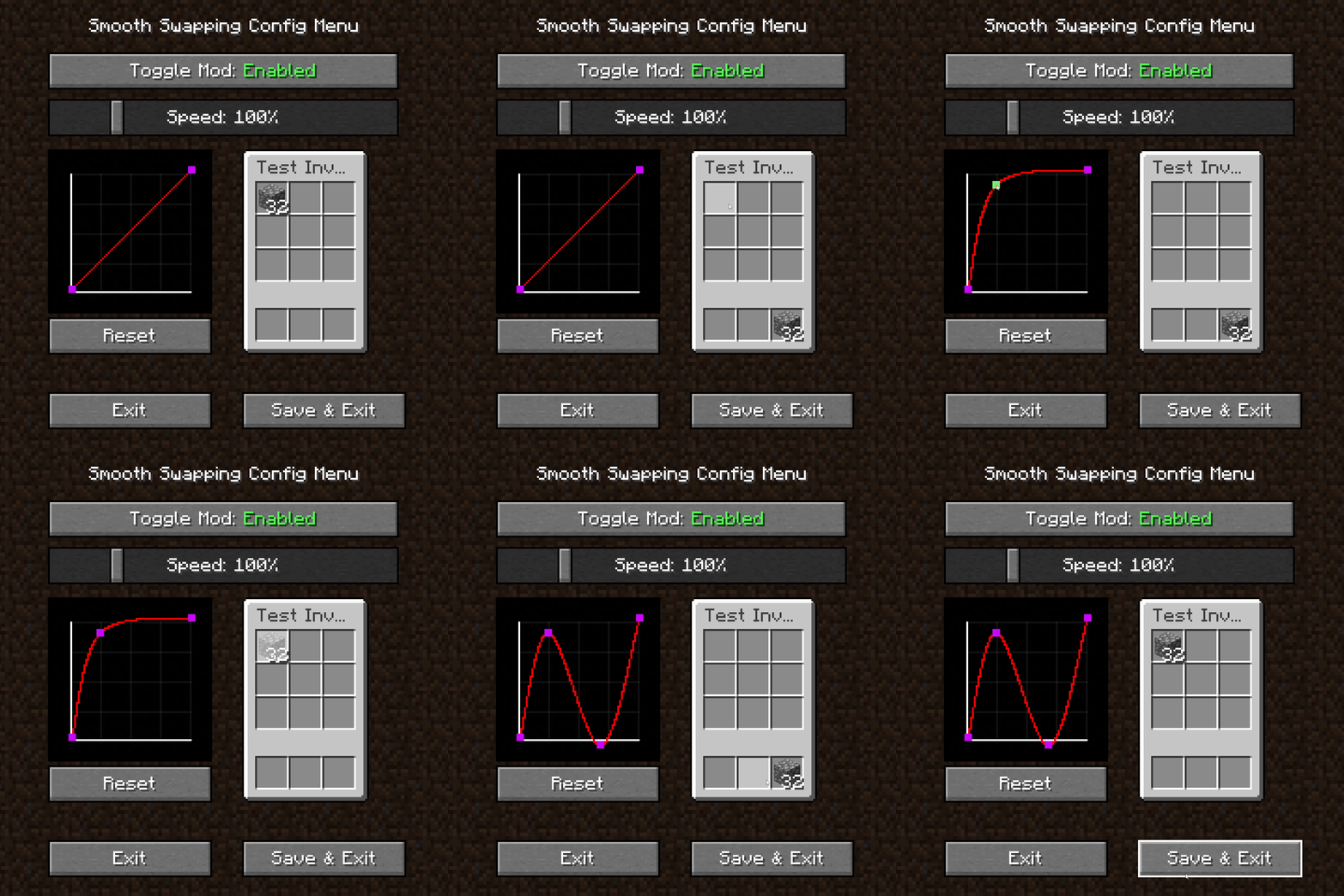
인벤토리 안에서 부드러운 아이템 애니메이션
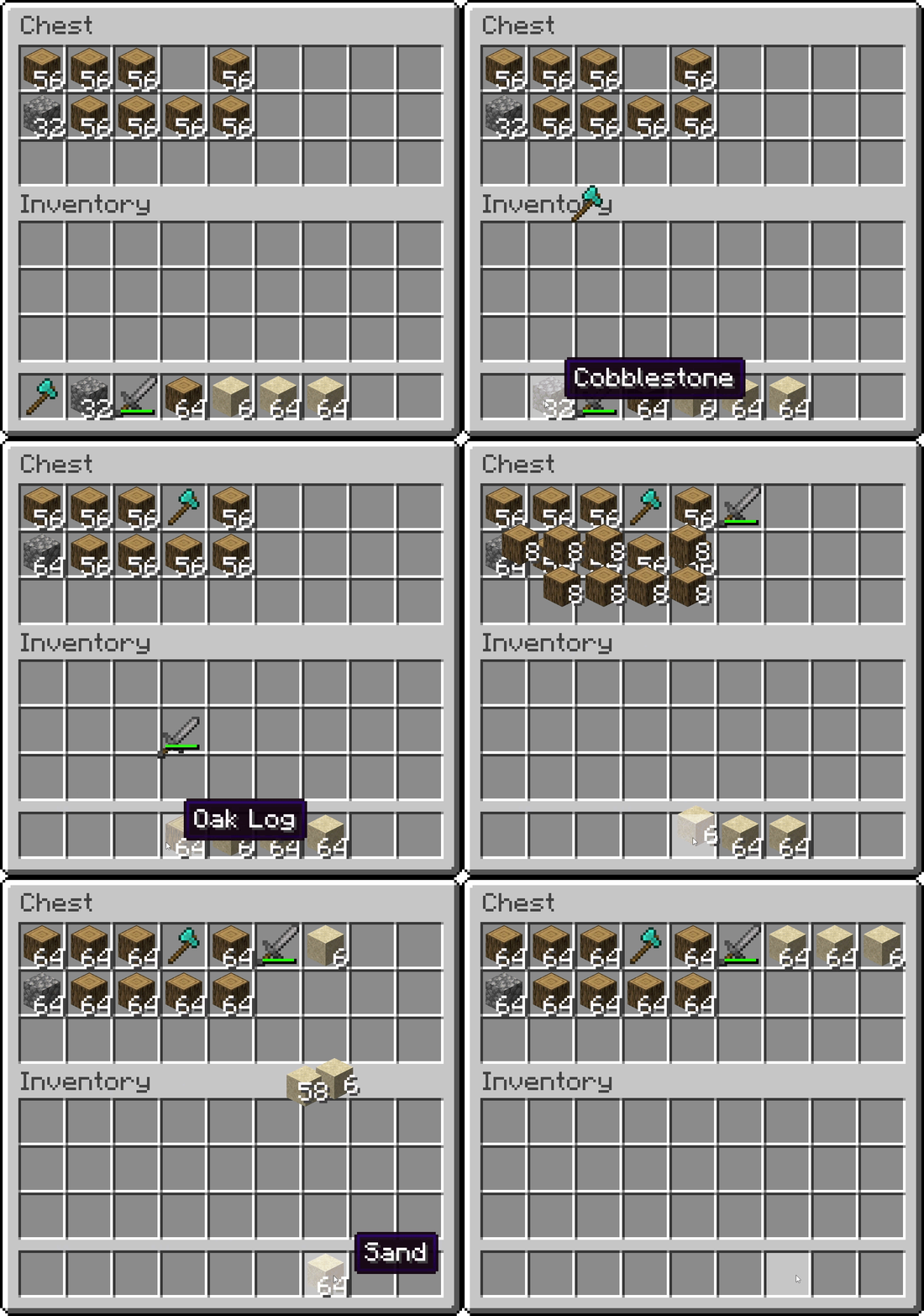
Smooth Swapping 설정 메뉴
- 모드를 활성화 및 비활성화하는 토글 버튼
- 애니메이션 속도를 조절하는 슬라이더
- 애니메이션을 테스트할 수 있는 작은 인벤토리
- 애니메이션 곡선을 변경하는 그래프
- 빈 공간을 마우스 오른쪽 버튼으로 클릭하면 새로운 곡선 점이 생성됩니다
- 점을 왼쪽 클릭하고 드래그하면 이동할 수 있습니다. 단, 첫 번째와 마지막 점은 이동할 수 없습니다
- 점을 오른쪽 클릭하면 삭제됩니다
Smooth Swapping 설치 방법
With Millida Launcher
Install Millida Launcher
The launcher is free: download it at millida.net/launcher and sign in with any nickname.
Click “Install” on this page
The launcher opens and installs the mod for Minecraft 1.18–26.3 on Fabric, Forge, NeoForge or Quilt automatically.
Launch the game
A profile with it appears in the launcher: click “Play”.
Manually
Install Fabric, Forge, NeoForge or Quilt
The loader must match the game version of the mod file, for example Minecraft 26.3. After installing it, a separate profile appears in your launcher.
Download the file for your version
In the version list above, pick the file smoothswapping-0.9.11-26.3-neoforge.jar (66 KB) for your game version and loader.
Put it in the mods folder
The folder is inside .minecraft (Windows: %appdata%\.minecraft\mods). If it does not exist, create it.
Launch the loader profile
Open “Mods” in the main menu: Smooth Swapping should be in the list.
버전
의존성 포함
| Minecraft | 로더 | 파일 | 날짜 | 작업 |
|---|---|---|---|---|
| 26.3 | NeoForge | [NeoForge 26.3] v0.9.1166.1 KB 23 | ||
| 26.3 | Fabric, Quilt | [Fabric 26.3] v0.9.1166 KB 535 | ||
| 1.18.1 | Forge | [Forge 1.18.2] v0.9.1.159.9 KB 13 |
리뷰
Smooth Swapping의 첫 평가를 남겨 보세요


