

Minecraft 26.3용 Smooth Scrolling Refurbished 모드
게임 내 대부분의 스크롤바를 부드럽게 스크롤하도록 변경합니다.
- 다운로드
- 88 다운로드
- 조회수
- 224 조회수
- 업데이트됨
- 업데이트됨 29.09.2026
- 1.21.4 — 26.3
 Fabric
- 클라이언트
Smooth Scrolling Refurbished
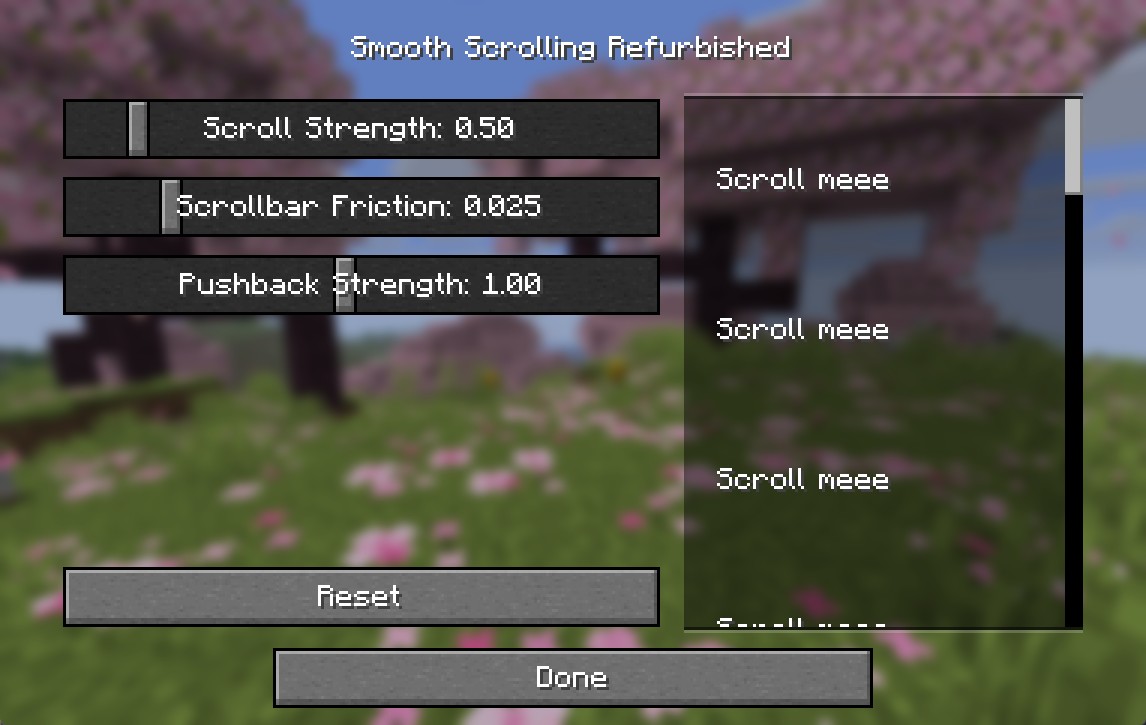
This mod changes the scrollbar in any screen that uses it to be smooth.
It is meant as a replacement for the fantastic Smooth Scrolling Everywhere mod as it is no longer maintained. My mod uses no code from the original project.
If there is a bug or an incompatibility with another mod please let me know on github issues.
The latest versions allow you to customize the scrollbar animation
Smooth Scrolling Refurbished 설치 방법
With Millida Launcher
Install Millida Launcher
The launcher is free: download it at millida.net/launcher and sign in with any nickname.
Click “Install” on this page
The launcher opens and installs the mod for Minecraft 1.21.4–26.3 on Fabric automatically.
Launch the game
A profile with it appears in the launcher: click “Play”.
Manually
Install Fabric
The loader must match the game version of the mod file, for example Minecraft 26.3. After installing it, a separate profile appears in your launcher.
Download the file for your version
In the version list above, pick the file SmoothScrollingRefurbished+26.3-1.10.0.jar (22 KB) for your game version.
Put it in the mods folder
The folder is inside .minecraft (Windows: %appdata%\.minecraft\mods). If it does not exist, create it.
Launch the loader profile
Open “Mods” in the main menu: Smooth Scrolling Refurbished should be in the list.
Smooth Scrolling Refurbished works on the player’s side only: there is no need to install it on a server.
버전
의존성 포함
| Minecraft | 로더 | 파일 | 날짜 | 작업 |
|---|---|---|---|---|
| 26.3 | Fabric | 26.322 KB 30 | ||
| 26.2 | Fabric | 26.222 KB 13 | ||
| 26.1.2 | Fabric | 26.1.222 KB 3 | ||
| 1.21.5 | Fabric | 1.21.510.4 KB 5 | ||
| 1.21.8 | Fabric | 1.21.810.4 KB | ||
| 1.21.11 | Fabric | 1.21.1110.4 KB 37 | ||
| 26.2 | Fabric | 26.210.4 KB | ||
| 26.2 | Fabric | 26.210.4 KB |
실행에 필요한 것
- Mod Menu선택 사항
리뷰
Smooth Scrolling Refurbished의 첫 평가를 남겨 보세요


