
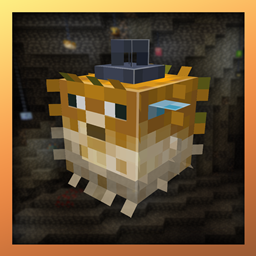
Minecraft 1.16.5, 1.19.3용 Skinned Lanterns (Fabric) 모드
랜턴에 스킨을 추가하세요!
 Fabric
 Quilt
Skinned Lanterns
A mod that adds more Lanterns to the game! Inspired by Skinned Carts!
Thanks to uraneptus for the logo and icon go follow them on twitter!
Skinned Lanterns (Fabric) 설치 방법
With Millida Launcher
Install Millida Launcher
The launcher is free: download it at millida.net/launcher and sign in with any nickname.
Click “Install” on this page
The launcher opens and installs the mod for Minecraft 1.16.5–1.19.3 on Fabric or Quilt automatically.
Launch the game
A profile with it appears in the launcher: click “Play”.
Manually
Install Fabric or Quilt
The loader must match the game version of the mod file, for example Minecraft 1.19.3. After installing it, a separate profile appears in your launcher.
Download the file for your version
In the version list above, pick the file skinned_lanterns-2.0.2.jar (844 KB) for your game version and loader.
Put it in the mods folder
The folder is inside .minecraft (Windows: %appdata%\.minecraft\mods). If it does not exist, create it.
Launch the loader profile
Open “Mods” in the main menu: Skinned Lanterns (Fabric) should be in the list.
Minecraft 1.19.3 runs on Java 17: with a different Java version the game may close right after launch.
버전
의존성 포함
| Minecraft | 로더 | 파일 | 날짜 | 작업 |
|---|---|---|---|---|
| 1.19.3 | Fabric, Quilt | Skinned Lanterns [FABRIC] 2.0.2844 KB | ||
| 1.16.5 | — | skinnedlanterns-1.1.5.jar1.3 MB | ||
| 1.17 | Fabric | skinned_lanterns_fabric-20w51a-1.1.1.jar391 KB |
리뷰
Skinned Lanterns (Fabric)의 첫 평가를 남겨 보세요


