

Minecraft 1.20.1, 1.16.5용 Simple Tomb 모드
Simple Tombstone은 죽었을 때 아이템을 보관하는 무덤입니다
 NeoForge
 Forge
ForgeSimple Tomb 모드 정보
이것은 기존 모드의 포크나 포팅이 아닙니다. 이것은 완전히 다른 모드입니다. 자세한 내용은 아래 스포일러를 보거나 트위터나 디스코드로 저에게 메시지를 보내주세요. 아래 크레딧과 오픈 소스 정보를 참고하세요.
명령어 예시:
잃어버린 무덤을 복원하려면 (1.0.8 업데이트 이후에 생성된 것만)
/simpletomb list Lothrazar 관리자용으로 채팅에 모든 플레이어 무덤을 출력 /simpletomb restore Lothrazar 0 목록에서 선택한 무덤 0을 아이템으로 가득 찬 상태로 월드에 다시 배치 /simpletomb key Lothrazar 4
선택한 무덤 4의 열쇠를 얻습니다 /simpletomb delete Lothrazar 플레이어의 무덤을 삭제합니다
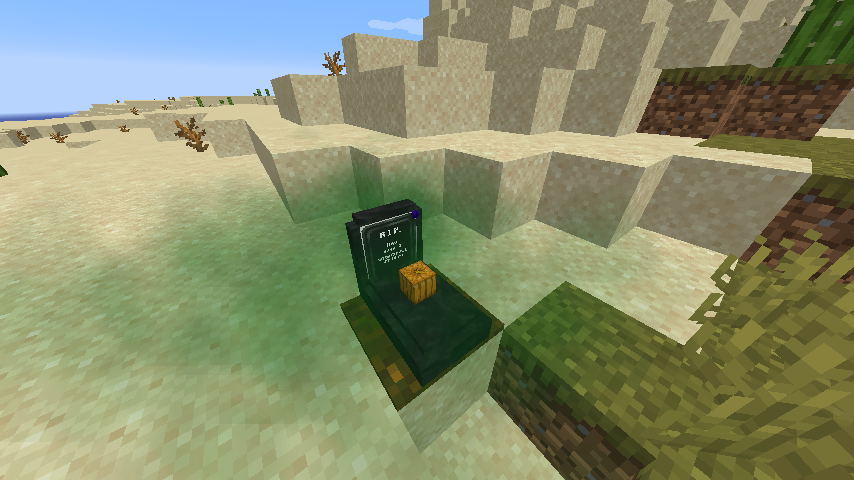
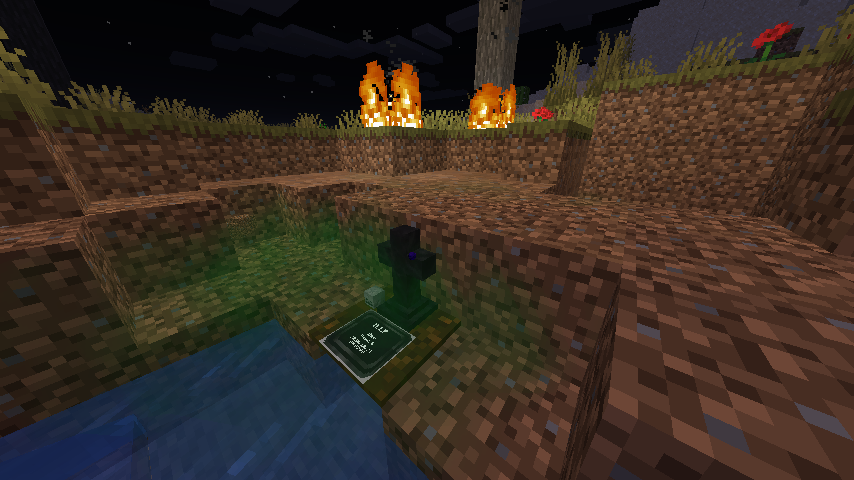
죽으면 당신의 아이템이 담긴 무덤이 월드에 생성됩니다. 리스폰하면 열쇠를 받습니다.
무덤을 되찾는 데 열쇠가 필수는 아니지만, 무덤을 찾는 데 도움이 됩니다.
무덤 위에 서서 웅크리면 아이템을 되찾을 수 있습니다.
당신의 무덤은 다른 플레이어가 열 수 없습니다.
무덤 블록은 생성될 때 무작위 디자인이 됩니다.
범위 내에 있을 때, 활처럼 열쇠를 충전하여 사용하면 무덤으로 순간이동합니다.
이 모드는 플레이어가 생존 모드에서 획득할 수 있는 블록을 추가하지 않습니다.
이것은 물약, 마법 부여, 제작 레시피 또는 마법 시스템을 추가하지 않습니다.
1.16+ 설정 파일 예시: 여기
프로젝트 역사에 대한 자세한 내용은 패널을 펼치세요
이것은 Corails-tombstone의 리메이크나 대체가 아닙니다. 충돌하지 않도록 새로운 모드 ID 'simpletomb'을 사용합니다. 이것은 제가 직접 코드를 변경한 포크로, 대부분의 기능이 제거되고 다른 기능이 추가되었습니다. 열쇠를 제외한 모든 아이템이 제거되었으며, 주요 기능은 플레이어의 아이템과 함께 묘비가 생성되는 것입니다. 열쇠와 묘비는 이제 약간 다르게 작동합니다. 이 모드는 소형 무덤 모드이지만 corails tombstone에서 포크되었으며 그 코드와 에셋에 의존합니다. 모든 라이선스 정보는 여기에 있습니다. 이 간단한 묘비 모드도 라이선스에 따라 그러한 변경 사항을 명시한 후 동일한 호환 LGPL v2.1에 따라 배포됩니다.
Tombstones 모드는 역사적으로 클로즈드 소스였습니다. 원작자(Corail)는 Minecraft 커뮤니티를 떠나기로 결정하고 모드를 오픈 소스로 공개하기로 했습니다.
https://tldrlegal.com/license/gnu-lesser-general-public-license-v2.1-(lgpl-2.1)
크레딧
- Corail31 - Corails Tombstone 모드의 저자 (이 모드는 LGPL2.1에 따라 일부 에셋과 소스 코드를 여기에 의존합니다)
- Darkhax
- Gegy1000
- Barteks2X
- Paul Fulham
이 프로젝트가 curseforge에서 사라진다면, 제 의지로 삭제한 것이 아니라 아시는 분(you-know-who)이 아시는 것(you-know-what)의 저자로서 또 한 번의 사소한 DMCA 공격을 한 것입니다
Simple Tomb 설치 방법
With Millida Launcher
Install Millida Launcher
The launcher is free: download it at millida.net/launcher and sign in with any nickname.
Click “Install” on this page
The launcher opens and installs the mod for Minecraft 1.16.3–26.3 on Forge or NeoForge automatically.
Launch the game
A profile with it appears in the launcher: click “Play”.
Manually
Install Forge or NeoForge
The loader must match the game version of the mod file, for example Minecraft 26.3. After installing it, a separate profile appears in your launcher.
Download the file for your version
In the version list above, pick the file simpletomb-26.3-1.9.0.jar (279 KB) for your game version and loader.
Put it in the mods folder
The folder is inside .minecraft (Windows: %appdata%\.minecraft\mods). If it does not exist, create it.
Launch the loader profile
Open “Mods” in the main menu: Simple Tomb should be in the list.
버전
의존성 포함
| Minecraft | 로더 | 파일 | 날짜 | 작업 |
|---|---|---|---|---|
| 26.3 | NeoForge | simpletomb-26.3-1.9.0.jar279 KB | ||
| 26.1 | NeoForge | simpletomb-26.1-1.7.0.jar295 KB | ||
| 1.20.1 | NeoForge, Forge | simpletomb-1.20.1-1.3.0.jar282 KB | ||
| 1.20.1 | Forge | simpletomb-1.20.1-1.0.18.jar283 KB | ||
| 1.18 | Forge | simpletomb-1.18-1.0.9.jar282 KB | ||
| 1.16.3 | — | simpletomb-1.16.5-1.0.9.jar292 KB | ||
| 1.16.3 | — | simpletomb-1.16.5-1.0.8.jar292 KB |
FAQ
Which Minecraft versions does Simple Tomb work on?
There are files for 1.16.3–26.3, 10 versions in total. The newest is 26.3.
Is Simple Tomb for Forge or Fabric?
There are files for Forge: 1.18–1.20.1 and for NeoForge: 1.20.1–26.3. There are no files for Fabric: a mod for another loader will not start.
Does Simple Tomb need other mods?
The author lists no required dependencies: the Forge or NeoForge loader is enough.
Where can I download Simple Tomb safely?
On this page: the file simpletomb-26.3-1.9.0.jar (279 KB) is stored on Millida’s server, with no link shorteners. SHA-1 checksum: 00e8e0c2d0af816e4c182ae7c062c48eb37ee7c2.
리뷰
Simple Tomb의 첫 평가를 남겨 보세요


