

Minecraft 26.3용 Shield Statuses 모드
색상으로 표현되는 방패 상태를 표시합니다. 이 모드는 Walksy에 의해 최신 버전으로 포팅되고 개선되었습니다.
- 다운로드
- 188 다운로드
- 조회수
- 443 조회수
- 업데이트됨
- 업데이트됨 21.10.2026
- 1.21.5 — 26.3
 Fabric
- 클라이언트
Shield Statuses!
This mod renders color overlays on player's shields to determine whether that shield is disabled or not.

Information:
Colors
This mod allows you to customize and choose the shield's disabled and enabled color via the mod's config screen. You must have mod menu to access this.
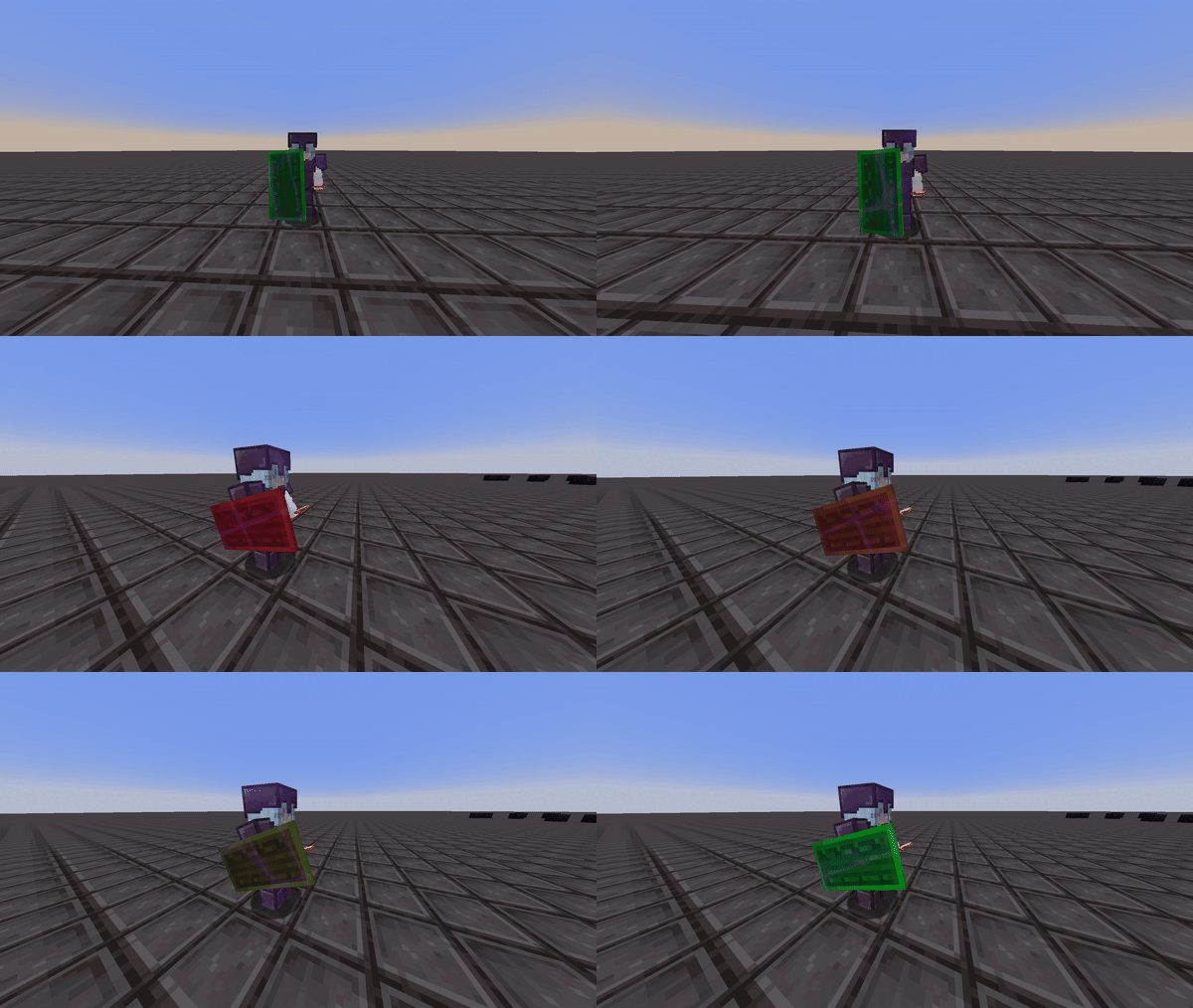
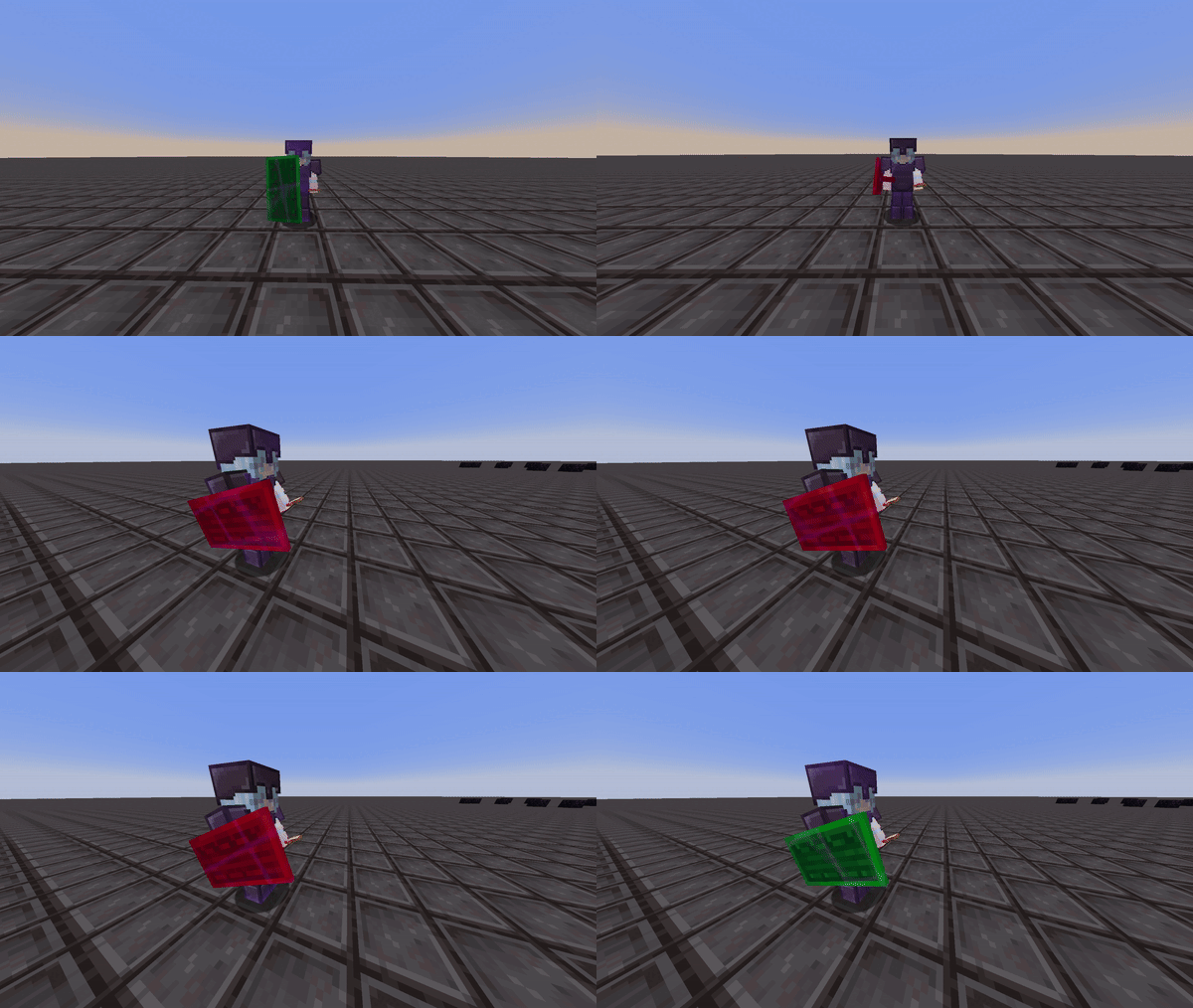
The interpolation option gives you the choice to set the shield to either display two static colors or to have the disabled color gradually transition to the enabled color. This way, you can estimate when the shield will be reactivated. This can be seen in the two videos below:
Interpolation Enabled:
Interpolation Disabled:
Banner Texture

Put any image (PNG, JPG or animated GIF) on the banner area of every shield. The rim, handle and back of the shield still show the status colors.
Server Opt-Out
If you don't want your players seeing the shield status of other players, you can switch that part of the mod off. Players will still see the status of their own shield.
Shield Status uses WalksyLib's server opt-out, so install the WalksyLibControl plugin (Spigot, Paper and Folia, 1.20.5+) and run:
/wlcontrol disable shieldstatus other-player-shields or /wlcontrol disablewithreason shieldstatus other-player-shields "Seeing other players' shield status is not allowed on this server"
Only the other-player-shields feature can be switched off; disabling shieldstatus as a whole has no effect.
Credits
- Mod: Walksy
- Icon: SakuraFX
Shield Statuses 설치 방법
With Millida Launcher
Install Millida Launcher
The launcher is free: download it at millida.net/launcher and sign in with any nickname.
Click “Install” on this page
The launcher opens and installs the mod for Minecraft 1.21.5–26.3 on Fabric automatically, together with its dependencies: Dependency.
Launch the game
A profile with it appears in the launcher: click “Play”.
Manually
Install Fabric
The loader must match the game version of the mod file, for example Minecraft 26.3. After installing it, a separate profile appears in your launcher.
Download the file for your version
In the version list above, pick the file ShieldStatus-4.2.1+26.3.jar (37 KB) for your game version.
Put it in the mods folder
The folder is inside .minecraft (Windows: %appdata%\.minecraft\mods). If it does not exist, create it. Required dependencies go there too: Dependency.
Launch the loader profile
Open “Mods” in the main menu: Shield Statuses should be in the list.
Shield Statuses works on the player’s side only: there is no need to install it on a server.
버전
의존성 포함
| Minecraft | 로더 | 파일 | 날짜 | 작업 |
|---|---|---|---|---|
| 26.3 | Fabric | 26.336.8 KB 18 | ||
| 26.2 | Fabric | 26.236.9 KB 25 | ||
| 26.1.2 | Fabric | 26.1.237.8 KB 3 | ||
| 1.21.11 | Fabric | 1.21.1136.1 KB 127 | ||
| 1.21.10 | Fabric | 1.21.1036.1 KB 1 | ||
| 1.21.8 | Fabric | 1.21.835.2 KB 1 | ||
| 1.21.6 | Fabric | 1.21.635.2 KB | ||
| 1.21.5 | Fabric | 1.21.533.8 KB |
실행에 필요한 것
- Dependency필수
리뷰
Shield Statuses의 첫 평가를 남겨 보세요


