

Minecraft 1.20.1, 1.21.1용 Rustic Pancakes 모드
세계에 설치할 수 있는 다양한 종류의 먹을 수 있는 팬케이크를 추가하는 컨트리풍 모드
 NeoForge
 Fabric
 Forge
ForgeAbout
Cozy up your home by making your own 🥞 Pancakes 🥞! Similar to Cake, Pancakes can be placed decoratively as a block in your world. Right-click them to eat a pancake directly, or grab some shears to take a single pancake with you. Each pancake grants a different effect to help you on your journey!
Stay tuned for more features! Have a bug or suggestion? Join the Discord server!
Pancakes are a great way to make your home more cozy. Eat up to six servings for some extra energy.

Features
🥣 Batter and Syrup
The mod introduces two new ingredients: Batter and Syrup. All pancakes require Batter to craft, obtained with a Bowl, some Milk, an Egg and two Wheat. Some also require Syrup, obtained with a Glass Bottle, a Beetroot and some Sugar.

🥞 Pancakes
Pancakes are currently available in the following flavors: Classic, Honey, Chocolate, Vegetable, Cherry Blossom and Pumpkin.
My other mods
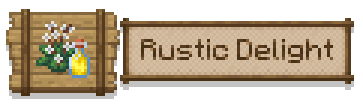
The pancakes from this mod are also available as part of a larger Farmer's Delight add-on that I made, Rustic Delight! This mod adds Cotton, Coffee, Bell Peppers, fried foods and more!
Support

If you like my mod and want to support me on my Minecraft modding journey, consider ☕ buying me a coffee!
Rustic Pancakes 설치 방법
With Millida Launcher
Install Millida Launcher
The launcher is free: download it at millida.net/launcher and sign in with any nickname.
Click “Install” on this page
The launcher opens and installs the mod for Minecraft 1.19.2–26.1.2 on Fabric, Forge or NeoForge automatically, together with its dependencies: Fabric API, Architectury API.
Launch the game
A profile with it appears in the launcher: click “Play”.
Manually
Install Fabric, Forge or NeoForge
The loader must match the game version of the mod file, for example Minecraft 26.1.2. After installing it, a separate profile appears in your launcher.
Download the file for your version
In the version list above, pick the file rusticpancakes-neoforge-26.1.2-1.2.0.jar (184 KB) for your game version and loader.
Put it in the mods folder
The folder is inside .minecraft (Windows: %appdata%\.minecraft\mods). If it does not exist, create it. Required dependencies go there too: Fabric API, Architectury API.
Launch the loader profile
Open “Mods” in the main menu: Rustic Pancakes should be in the list.
On a server
A server on Fabric, Forge or NeoForge
The mod only works on a server with the same loader and game version, for example 26.1.2.
File goes into the server’s mods folder
Stop the server, put the mod file into the mods folder and start the server again.
Use the “To server” button
On Millida Hosting, the button at the top of the page uploads the file to your server and restarts it for you.
버전
의존성 포함
| Minecraft | 로더 | 파일 | 날짜 | 작업 |
|---|---|---|---|---|
| 26.1.2 | NeoForge | 26.1.2184 KB | ||
| 26.1.2 | Fabric | 26.1.2165 KB | ||
| 1.21.11 | NeoForge | 1.21.11185 KB | ||
| 1.21.11 | Fabric | 1.21.11165 KB | ||
| 1.21.10 | NeoForge | 1.21.10185 KB | ||
| 1.21.10 | Fabric | 1.21.10165 KB | ||
| 1.21.8 | NeoForge | 1.21.8185 KB | ||
| 1.21.8 | Fabric | 1.21.8165 KB |
실행에 필요한 것
리뷰
Rustic Pancakes의 첫 평가를 남겨 보세요


