

 NeoForge
 Fabric
 Forge
ForgeRenderScale
RenderScale allows you to change Minecraft's resolution without affecting the UI. You can increase scale for antialiasing, or lower to improve performance. This is heavily recommended for laptops with retina displays!
This is a fork of ResolutionControl++, with added support for NeoForge.
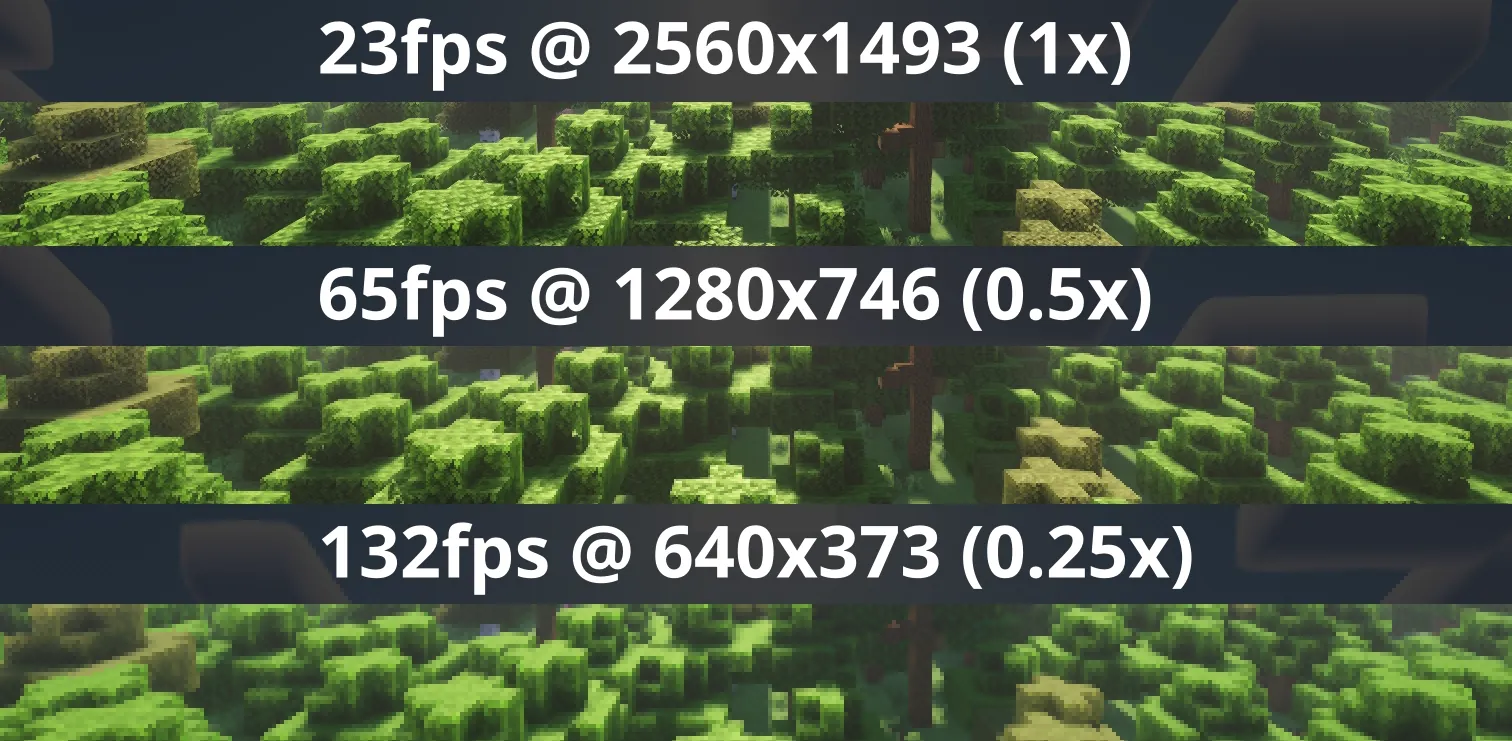
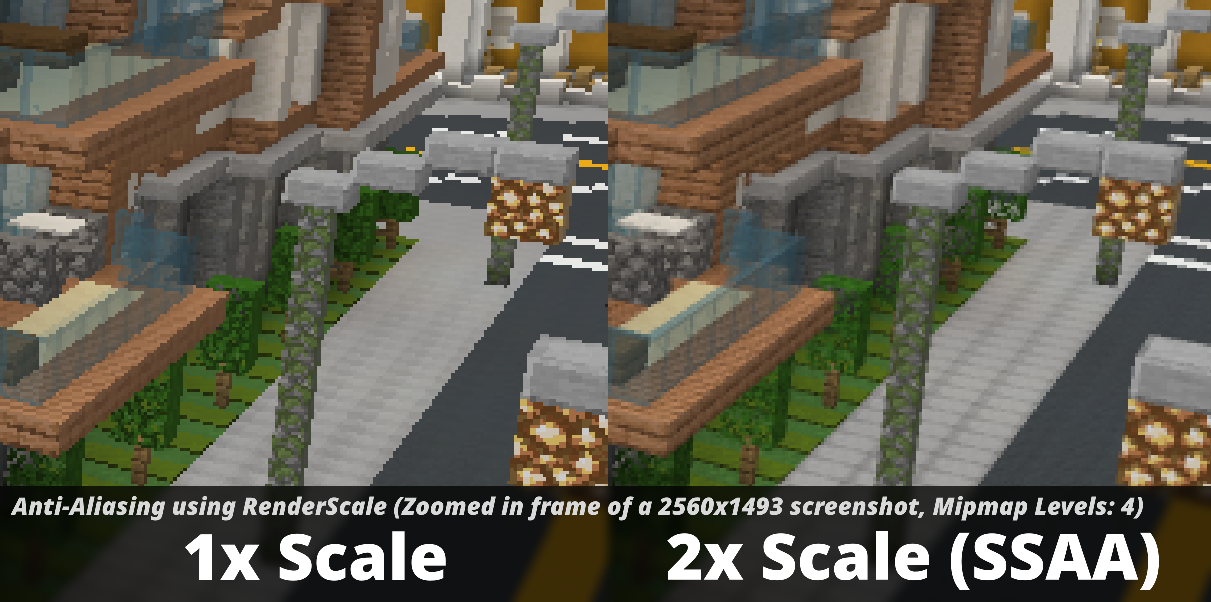
Check out Fabrishot if you also want the large screenshot feature that was in ResolutionControl.

How to use
Press U (sometimes O) or, use the mod menu config to control the render scale multiplier.

Other features
- FSR 1 upscaling! Currently only available on 1.20.1, 1.21.1, and 1.21.11+. There are no plans to support DLSS or FSR 2+.
- Dynamic Scaling, tries to keep the game at your targeted FPS by continuously changing the scale while you play.
- Optional sharpening post-processing.
Compatibility
⚠️ This mod is NOT compatible with Lunar Client / Feather Client. It will break if you use them.
Aims to be compatible with any mod, including Sodium, Iris, etc. However, there can be mods that break RenderScale. Please report any issues here, or on my discord. Make sure to include your latest MC logs!
(26.2+) Works with Vulkan, including Iris Vulkan.
Dynamic scaling is unavailable while shaders are enabled due to issues with stuttering.
Supported Versions
Minecraft - Fabric - NeoForge - Forge
1.21.2 and above - ✅ - ✅ - 🚫 1.21.1 - ✅ [^1] - ✅ [^1] - 🚫 1.20.1 - ✅ [^1] - 🚫 - ✅ [^1]
[^1]: Does not support Fabulous graphics
Check out the previous forks, ResolutionControl++, ResolutionControl+, ResolutionControl for older versions
RenderScale 설치 방법
With Millida Launcher
Install Millida Launcher
The launcher is free: download it at millida.net/launcher and sign in with any nickname.
Click “Install” on this page
The launcher opens and installs the mod for Minecraft 1.20.1–26.3 on Fabric, Forge or NeoForge automatically, together with its dependencies: Cloth Config API, Fabric API.
Launch the game
A profile with it appears in the launcher: click “Play”.
Manually
Install Fabric, Forge or NeoForge
The loader must match the game version of the mod file, for example Minecraft 26.3. After installing it, a separate profile appears in your launcher.
Download the file for your version
In the version list above, pick the file renderscale-2.0.0-beta.1-neoforge+26.3.jar (141 KB) for your game version and loader.
Put it in the mods folder
The folder is inside .minecraft (Windows: %appdata%\.minecraft\mods). If it does not exist, create it. Required dependencies go there too: Cloth Config API, Fabric API.
Launch the loader profile
Open “Mods” in the main menu: RenderScale should be in the list.
RenderScale works on the player’s side only: there is no need to install it on a server.
버전
의존성 포함
| Minecraft | 로더 | 파일 | 날짜 | 작업 |
|---|---|---|---|---|
| 1.21.1 | NeoForge | 1.21.1160 KB 3 | ||
| 1.20.1 | Forge | 1.20.1792 KB 19 | ||
| 1.21.1 | Fabric | 1.21.1163 KB 4 | ||
| 1.20.1 | Fabric | 1.20.1158 KB 1 | ||
| 26.3 | NeoForge | 26.3141 KB 1 | ||
| 26.3 | Fabric | 26.3153 KB 14 | ||
| 1.20.1 | Forge | 1.20.1720 KB 3 | ||
| 1.20.1 | Fabric | 1.20.188 KB 1 |
실행에 필요한 것
리뷰
RenderScale의 첫 평가를 남겨 보세요


