

Minecraft 1.20.1, 1.21.1용 Potions Master 모드
마인크래프트 물약을 확장합니다
 NeoForge
 Forge
ForgePotions Master 모드 정보
이 모드는 새로운 등급의 물약을 추가합니다: OreSight, 각 물약은 해당 광석에 대한 짧은 시간 동안의 엑스레이 시야를 얻을 수 있게 해줍니다. 일반, 투척용, 잔류형 변형이 함께 제공됩니다.
현재 바닐라 광석(석탄, 철, 레드스톤, 청금석, 금, 다이아몬드, 에메랄드, 네더 석영)을 지원합니다.
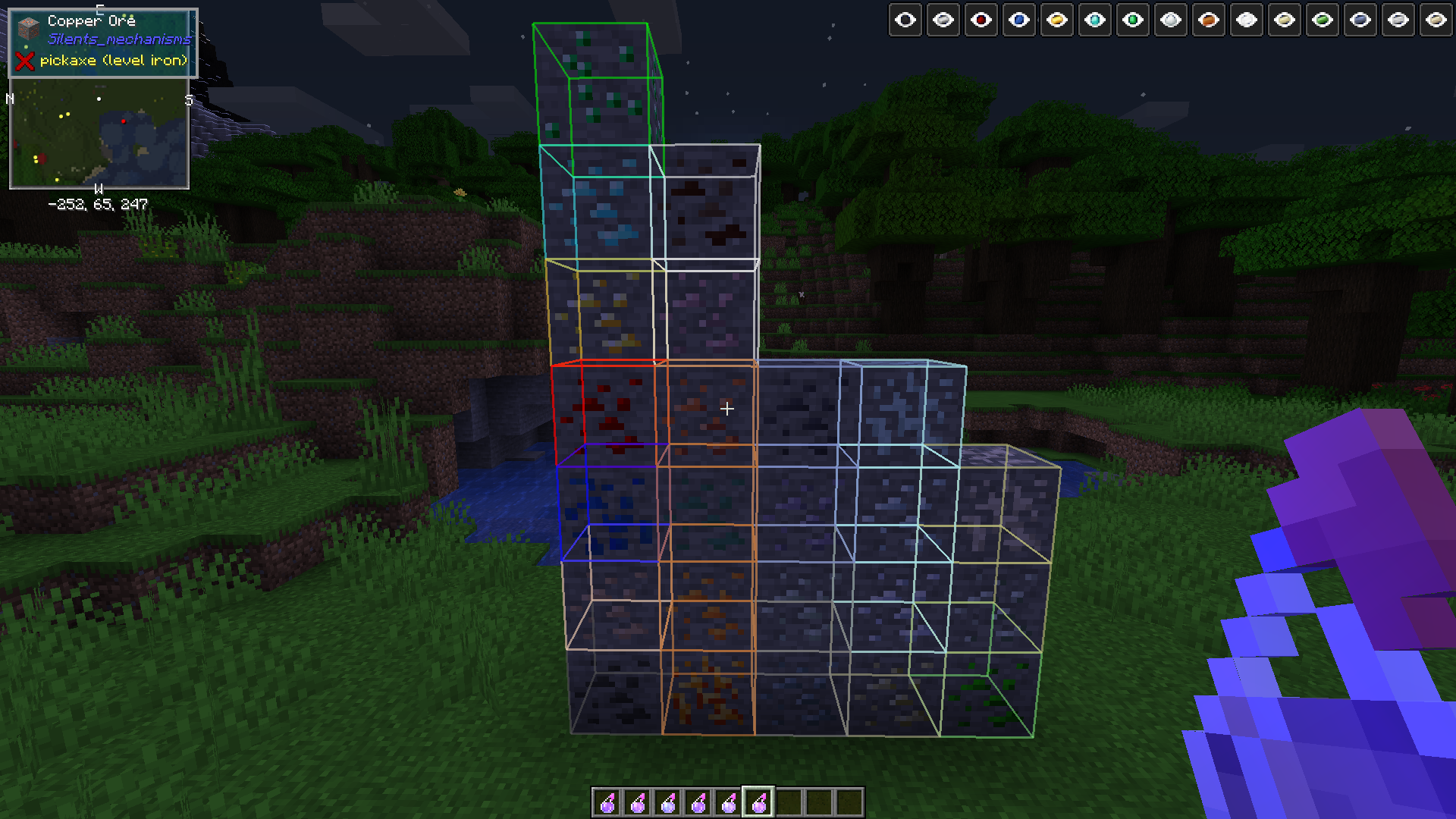
모드 지원: 알루미늄, 구리, 납, 니켈, 은, 주석, 우라늄, 아연 (오스뮴, 크림슨 철, 비스무트, 백금, 1.15.1+))
이 모드는 이러한 광석을 제공하고 올바른 Forge 태그를 등록하는 모든 모드와 함께 작동해야 합니다.
먼저 유봉을 제작하세요, 제작법은 JEI/JER을 참고하세요
막자사발을 제작하세요, 제작법은 JEI/JER을 참고하세요
가루의 제작법은 JEI에 있습니다
원하는 물약에 필요한 주괴(또는 레드스톤 가루/다이아몬드 보석 또는 에메랄드 보석)를 제작대에서 유봉과 막자사발과 함께 제작하면 가루를 받습니다. 또는
막자사발을 세계에 설치하고 한손에는 주괴/보석/석탄/레드스톤/청금석 등을, 다른 손에는 유봉을 들고, 막자사발을 우클릭하면 가루를 얻습니다
가루를 화로에서 제련하면 Calcinated <OreType> Powder를 받습니다
그 가루를 3개의 평범한 물약과 함께 양조하면 OreSight 물약을 얻습니다.
가루, 유봉의 제작법과 양조법은 좋아하는 제작법 모드(JEI/JER 등)를 통해 찾을 수 있습니다
ATM4 모드팩에 대해 테스트되었으며, 해당 팩에 포함된 앞서 언급한 광석 변형을 지원합니다.(Silents Mechanisms, Tinkers Mechworks,, MysticalWorlds, Blue Power)
해당되는 경우 UsefulResources도 지원합니다
또한 특정 부정적인 상태 효과를 제거하는 3개의 새로운 아이템(16개까지 겹침)을 추가합니다:
Bezoars: 양에게서 드롭되며, 섭취하면 독을 치료합니다
Polar Bear Gall Bladders: 북극곰에게서 드롭되며, 채굴 피로를 치료합니다
Activated Charcoal: Charcoal Powder(좋아하는 제작법 뷰어에 제작법 있음)를 제련하고 섭취하면 시듦 효과를 제거합니다
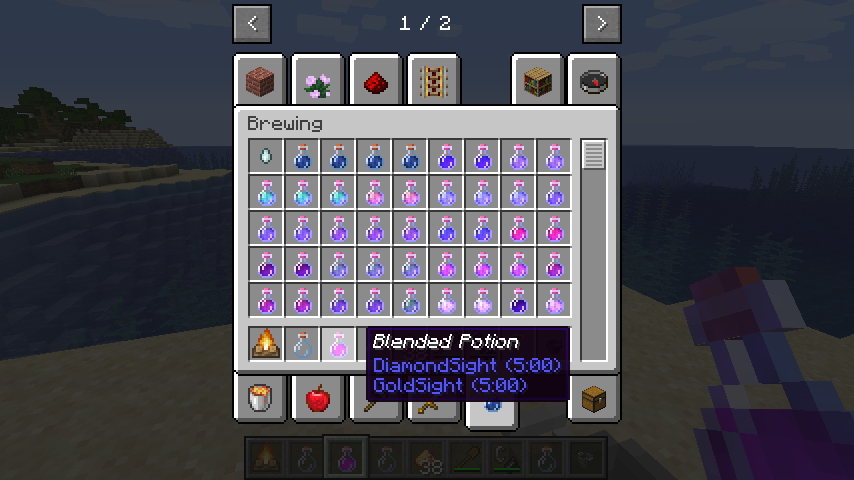
버전 0.1.0 + 새로운 메커니즘: 물약 혼합! 가마솥을 모닥불 위에 놓고, 가마솥을 아무 물약 2개와 글로우스톤 1개로 우클릭하세요. 모닥불이 아직 켜져 있지 않다면 켜세요. 혼합물이 줄어들 때까지 기다린 후, 빈 병으로 가마솥 위쪽을 우클릭하세요. 결과 물약은 다시 넣어 다른 물약과 결합할 수 있습니다.
빈 손으로 가마솥을 우클릭하면 내용물이 비워지고 초기화됩니다. 주의해서 사용하세요
추가 물약 효과도 작업 중입니다.
투명화 및 긴 투명화 물약은 더 이상 입자 효과를 생성하지 않으며, 이제 진정으로 투명해집니다
이 모드는 1.12 이하에서는 지원되지 않습니다, 죄송합니다. 상당히 버그가 많을 것으로 예상되지만, 어떤 세계도 손상시키지 않아야 합니다.
CurseForge 생태계 내에서 원하는 모든 모드팩에서 이 모드를 자유롭게 사용하세요, 클라이언트와 서버 모두에서 필요합니다
Potions Master 설치 방법
With Millida Launcher
Install Millida Launcher
The launcher is free: download it at millida.net/launcher and sign in with any nickname.
Click “Install” on this page
The launcher opens and installs the mod for Minecraft 1.14.4–26.1.2 on Forge or NeoForge automatically.
Launch the game
A profile with it appears in the launcher: click “Play”.
Manually
Install Forge or NeoForge
The loader must match the game version of the mod file, for example Minecraft 26.1.2. After installing it, a separate profile appears in your launcher.
Download the file for your version
In the version list above, pick the file potionsmaster-26.1.2.100-2.0.0.jar (215 KB) for your game version and loader.
Put it in the mods folder
The folder is inside .minecraft (Windows: %appdata%\.minecraft\mods). If it does not exist, create it.
Launch the loader profile
Open “Mods” in the main menu: Potions Master should be in the list.
버전
의존성 포함
| Minecraft | 로더 | 파일 | 날짜 | 작업 |
|---|---|---|---|---|
| 26.1.2 | NeoForge | potionsmaster-26.1.2.100-2.0.0.jar215 KB | ||
| 1.21.1 | NeoForge | potionsmaster-21.1.113-1.0.1.jar212 KB 1 | ||
| 1.20.1 | NeoForge, Forge | potionsmaster-1.20.1-47.1.70-0.6.0.jar288 KB | ||
| 1.19.2 | Forge | potionsmaster-0.6.0-1.19.2-43.1.1.jar286 KB | ||
| 1.15.2 | — | potionsmaster-0.1.10-1.15.2-31.2.0.jar340 KB | ||
| 1.14.4 | Forge | PotionsMaster 0.0.1 Alpha164 KB |
FAQ
Which Minecraft versions does Potions Master work on?
There are files for 26.1.2, 1.21.1, 1.20.1, 1.19.2, 1.15.2, 1.14.4. The newest is 26.1.2.
Is Potions Master for Forge or Fabric?
There are files for Forge: 1.14.4–1.20.1 and for NeoForge: 1.20.1–26.1.2. There are no files for Fabric: a mod for another loader will not start.
Does Potions Master need other mods?
The author lists no required dependencies: the Forge or NeoForge loader is enough.
Where can I download Potions Master safely?
On this page: the file potionsmaster-26.1.2.100-2.0.0.jar (215 KB) is stored on Millida’s server, with no link shorteners. SHA-1 checksum: 9ee49aad9324a758c3518d299d15ff8bd0db54b2.
리뷰
Potions Master의 첫 평가를 남겨 보세요


