
Minecraft 1.20.1, 1.12.2용 Plethora Peripherals 모드
ComputerCraft용 추가 주변기기로, 다양한 모드 블록과 상호작용할 수 있습니다
- 조회수
- 14 조회수
- 업데이트됨
- 업데이트됨 18.10.2026
- 1.12 — 1.20.1
 Fabric
Plethora
Plethora is a ComputerCraft/CC:Tweaked peripheral provider for Minecraft 1.20.1. Plethora-Fabric is a port of Plethora for Fabric 1.20.1. It aims to provide both metadata and peripherals for vanilla Minecraft and (TODO) mainstream mods.
Plethora also adds a series of "modules" to the game. These modules can be used by the player with varying success. They really come in to their element when put in a manipulator, providing a series of methods which allow interacting with your environment. This includes:
- Introspection: investigating the current player's inventory (and ender chest)
- Scanner: scans blocks in an area, gathering metadata about them.
- Sensor: scans entities in an area. Like the scanner this allows getting metadata.
- Frickin' laser beam. It fires lasers.
- Kinetic augment: allows remote access to your muscles, making them even stronger than before.
If you've ever wanted to embed a computer in your skull then today is your lucky day. Plethora provides a neural interface which can be attached to your head, or some unsuspecting animal or monster. Right-clicking the entity with a neural controller allows you to interact with it. You can insert modules (which will be wrapped as peripherals) and manipulate them with the built-in computer. Building a cyborg army has never been so easy.
You can also add a kinetic augment to the neural interface. This allows controlling the host entity in various ways.

Port status
The port to Fabric is still ongoing. SwitchCraft's needs were prioritised in the port, but we eventually aim to support as much of the original mod as possible. For a detailed list of differences to the original mod, and information on how to migrate your code, see the changes list at docs.sc3.io.

Requirements
- Minecraft 1.20.1
- Fabric
- Fabric API
- CC: Tweaked
- Trinkets
Documentation
There is pretty comprehensive documentation on the Plethora website. This contains tutorials, explanations of several fundamental concepts and thoroughly explained examples. For a detailed list of differences to the 1.12.2 mod, and information on how to migrate your code, see the changes list at docs.sc3.io.
Images
You know, I have one simple request. And that is to have sharks squid with frickin' laser beams attached to their heads!
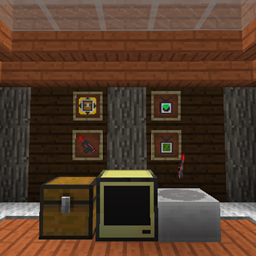
Various modules available
Modpacks
Modpack use: allowed
Please note that each custom SwitchCraft mod has its own license, so check the license of each mod before using it in your modpack.
License
This mod and it's source code is licensed under the MIT license.
Plethora Peripherals 설치 방법
With Millida Launcher
Install Millida Launcher
The launcher is free: download it at millida.net/launcher and sign in with any nickname.
Click “Install” on this page
The launcher opens and installs the mod for Minecraft 1.12–1.20.1 on Fabric automatically.
Launch the game
A profile with it appears in the launcher: click “Play”.
Manually
Install Fabric
The loader must match the game version of the mod file, for example Minecraft 1.20.1. After installing it, a separate profile appears in your launcher.
Download the file for your version
In the version list above, pick the file Plethora-Fabric-1.11.7.jar (3.1 MB) for your game version.
Put it in the mods folder
The folder is inside .minecraft (Windows: %appdata%\.minecraft\mods). If it does not exist, create it.
Launch the loader profile
Open “Mods” in the main menu: Plethora Peripherals should be in the list.
Minecraft 1.20.1 runs on Java 17: with a different Java version the game may close right after launch.
버전
의존성 포함
| Minecraft | 로더 | 파일 | 날짜 | 작업 |
|---|---|---|---|---|
| 1.20.1 | Fabric | Plethora-Fabric-1.11.7.jar3.1 MB | ||
| 1.12.2 | — | plethora-1.12.2-1.2.3.jar1 MB | ||
| 1.12 | — | plethora-1.12-1.1.7-pr1.jar758 KB |
리뷰
Plethora Peripherals의 첫 평가를 남겨 보세요


