
 NeoForge
 Forge
ForgePipe Goggles
설명
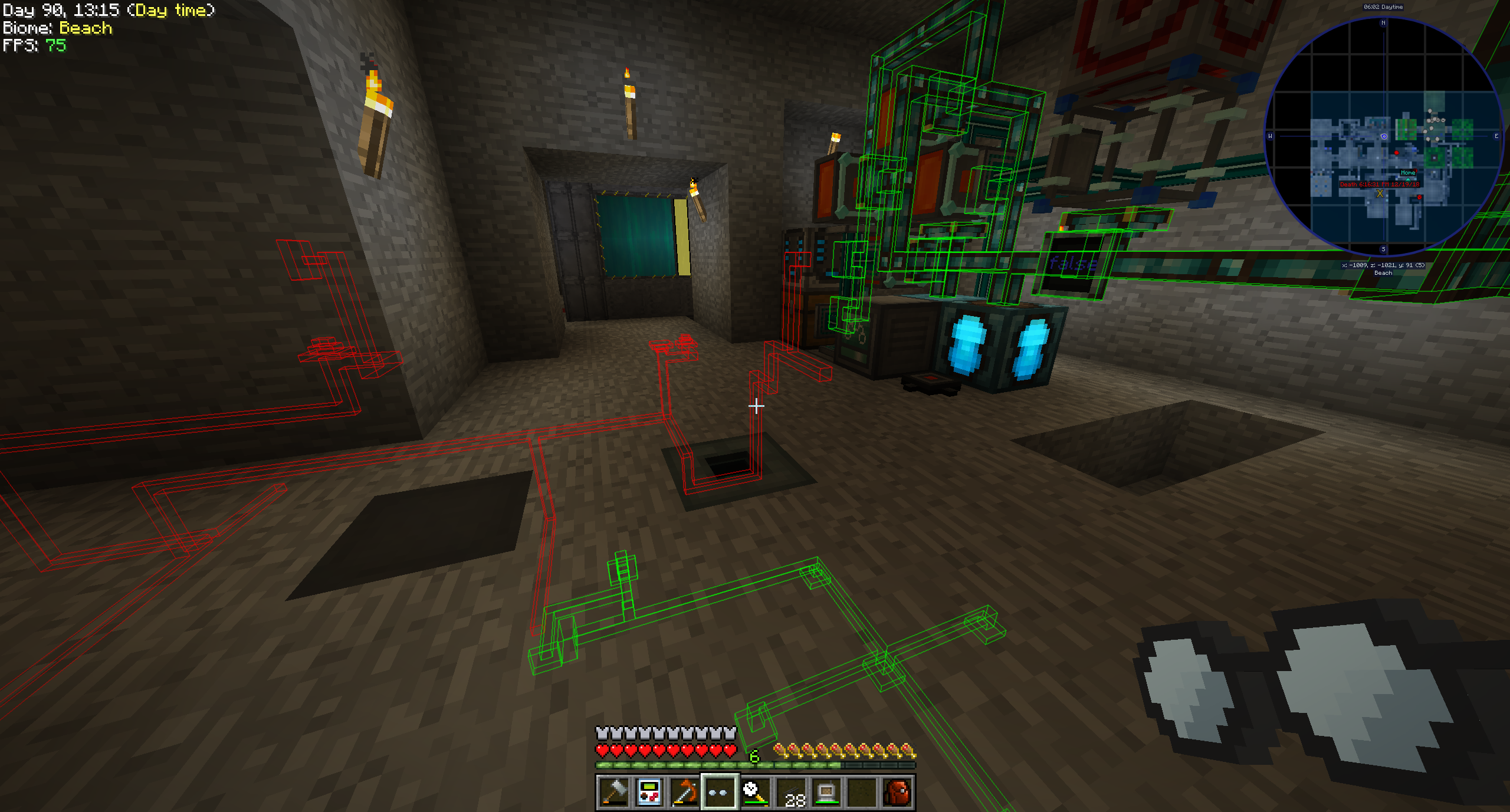
Pipe Goggles는 현재 단일 아이템인 Pipe Goggles만 추가합니다. 이 아이템을 착용하면 벽을 통해 다양한 배관을 볼 수 있습니다.
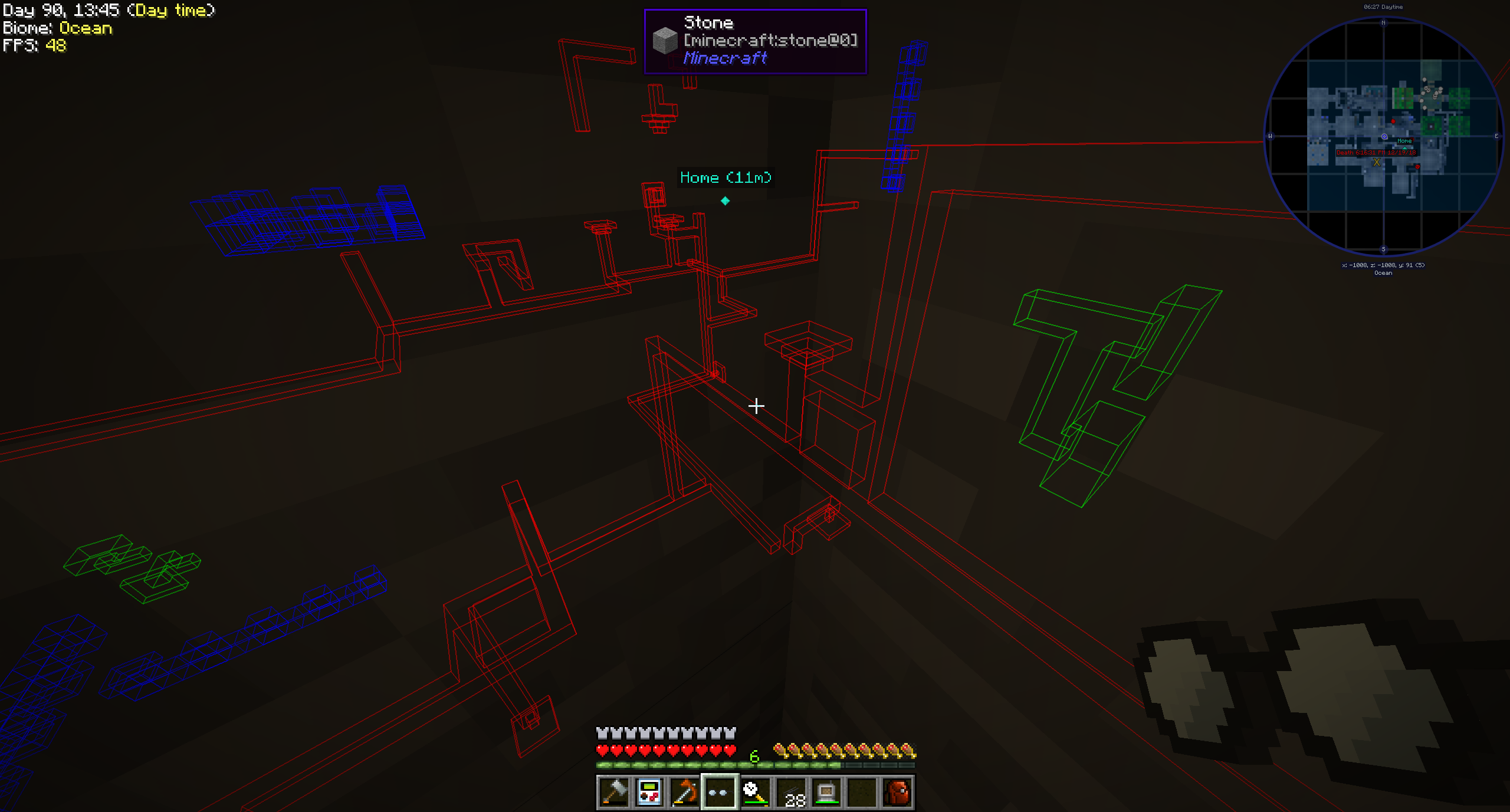
사용법
고글을 손에 들고 우클릭하면 작은 설정 GUI가 열립니다.
보고 싶은 파이프를 색상 슬롯에 넣으세요.
고글은 세 가지 모드로 사용할 수 있습니다:
- 항상 켜짐: 고글이 항상 활성화되어 모든 파이프를 표시합니다.
- 항상 꺼짐: 고글이 절대 활성화되지 않아 파이프를 표시하지 않습니다.
- 자동: 플레이어가 손에 파이프 아이템을 들고 있을 때만 일치하는 파이프를 표시합니다.
추가로 고글의 범위, 파이프의 선 두께, 불투명도를 설정할 수 있습니다.
모드 설정에 따라 고글이 작동하려면 전력이 필요할 수 있습니다!
지원 모드 (1.21.1):
- Applied Energistics 2
- Create
- EnderIO
- Flux Networks
- IntegratedDynamics
- LaserIO
- Mekanism
- Redstone (from vanilla minecraft)
- Modern Industrialization
- MoreRed
- Oritech
- Pipez
- PneumaticCraft
- Refined Storage
- Replication
- XNet
지원 모드 (1.14):
- Refined Storage
- Simple Storage Network
- Inspirations
- Integrated Dynamics
지원 모드 (1.12):
- Applied Energistics
- Cyclic
- EnderIO
- Extra Utilities 2
- Immersive Engineering
- Integrated Dynamics
- Mekanism
- OpenComputers
- Refined Storage
- Simple Storage Network
- Thermal Dynamics
다른 모드 지원 추가 (1.21.1 이상):
이것은 꽤 간단하며, 이 경우에는 말보다 예시가 더 낫습니다:
{ "neoforge:conditions": [ { "type": "neoforge:modloaded", "modid": "xnet" } ], "blocks": [ "xnet:netcable", "xnet:connector" ], "items": [ "xnet:cables", "xnet:connectors" ], "mod": "xnet" }
blocks는 강조 표시해야 하는 블록입니다. 블록 ID 또는 태그일 수 있습니다. items는 자동 모드에서 고글이 파이프를 강조 표시하도록 활성화하는 아이템입니다. 역시 아이템 ID 또는 태그입니다.
해당 파일은 여기에 배치해야 합니다: <your-data-pack>/data/pipegoggles/pipegoggles/mods/xnet.json.
더 많은 예시는 여기에서 찾을 수 있습니다.
Pipe Goggles 설치 방법
With Millida Launcher
Install Millida Launcher
The launcher is free: download it at millida.net/launcher and sign in with any nickname.
Click “Install” on this page
The launcher opens and installs the mod for Minecraft 1.12–1.21.1 on Forge or NeoForge automatically.
Launch the game
A profile with it appears in the launcher: click “Play”.
Manually
Install Forge or NeoForge
The loader must match the game version of the mod file, for example Minecraft 1.21.1. After installing it, a separate profile appears in your launcher.
Download the file for your version
In the version list above, pick the file pipegoggles-2.0.4.jar (380 KB) for your game version and loader.
Put it in the mods folder
The folder is inside .minecraft (Windows: %appdata%\.minecraft\mods). If it does not exist, create it.
Launch the loader profile
Open “Mods” in the main menu: Pipe Goggles should be in the list.
Minecraft 1.21.1 runs on Java 21: with a different Java version the game may close right after launch.
버전
의존성 포함
| Minecraft | 로더 | 파일 | 날짜 | 작업 |
|---|---|---|---|---|
| 1.21.1 | NeoForge | pipegoggles-2.0.4.jar380 KB | ||
| 1.14.4 | Forge | PipeMaster-2.0.1.12.jar52.5 KB | ||
| 1.12.1 | — | PipeMaster-1.0.2-b8.jar134 KB |
리뷰
Pipe Goggles의 첫 평가를 남겨 보세요


