
 NeoForge
 Fabric
 Forge
ForgePackages 모드 정보
- 1.21.1: Fabric and Neoforge.
- 1.20.1: Fabric and Forge. Later versions are part of Season 2.
- Older versions are not maintained.
- Mod version 2025 and later is part of Season 2.
- On Fabric 1.20.1, users of Sodium may need to install Indium, or models will look weird
- On Neoforge, enable the "NeoForge Light Pipeline" in Mods -> NeoForge -> Client settings -> NeoForge Light Pipeline
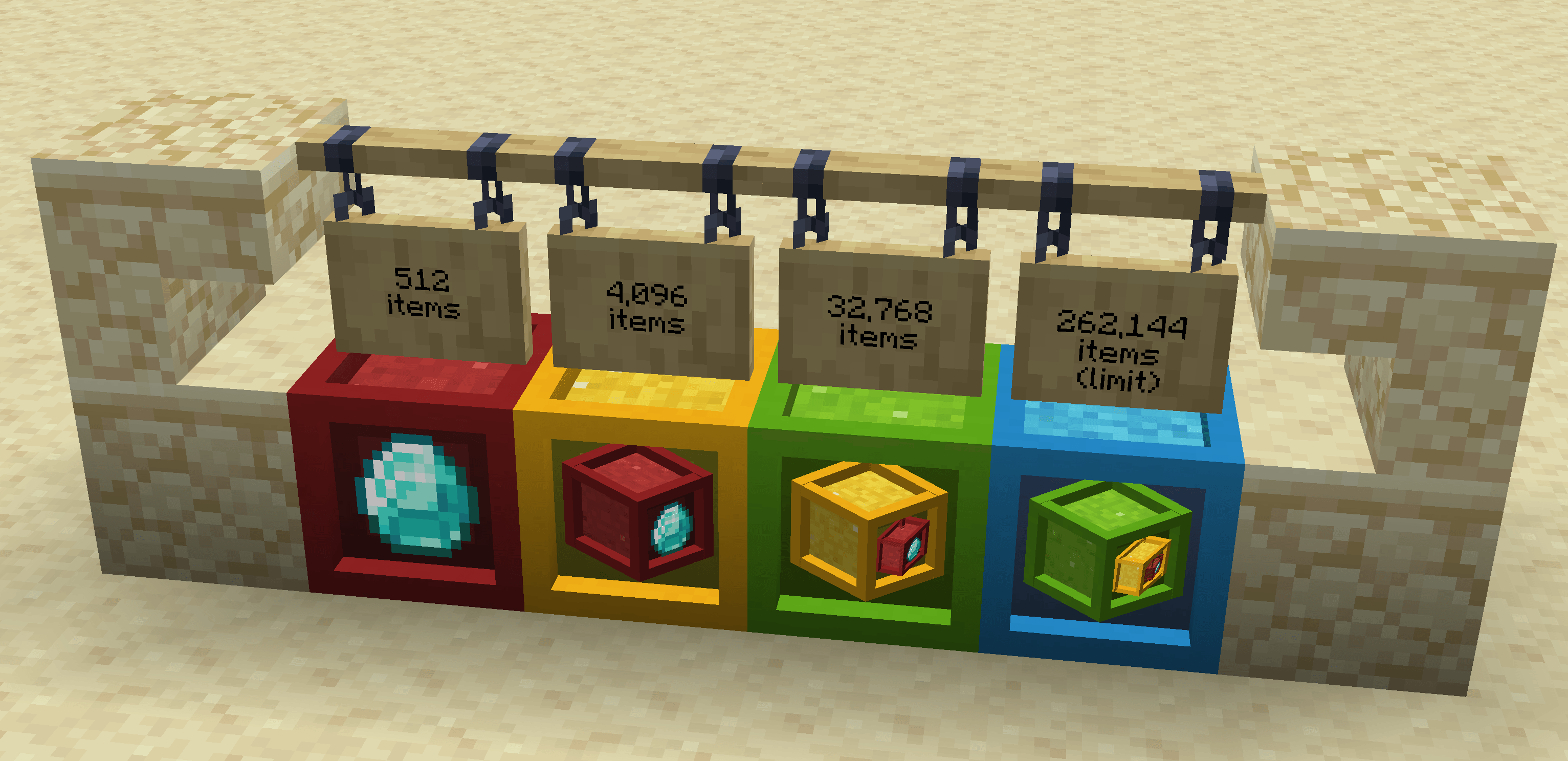
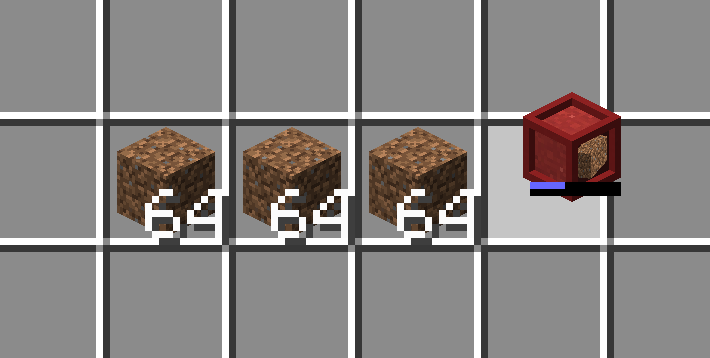
Packages adds packages, which can hold 8 stacks of one item.
- Construct Packages out of any solid block.
- Insert and remove items by clicking the front face. No need to use an empty hand.
- Hold CTRL to completely fill or empty a Package with one click.
- Interact with Packages in your inventory too, just like a Bundle.
- Make a package "sticky" so it won't forget its contents when empty.
The catch: Packages only hold 8 stacks. There are no storage upgrades. The size is not configurable. But packages can nest inside each other, and even stack when they contain the same contents!
Other than their size, Packages behave like cheap shulker boxes. Measure with a comparator, crush with a piston, and dispense with a dispenser; shulker box loader and unloader designs work great on Packages.
Credits
Kat came up with the Package Crafter model, unascribed came up with the idea for bundle interactions.
Support
See the minisite for more documentation.
Questions? Comments? Just lonely? Join me on Discord: https://highlysuspect.agency/discord/
Packages 설치 방법
With Millida Launcher
Install Millida Launcher
The launcher is free: download it at millida.net/launcher and sign in with any nickname.
Click “Install” on this page
The launcher opens and installs the mod for Minecraft 1.15.2–1.21.1 on Fabric, Forge or NeoForge automatically.
Launch the game
A profile with it appears in the launcher: click “Play”.
Manually
Install Fabric, Forge or NeoForge
The loader must match the game version of the mod file, for example Minecraft 1.21.1. After installing it, a separate profile appears in your launcher.
Download the file for your version
In the version list above, pick the file packages-1.21.1-neoforge-2026.08.29.jar (416 KB) for your game version and loader.
Put it in the mods folder
The folder is inside .minecraft (Windows: %appdata%\.minecraft\mods). If it does not exist, create it.
Launch the loader profile
Open “Mods” in the main menu: Packages should be in the list.
Minecraft 1.21.1 runs on Java 21: with a different Java version the game may close right after launch.
버전
의존성 포함
| Minecraft | 로더 | 파일 | 날짜 | 작업 |
|---|---|---|---|---|
| 1.21.1 | NeoForge | packages-1.21.1-neoforge-2026.08.29.jar416 KB | ||
| 1.21.1 | Fabric | packages-1.21.1-fabric-2026.08.29.jar400 KB | ||
| 1.20.1 | Forge | packages-1.20.1-forge-2026.08.29.jar405 KB | ||
| 1.20.1 | NeoForge, Forge | packages-forge-1.20.1-3.4.6.jar215 KB | ||
| 1.15.2 | Fabric | packages+1.15.2-1.0.jar109 KB |
FAQ
Which Minecraft versions does Packages work on?
There are files for 1.21.1, 1.20.1, 1.15.2. The newest is 1.21.1.
Is Packages for Forge or Fabric?
There are files for Fabric: 1.15.2–1.21.1, for Forge: 1.20.1 and for NeoForge: 1.20.1–1.21.1.
Does Packages need other mods?
The author lists no required dependencies: the Fabric, Forge or NeoForge loader is enough.
Which Java does Packages need?
Minecraft 1.21.1 runs on Java 21. If the game closes right after launch, the usual cause is the wrong Java version in the profile settings.
Where can I download Packages safely?
On this page: the file packages-1.21.1-neoforge-2026.08.29.jar (416 KB) is stored on Millida’s server, with no link shorteners. SHA-1 checksum: 086b70a578d99c9c562f2c2447a731c18275b573.
리뷰
Packages의 첫 평가를 남겨 보세요


