
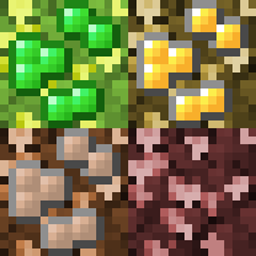
Minecraft 1.12.2용 Oreberries 모드
1.7.10 Tinkers' Construct 광석베리를 설정 가능한 버전으로 되살립니다
Oreberries 모드 정보
이 모드는 무엇을 하나요? Tinkers' Construct는 1.7.10에서 oreberry를 추가했지만, 더 새로운 버전의 Minecraft로 넘어가면서 이 기능을 버렸습니다. 이 모드는 oreberry와 관련 콘텐츠를 다시 가져오고, 예전보다 훨씬 더 설정 가능하게 만듭니다.
이 모드는 어떻게 사용하나요? 먼저 Minecraft Forge가 설치되어 있어야 합니다. 설치가 끝났다면 oreberries-version.jar를 Minecraft 인스턴스의 mods/ 디렉터리에 넣기만 하면 되고, 원한다면 취향에 맞게 설정할 수도 있습니다.
이 모드에는 어떤 설정이 있나요? 이 모드에는 두 개의 설정 파일이 있습니다. oreberry의 종류를 정의하는 oreberries.json과, 성장 확률, 뼛가루 사용 가능 여부, 팅커 주민을 제어할 수 있는 oreberries.cfg입니다.
왜 oreberry 덤불을 설치하거나 키울 수 없나요? 기본 oreberry 덤불은 essence berry 덤불을 제외하면 어두운 곳에서만 자랍니다. 설치하려면 밝기 수준이 13 미만이어야 하고, 자라게 하려면 10 미만이어야 합니다.
oreberry를 추가하거나 변경하려면 어떻게 하나요? oreberries.json 파일을 편집하세요. 자세한 방법은 위키의 oreberries.json 페이지를 참고하세요.
oreberries.json을 편집한 뒤 왜 Minecraft가 시작할 때 충돌하나요? oreberries.json을 편집하다가 실수했을 수 있습니다. 이 파일에 구문 오류가 있으면 Minecraft가 시작되지 않습니다. 오류가 보이지 않고 충돌 로그도 찾는 데 도움이 되지 않는다면, JSONLint.com 같은 도구로 oreberries.json의 내용을 검증해 보세요.
이 모드는 Tinkers' Construct와 어떤 관련이 있나요? 이 모드는 Tinkers' Construct에 의존하지 않지만, 설치되어 있으면 통합됩니다. 또한 이 모드는 1.7.10 버전 Tinkers' Construct의 리소스를 사용하며, 일부는 CC0 및 CC-BY 3.0(둘 다 GPL 호환) 라이선스입니다.
제 모드팩에서 사용해도 되나요? 네, adf.ly 같은 것으로 수익화하더라도 괜찮고, 먼저 제 허락을 구할 필요도 없습니다.
이것이 더 오래된 Minecraft 버전으로 백포트되나요? 제가 직접 할 생각은 없지만, 제 모드는 오픈 소스이므로 직접 포팅할 수 있습니다(또는 프로그래밍을 할 줄 모른다면 할 줄 아는 사람에게 돈을 주거나 설득해서 해 달라고 하세요).
Oreberries 설치 방법
With Millida Launcher
Install Millida Launcher
The launcher is free: download it at millida.net/launcher and sign in with any nickname.
Click “Install” on this page
The launcher opens and installs the mod for Minecraft 1.12–1.12.2 automatically.
Launch the game
A profile with it appears in the launcher: click “Play”.
Manually
Download the file for your version
In the version list above, pick the file oreberries-1.12.x-0.5.0.jar (59 KB) for your game version.
Put it in the mods folder
The folder is inside .minecraft (Windows: %appdata%\.minecraft\mods). If it does not exist, create it.
Launch the loader profile
Open “Mods” in the main menu: Oreberries should be in the list.
Minecraft 1.12.2 runs on Java 8: with a different Java version the game may close right after launch.
버전
의존성 포함
| Minecraft | 로더 | 파일 | 날짜 | 작업 |
|---|---|---|---|---|
| 1.12.1 | — | 0.5.0 for 1.12.x59.1 KB |
FAQ
Which Java does Oreberries need?
Minecraft 1.12.2 runs on Java 8. If the game closes right after launch, the usual cause is the wrong Java version in the profile settings.
Where can I download Oreberries safely?
On this page: the file oreberries-1.12.x-0.5.0.jar (59 KB) is stored on Millida’s server, with no link shorteners. SHA-1 checksum: 5bbdc17c1fffa5f62e58aa54034ca9f5dd8bde5c.
리뷰
Oreberries의 첫 평가를 남겨 보세요


