

Minecraft 1.20.1, 1.21.1용 Net Music 모드
NetEase Cloud 네트워크 스트리밍 음악을 직접 재생할 수 있는 CD 플레이어
 NeoForge
 Fabric
 Forge
ForgeIntroduce
This mod adds a CD player that can directly play network-streamed music. Its behavior is exactly the same as the vanilla CD player. Other players near the CD player can also hear the music you play!
The songs played on the CD can be customized through NBT data, and support for NetEase Cloud Music has been specially added!
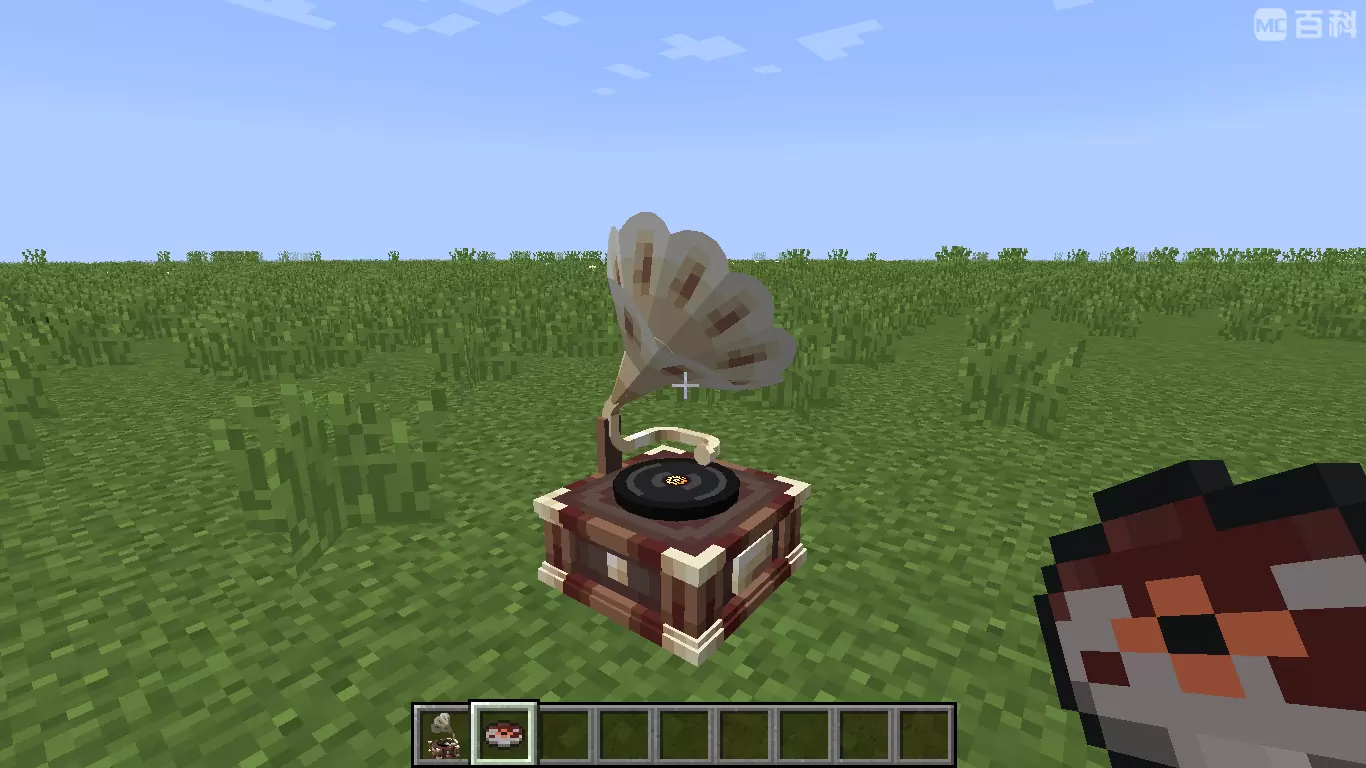
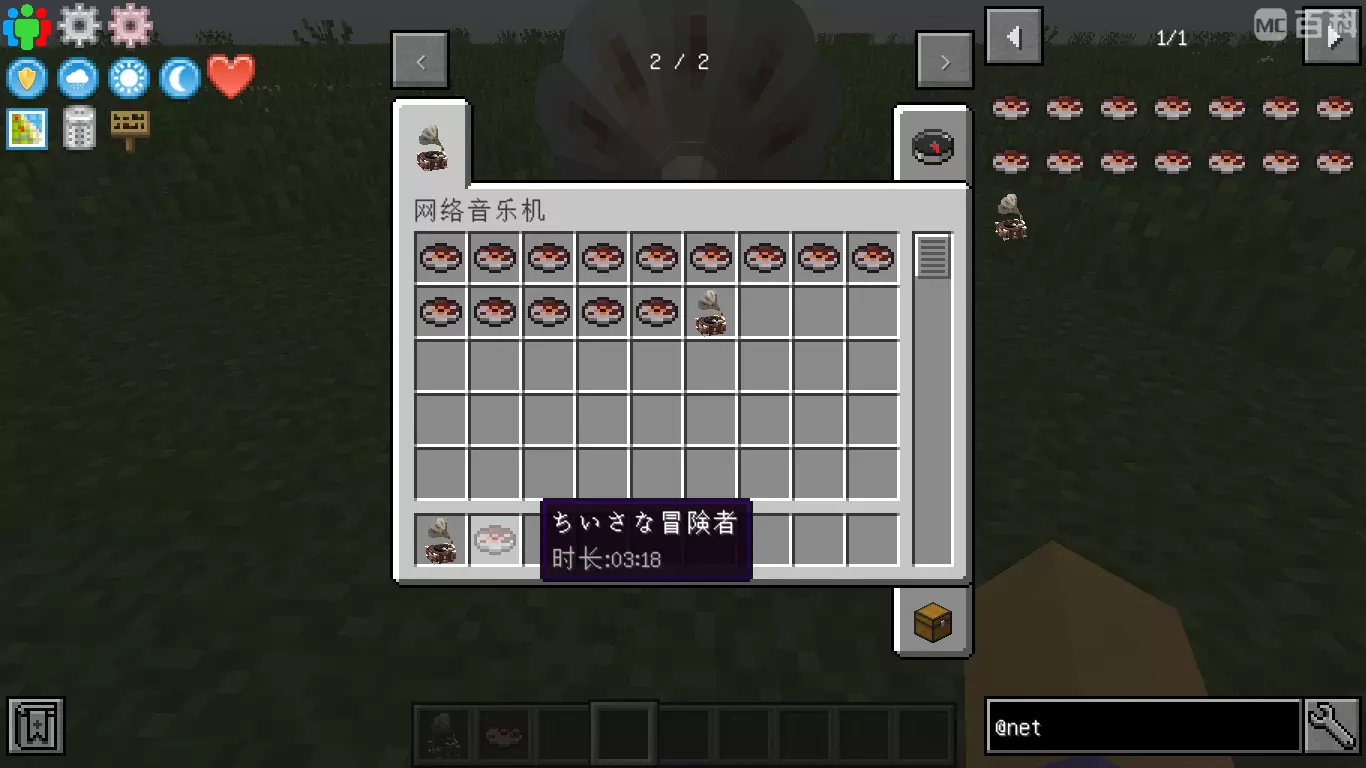
How to Play Custom Music on Server
Plan A: Google Drive
- Make sure NetMusic mod is installed on both server and client side.
- Upload your song to Google Drive (Only MP3 format is supported).
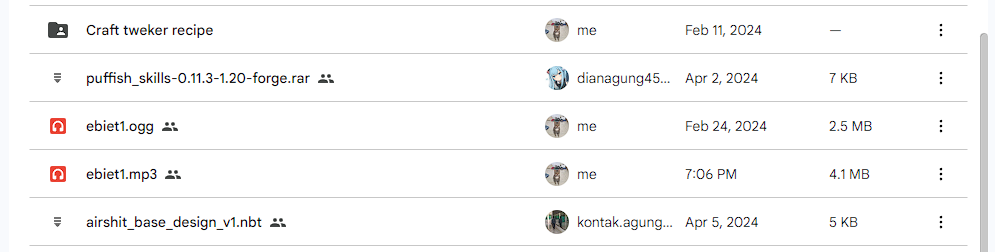
- Double click on the file, and select the 3 dot icon on the top right. Click "Open in a new window" option.
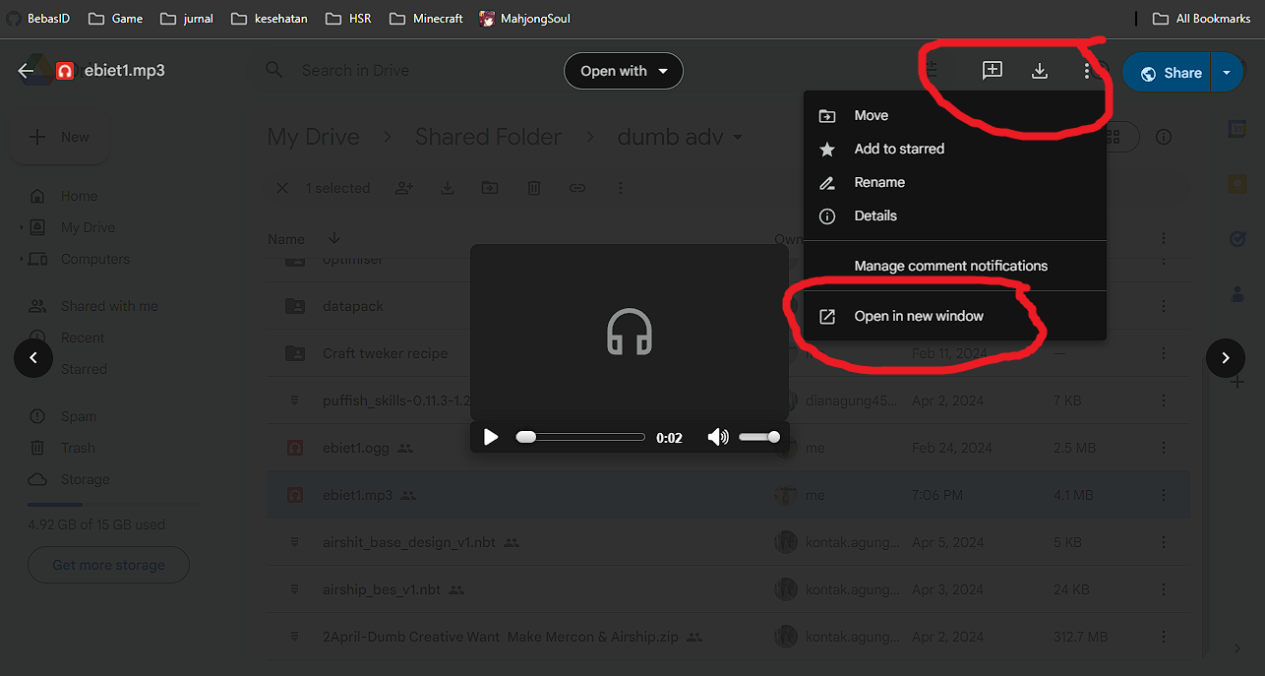
- In the new window, copy the link in the URL box.
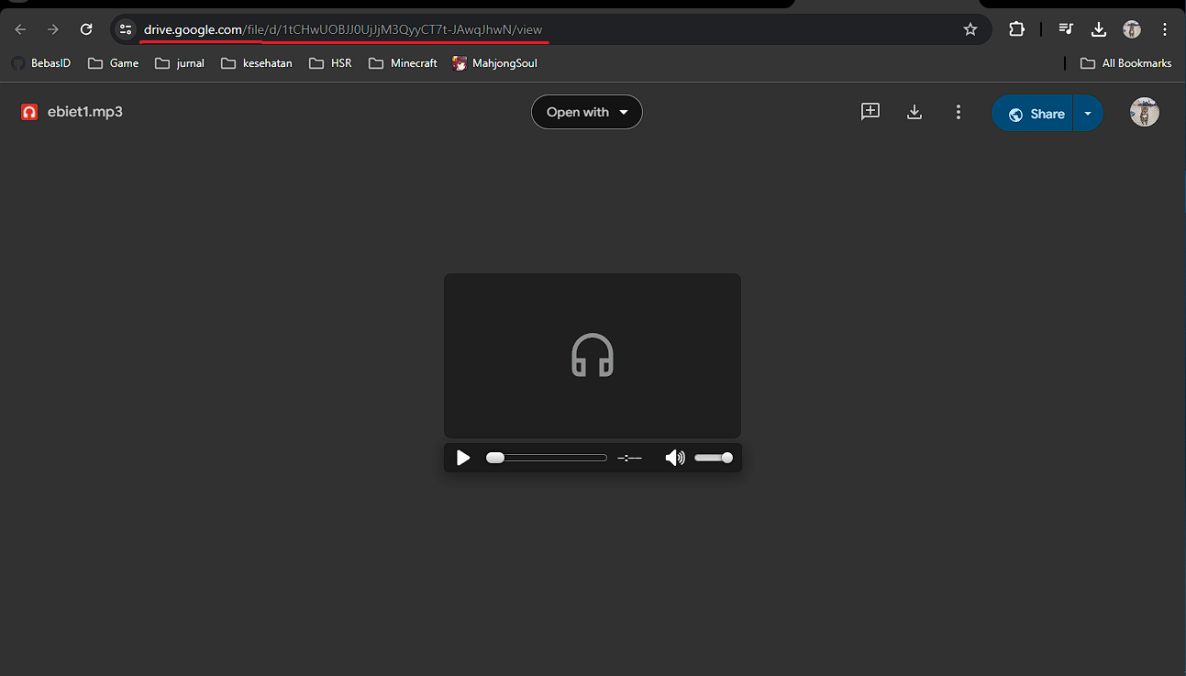
- Open the in-game GUI, and fill in the details below:"
- Enter the song url: Paste the link here
- Enter the song name: Input the song name
- Time (s): the duration of the song in seconds
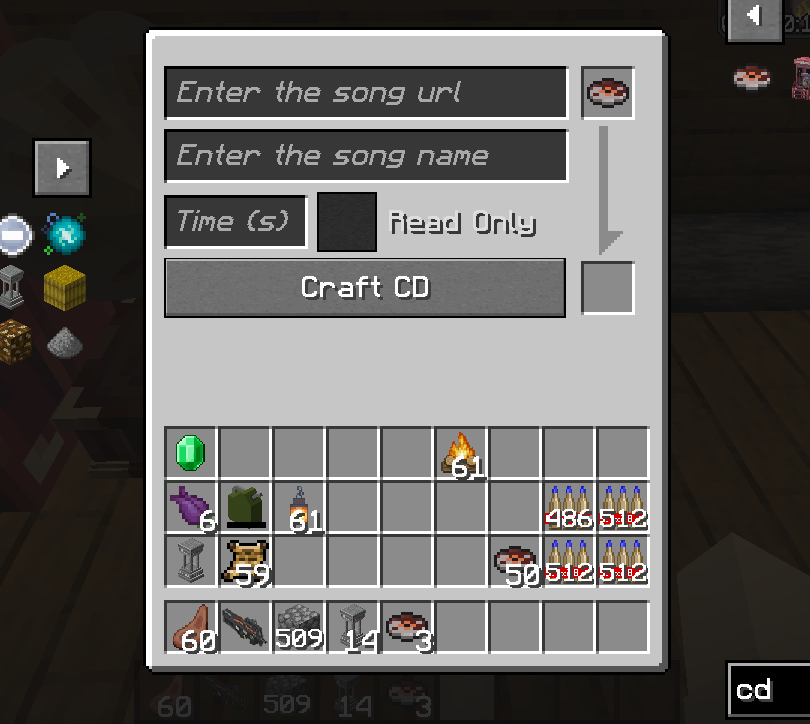
- In the event where the song cannot be played, you will need to convert your link using the template below:
https://drive.usercontent.google.com/download?id={your ID}&export=download&authuser=0
delete {your ID} and paste Gdrive id example link
1tCHwUOBJJ0UjJjM3QyyCT7t-JAwqJhwN

Plan B: YouTube
- find you music youtube url link, I gave you some example : https://www.youtube.com/watch?v=UqP8rZu6xLM
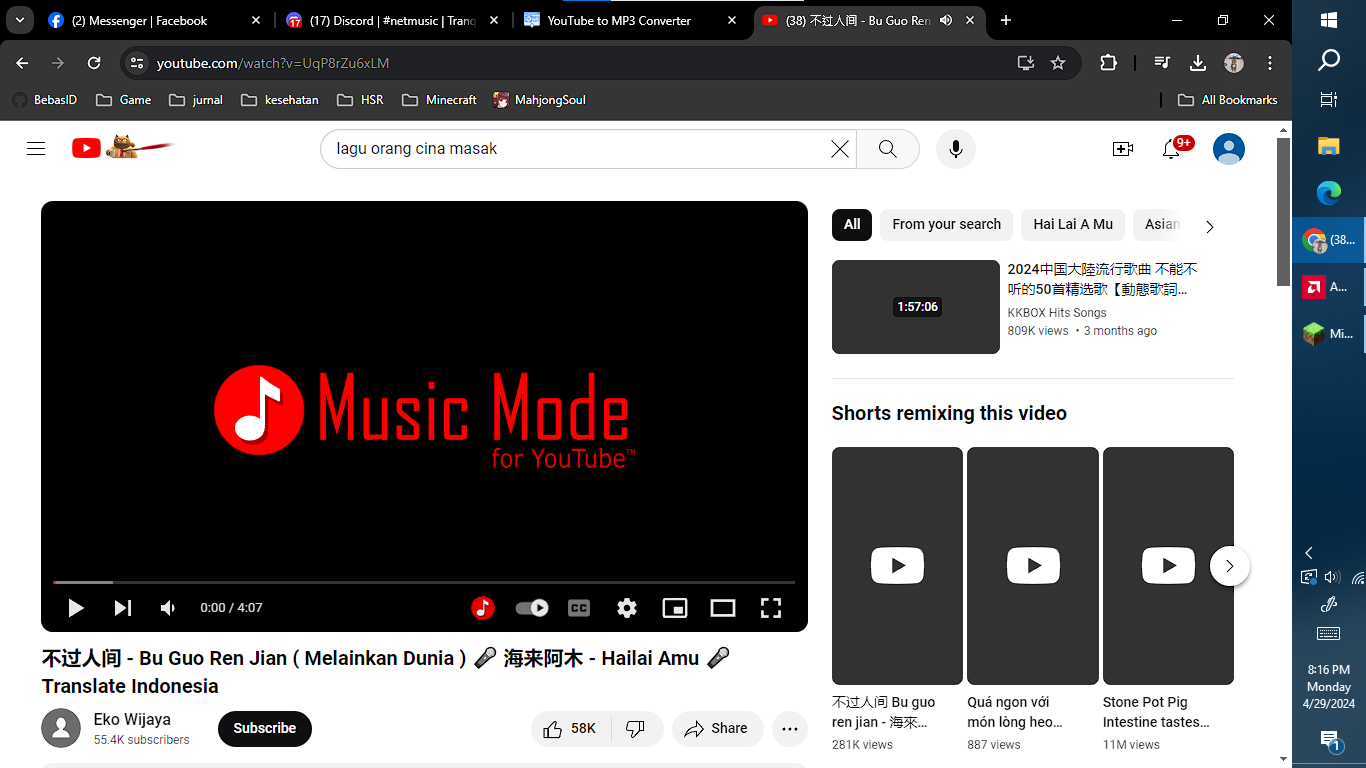
- now paste your link at yt2mp3 converter: https://mp3-convert.org/youtube-to-mp3-converterss/
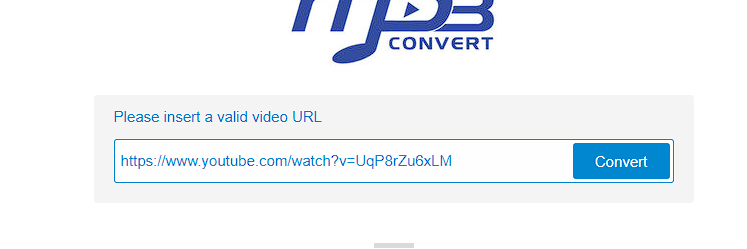
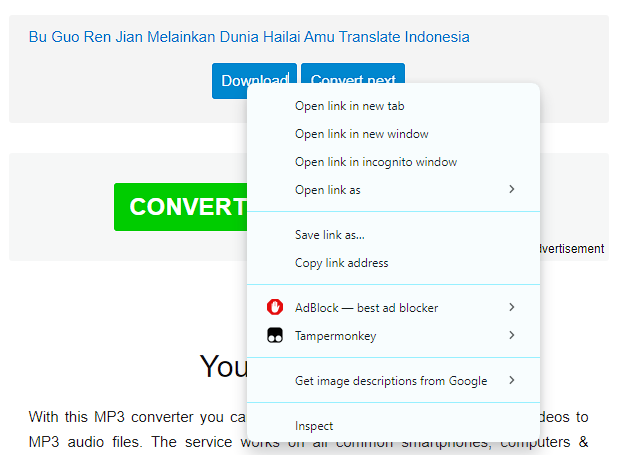
- convert and you got 2 section download and convert next.
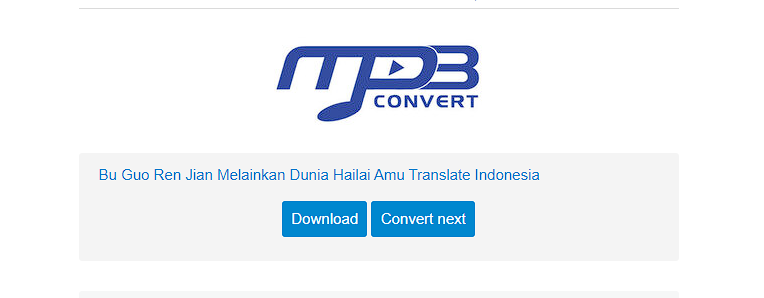
- Right klik download section and copy link address
- input at song url in game, dont forget to input song time

Thanks to Kucing, luckyu19 for the help
Net Music 설치 방법
With Millida Launcher
Install Millida Launcher
The launcher is free: download it at millida.net/launcher and sign in with any nickname.
Click “Install” on this page
The launcher opens and installs the mod for Minecraft 1.12.2–26.1.2 on Fabric, Forge or NeoForge automatically.
Launch the game
A profile with it appears in the launcher: click “Play”.
Manually
Install Fabric, Forge or NeoForge
The loader must match the game version of the mod file, for example Minecraft 26.1.2. After installing it, a separate profile appears in your launcher.
Download the file for your version
In the version list above, pick the file netmusic-1.5.2-neoforge+mc26.1.jar (1.4 MB) for your game version and loader.
Put it in the mods folder
The folder is inside .minecraft (Windows: %appdata%\.minecraft\mods). If it does not exist, create it.
Launch the loader profile
Open “Mods” in the main menu: Net Music should be in the list.
On a server
A server on Fabric, Forge or NeoForge
The mod only works on a server with the same loader and game version, for example 26.1.2.
File goes into the server’s mods folder
Stop the server, put the mod file into the mods folder and start the server again.
Use the “To server” button
On Millida Hosting, the button at the top of the page uploads the file to your server and restarts it for you.
버전
의존성 포함
| Minecraft | 로더 | 파일 | 날짜 | 작업 |
|---|---|---|---|---|
| 26.1.2 | NeoForge | 26.1.21.4 MB | ||
| 1.21.1 | NeoForge | 1.21.11.4 MB 2 | ||
| 1.20.1 | Forge | 1.20.11.4 MB 1 | ||
| 26.1.2 | Fabric | 26.1.21.4 MB 1 | ||
| 1.21.1 | Fabric | 1.21.11.4 MB | ||
| 1.20.1 | Fabric | 1.20.11.4 MB | ||
| 1.16.5 | Fabric | 1.16.5617 KB | — | |
| 1.12.2 | Forge | 1.12.2381 KB | — |
이것이 필요한 콘텐츠
FAQ
Which Minecraft versions does Net Music work on?
There are files for 1.12.2–26.1.2, 8 versions in total. The newest is 26.1.2.
Is Net Music for Forge or Fabric?
There are files for Fabric: 1.16.2–26.1.2, for Forge: 1.12.2–1.20.1 and for NeoForge: 1.21.1–26.1.2.
Does Net Music need other mods?
The author lists no required dependencies: the Fabric, Forge or NeoForge loader is enough.
Does Net Music work on a server?
Yes. Net Music works both in singleplayer and on a server.
Where can I download Net Music safely?
On this page: the file netmusic-1.5.2-neoforge+mc26.1.jar (1.4 MB) is stored on Millida’s server, with no link shorteners. SHA-1 checksum: 3750d59503be43146d039f08d46ca9e7285de0d2.
리뷰
Net Music의 첫 평가를 남겨 보세요


