
 NeoForge
 Forge
Forge소개
경고: 1.19.2 버전에서는 Morph-o-Tool을 사용하려면 AutoRegLib가 필요합니다!
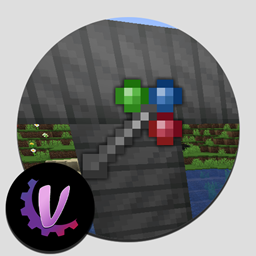
Morph-o-Tool은 Akashic Tome과 짝을 이루는 모드입니다. 이 모드가 추가하는 유일한 아이템은 다음과 같이 제작되는 Morphing Tool입니다.
Morphing Tool은 렌치, 드라이버, 망치, 또는 나뭇가지와 꽃잎으로 만든 지팡이 등 어떤 것이든 흉내 낼 수 있어, 대형 모드팩에 딱 맞는 "만능 렌치"입니다.
- 렌치류 아이템을 추가하려면 Morph-o-Tool을 그 아이템과 함께 제작하세요.
- 해당 렌치류 아이템과 같은 모드의 블록을 바라볼 때마다 Morphing Tool이 그 아이템으로 변합니다.
- 에뮬레이션된 아이템이나 컨테이너가 아니라, 모드에서 제공하는 실제 아이템을 얻습니다. 이는 해당 아이템의 기능과 100% 호환되도록 보장합니다.
- 시야를 돌렸을 때 게임이 원래대로 되돌리는 방법을 알 수 있도록 아이템에 NBT 데이터가 추가됩니다.
- 변형된 Tool을 제작에 사용할 수는 있지만, 다른 모든 부착된 아이템을 잃게 되므로 사용하지 않는 것이 좋습니다.
- 아이템이 원래대로 돌아가는 것을 원하지 않으면 보조 손에 들고 있으면 됩니다. 변형은 주 손에서만 일어납니다. (설정에서 이를 바꿀 수 있습니다.)
- 다른 것으로 변형되지 않은 상태에서는 forge 회전 시스템을 사용해 Tool로 블록을 회전시킬 수 있습니다. 바닐라 블록과 대부분의 모드 블록을 처리할 수 있습니다.
- 부착된 아이템을 제거하려면 Tool을 제거하려는 아이템으로 변형한 다음, 웅크리고 "버리기" 키를 누르세요.
- Tool을 들고 있는 상태에서 Shift를 누르고 스크롤 휠을 사용해 수동으로 변형할 수도 있습니다.
설정
이 모드의 설정 파일에는 다음이 포함됩니다:
- 모든 아이템을 부착할 수 있게 하는 옵션. 기본적으로 비활성화되어 있습니다.
- Tool이 주 손이 아닌 보조 손에서 변형되도록 하는 옵션.
- 아이템을 부착하지 않아야 하는 모드의 블랙리스트.
- 이름에 특정 단어(예: wrench, screwdriver, hammer...)가 포함된 아이템을 부착할 수 있게 하는 화이트리스트.
- 앞의 이름을 포함하지 않지만 부착할 수 있어야 하는 특정 아이템(예: Botania의 Wand of the Forest)에 대한 화이트리스트.
- 별칭 목록. 한 모드를 다른 모드로 리디렉션할 수 있습니다. 예를 들어 RFTools는 Smart Wrench를 추가하고, 별칭 목록에는 "rftoolsdim=rftools"가 포함되어 있어, Smart Wrench를 가진 상태에서 RFTools Dimensions(다른 모드)의 블록을 바라보면 대신 그것을 가져옵니다. 다른 별칭으로는 예를 들어 Thermal Dynamics에서 Thermal Expansion으로의 별칭이 있습니다.
Morph-o-Tool 설치 방법
With Millida Launcher
Install Millida Launcher
The launcher is free: download it at millida.net/launcher and sign in with any nickname.
Click “Install” on this page
The launcher opens and installs the mod for Minecraft 1.12.2–1.21.1 on Forge or NeoForge automatically.
Launch the game
A profile with it appears in the launcher: click “Play”.
Manually
Install Forge or NeoForge
The loader must match the game version of the mod file, for example Minecraft 1.21.1. After installing it, a separate profile appears in your launcher.
Download the file for your version
In the version list above, pick the file Morph-o-Tool-1.8-39.jar (39 KB) for your game version and loader.
Put it in the mods folder
The folder is inside .minecraft (Windows: %appdata%\.minecraft\mods). If it does not exist, create it.
Launch the loader profile
Open “Mods” in the main menu: Morph-o-Tool should be in the list.
Minecraft 1.21.1 runs on Java 21: with a different Java version the game may close right after launch.
버전
의존성 포함
| Minecraft | 로더 | 파일 | 날짜 | 작업 |
|---|---|---|---|---|
| 1.21.1 | NeoForge | Morph-o-Tool-1.8-39.jar38.6 KB 2 | ||
| 1.20.1 | Forge | Morph-o-Tool-1.7-38.jar34.3 KB 1 | ||
| 1.12.2 | — | Morph-o-Tool-1.2-21.jar29.9 KB 2 |
FAQ
Which Minecraft versions does Morph-o-Tool work on?
There are files for 1.21.1, 1.20.1, 1.12.2. The newest is 1.21.1.
Is Morph-o-Tool for Forge or Fabric?
There are files for Forge: 1.20.1 and for NeoForge: 1.21.1. There are no files for Fabric: a mod for another loader will not start.
Does Morph-o-Tool need other mods?
The author lists no required dependencies: the Forge or NeoForge loader is enough.
Which Java does Morph-o-Tool need?
Minecraft 1.21.1 runs on Java 21. If the game closes right after launch, the usual cause is the wrong Java version in the profile settings.
Where can I download Morph-o-Tool safely?
On this page: the file Morph-o-Tool-1.8-39.jar (39 KB) is stored on Millida’s server, with no link shorteners. SHA-1 checksum: 4d1d573d758d0711bb8ab16f0b3554dc39cbdee1.
리뷰
Morph-o-Tool의 첫 평가를 남겨 보세요


