
Minecraft 1.20.1, 1.21.1용 More Hitboxes 모드
GeckoLib 애니메이션으로 선택적으로 제어할 수 있는 여러 히트박스에 대한 지원을 추가하는 라이브러리 모드
 Fabric
 NeoForge
 Forge
Description
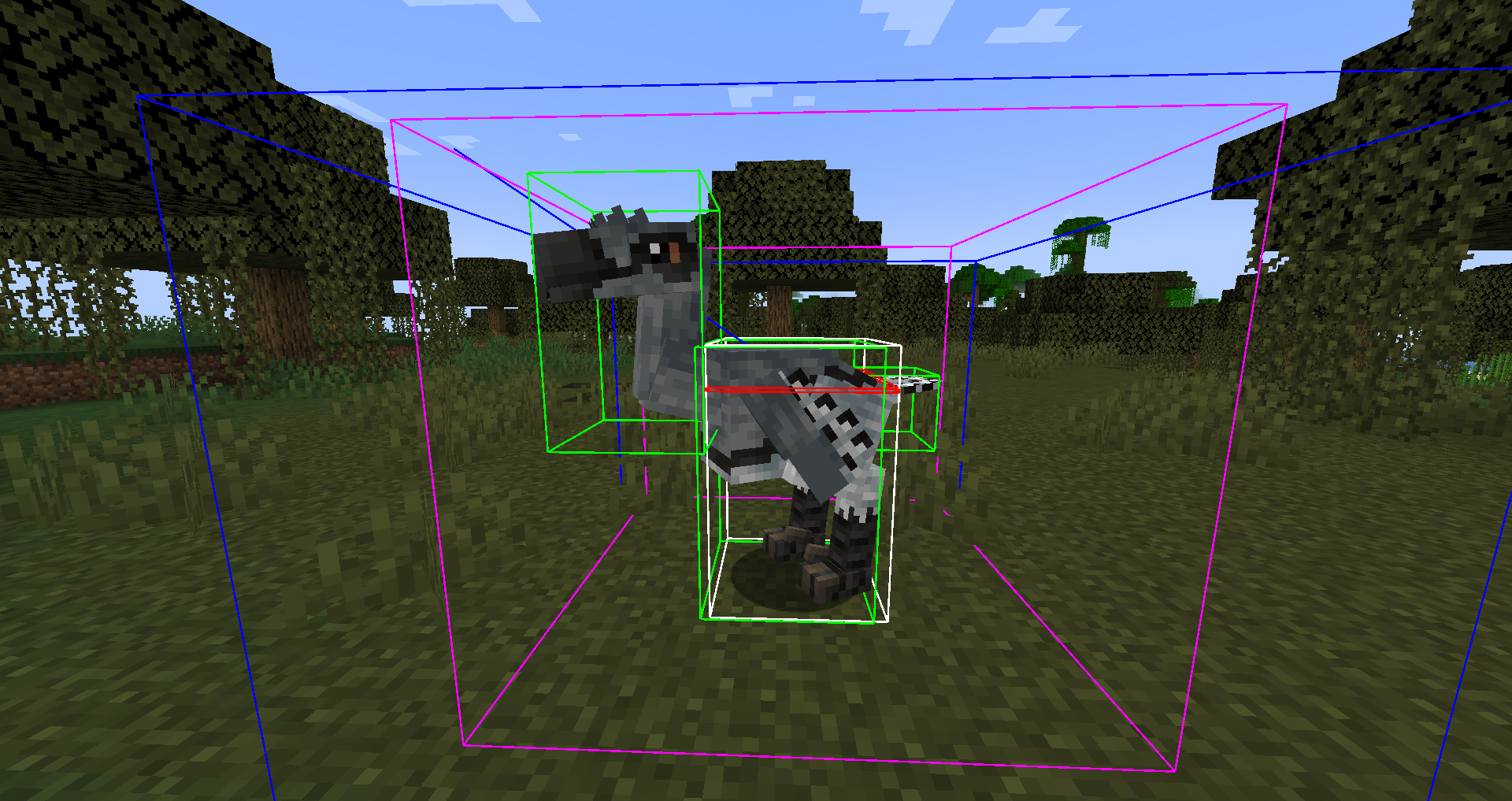
More Hitboxes allows modders to add multiple hitboxes to their entities that can optionally be controlled by GeckoLib animations.
Players
If you are a player that needs this as a dependency for another mod you should download either the Forge or the Fabric version for the minecraft version you are using.
Developers
The following features are available in version 1:
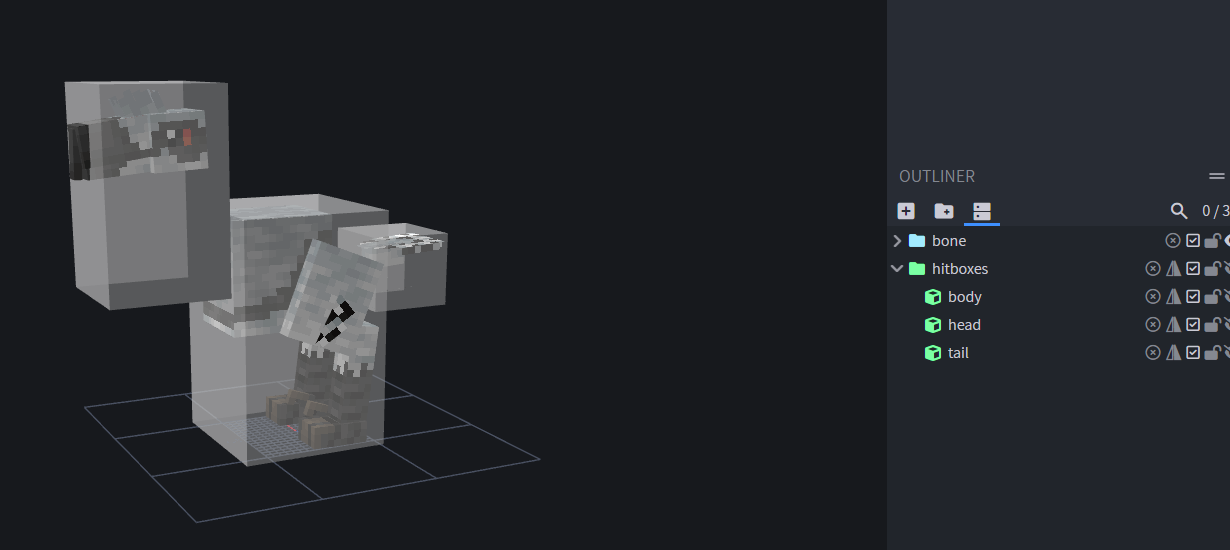
- Multiple hitboxes that can be defined in datapacks
- Optional support to attach those hitboxes to GeckoLib bones/animations
- Option to mark a hitbox as attack box that can be used to hit players
- A Blockbench plugin to help with the creation of hitboxes
Because this library is currently limited to my use cases, there are a few limitations in version 1:
- The default bounding box is still used for collision
- Movements triggered by GeckoLib are not synched to the server
- As a result the attack boxes are limited to the clientside and will only work on players
You can find the main documentation on GitHub as well as additional info in the javadoc once you have added the dependency to your buildscript.
More Hitboxes 설치 방법
With Millida Launcher
Install Millida Launcher
The launcher is free: download it at millida.net/launcher and sign in with any nickname.
Click “Install” on this page
The launcher opens and installs the mod for Minecraft 1.19.2–1.21.1 on Fabric, Forge or NeoForge automatically.
Launch the game
A profile with it appears in the launcher: click “Play”.
Manually
Install Fabric, Forge or NeoForge
The loader must match the game version of the mod file, for example Minecraft 1.21.1. After installing it, a separate profile appears in your launcher.
Download the file for your version
In the version list above, pick the file morehitboxes-fabric-1.21.1-1.9.4-alpha.jar (122 KB) for your game version and loader.
Put it in the mods folder
The folder is inside .minecraft (Windows: %appdata%\.minecraft\mods). If it does not exist, create it.
Launch the loader profile
Open “Mods” in the main menu: More Hitboxes should be in the list.
Minecraft 1.21.1 runs on Java 21: with a different Java version the game may close right after launch.
버전
의존성 포함
| Minecraft | 로더 | 파일 | 날짜 | 작업 |
|---|---|---|---|---|
| 1.21.1 | Fabric | 1.9.4-alpha for Fabric 1.21.1122 KB 2 | ||
| 1.21.1 | NeoForge | 1.9.4-alpha for NeoForge 1.21.1115 KB | ||
| 1.20.6 | Fabric | 1.9.3 for Fabric 1.20.6122 KB | ||
| 1.20.1 | Forge | 1.9.2 for Forge 1.20.1288 KB 2 | ||
| 1.19.2 | Fabric | 1.9.0 for Fabric 1.19.2119 KB | ||
| 1.19.2 | Forge | 1.9.0 for Forge 1.19.2287 KB |
FAQ
Which Minecraft versions does More Hitboxes work on?
There are files for 1.21.1, 1.20.6, 1.20.1, 1.19.2. The newest is 1.21.1.
Is More Hitboxes for Forge or Fabric?
There are files for Fabric: 1.19.2–1.21.1, for Forge: 1.19.2–1.20.1 and for NeoForge: 1.21.1.
Does More Hitboxes need other mods?
The author lists no required dependencies: the Fabric, Forge or NeoForge loader is enough.
Which Java does More Hitboxes need?
Minecraft 1.21.1 runs on Java 21. If the game closes right after launch, the usual cause is the wrong Java version in the profile settings.
Where can I download More Hitboxes safely?
On this page: the file morehitboxes-fabric-1.21.1-1.9.4-alpha.jar (122 KB) is stored on Millida’s server, with no link shorteners. SHA-1 checksum: da72af1793e1cc94b98744f6f72e1d93b47af412.
리뷰
More Hitboxes의 첫 평가를 남겨 보세요


