

 NeoForge
 Fabric
 Quilt
QuiltMidnightControls
A Fabric Minecraft mod which adds better controls, reach-around and controller support. Forked from LambdaControls by the amazing LambdAurora, which was sadly discontinued.

What's this mod?
This mod adds better controls, reach-around features, etc.
Haven't you dreamed to travel in your modded Minecraft world with your controller? Yes? Then this mod is made for you!
This mod also adds controller support.

✅ Features:
- For a nice overview, visit https://www.midnightdust.eu/midnightcontrols/
- Controller support
- Touchscreen support
- Keyboard controls to look around.
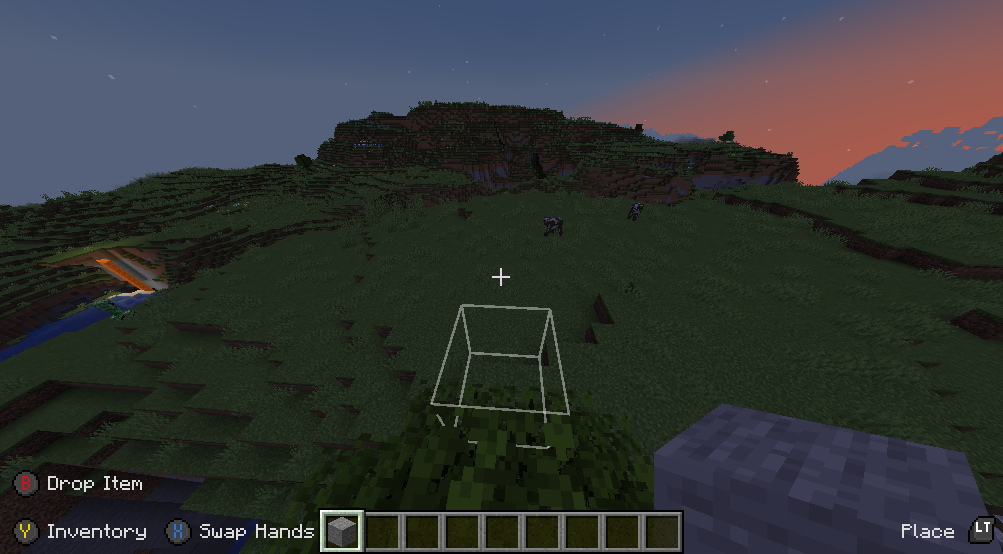
- Toggleable on screen button indicator (like in Bedrock Edition).
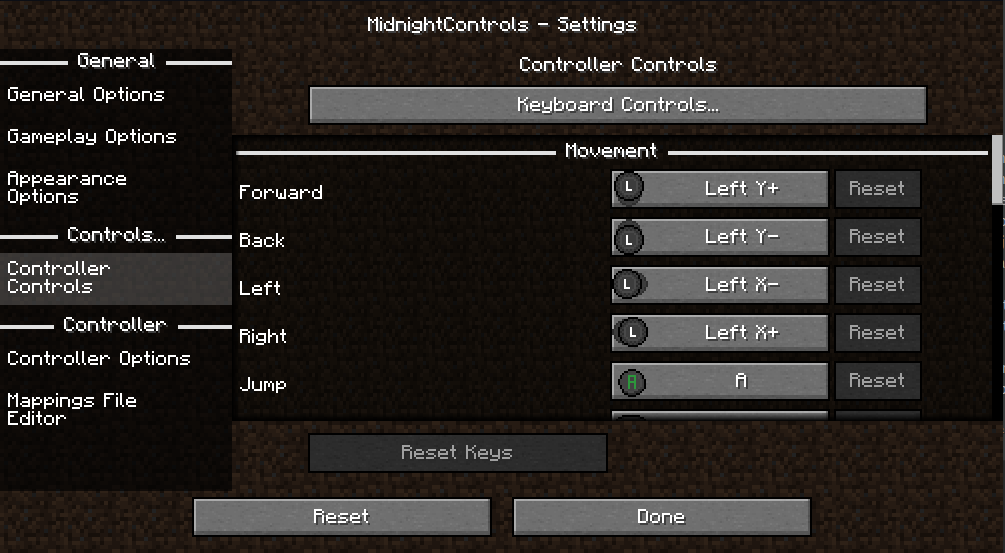
- New controls settings!
- Many options in config to change to your liking.
- Many controllers supported and in a simply way your own controller mappings.
- Automatic support for modded keybinds
- An easy API for developers to add their own button bindings.
Install MidnightControlsExtra for extra features that might be considered as cheats
🎮 Supported Controllers:
- Dualshock controllers
- Dualsense controllers
- Xbox controllers
- Switch Pro controllers
- Joycons
- Steam controller and Steam Deck
- And many more!
Trailer
(click on the image)
Screenshots
FAQ:
The controller does not work, and its name appears in orange, what can I do?
Orange controller names indicate a missing controller mapping. Download GamepadTool, create and copy a mapping, go to MidnightControls' Mappings File Editor and paste the string. Alternatively, you can use AntiMicroX to create the mappings, in case the Gamepad Tool is not working for you. If that works, you might as well consider submitting the mapping by opening a PR in this repo: https://github.com/gabomdq/SDL_GameControllerDB That will make sure other people using the same controller as you don't have to use gamepad-tool anymore.
MidnightControls 설치 방법
With Millida Launcher
Install Millida Launcher
The launcher is free: download it at millida.net/launcher and sign in with any nickname.
Click “Install” on this page
The launcher opens and installs the mod for Minecraft 1.21.9–26.2 on Fabric, NeoForge or Quilt automatically, together with its dependencies: Fabric API, MidnightLib.
Launch the game
A profile with it appears in the launcher: click “Play”.
Manually
Install Fabric, NeoForge or Quilt
The loader must match the game version of the mod file, for example Minecraft 26.2. After installing it, a separate profile appears in your launcher.
Download the file for your version
In the version list above, pick the file midnightcontrols-neoforge-1.12.1+26.2.jar (865 KB) for your game version and loader.
Put it in the mods folder
The folder is inside .minecraft (Windows: %appdata%\.minecraft\mods). If it does not exist, create it. Required dependencies go there too: Fabric API, MidnightLib.
Launch the loader profile
Open “Mods” in the main menu: MidnightControls should be in the list.
MidnightControls works on the player’s side only: there is no need to install it on a server.
버전
의존성 포함
| Minecraft | 로더 | 파일 | 날짜 | 작업 |
|---|---|---|---|---|
| 26.2 | NeoForge | 26.2865 KB | ||
| 26.2 | Fabric, Quilt | 26.2869 KB 14 | ||
| 26.1.2 | NeoForge | 26.1.2858 KB | ||
| 26.1.1 | Fabric, Quilt | 26.1.1862 KB | ||
| 1.21.11 | Fabric, Quilt | 1.21.11902 KB 26 | ||
| 1.21.11 | NeoForge | 1.21.11870 KB 1 | ||
| 1.21.11 | Fabric, Quilt | 1.21.11903 KB | ||
| 1.21.10 | Fabric, Quilt | 1.21.10884 KB |
실행에 필요한 것
이것이 필요한 콘텐츠
리뷰
MidnightControls의 첫 평가를 남겨 보세요


