
Minecraft 1.19.2, 26.3용 Melius Vanish 모드
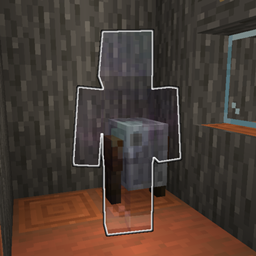
/vanish를 사용하여 다른 플레이어로부터 완전히 숨을 수 있는 Fabric vanish 모드
 Fabric
 Quilt
QuiltVanish
How to Install
- Download the .jar file from GitHub, Modrinth or CurseForge
- Drop the file into your mods folder
- Restart your server!
Features
- You are completely invisible and undetectable
- No open/close container (chests, barrels, ender chests, and shulker boxes) animations
- You don't make noise (placing, breaking, walking...)
- You are removed from command selectors (/msg, /gamemode...)
- You get removed from /list command
- You don't appear in the server list player sample and player count
- Your advancement, death, join/leave messages, and others are hidden
- Fake join/leave messages are sent on vanish/un-vanish
- Hide from entities
- Bluemap support
- Hide sleep status
- Expanded Storage compatibility
- Exclude vanished players from player count
- Prevents block interactions (pressure plates, dripleaf, tripwire, farmland, redstone ore, sculk sensor/shrieker and turtle egg)
- Prevents player vibrations (sculk sensor/shrieker and warden)
- Prevents mob spawning
- Prevents chunk loading / generation
- Prevents entity collisions
- Prevents entity pickups (arrows, experience orbs, items and tridents)
Config
The config file is located at ./config/vanish.hocon. Use /vanish reload to reload it.
Permissions
You need to be an operator or have these permissions to be able to use the mod
- vanish.command.vanish - Access to /vanish command
- vanish.command.vanish.reload - Use /vanish reload to reload the config
- vanish.command.vanish.other - Set the vanish-status of others
- vanish.feature.view - See vanished player
Placeholders
- vanish:vanished - Displays a text (configurable via config) if a player is vanished
- vanish:online - The number of players that the player viewing the placeholder can see-
Melius Vanish 설치 방법
With Millida Launcher
Install Millida Launcher
The launcher is free: download it at millida.net/launcher and sign in with any nickname.
Click “Install” on this page
The launcher opens and installs the mod for Minecraft 1.19.1–26.3 on Fabric or Quilt automatically.
Launch the game
A profile with it appears in the launcher: click “Play”.
Manually
Install Fabric or Quilt
The loader must match the game version of the mod file, for example Minecraft 26.3. After installing it, a separate profile appears in your launcher.
Download the file for your version
In the version list above, pick the file vanish-1.6.16+26.3.jar (1.2 MB) for your game version and loader.
Put it in the mods folder
The folder is inside .minecraft (Windows: %appdata%\.minecraft\mods). If it does not exist, create it.
Launch the loader profile
Open “Mods” in the main menu: Melius Vanish should be in the list.
버전
의존성 포함
| Minecraft | 로더 | 파일 | 날짜 | 작업 |
|---|---|---|---|---|
| 26.3 | Fabric, Quilt | Vanish 1.6.16+26.31.2 MB 3 | ||
| 1.19.2 | Fabric, Quilt | Vanish 1.0.0 for 1.19.21.3 MB |
리뷰
Melius Vanish의 첫 평가를 남겨 보세요


