
Minecraft 1.20.1, 1.20.4용 Lithosphere 모드
Lithosphere는 오버월드 월드젠을 더 영화적이고 세련되고 아름답게 바꾸는 것을 목표로 합니다.
 Fabric
 NeoForge
 Forge
 Quilt
Lithosphere 모드 정보
Lithosphere aims to change the overworld worldgen to be more cinematic, polished and beautiful.
This is the mod version! You can download lithosphere as a datapack here!

Features
Continents and deeper oceans
The overworld consists of some gigantic and some smaller continents, these are seperated by deep oceans where occasional islands and archipelagos can be found.
Gradual coasts and steep cliffs
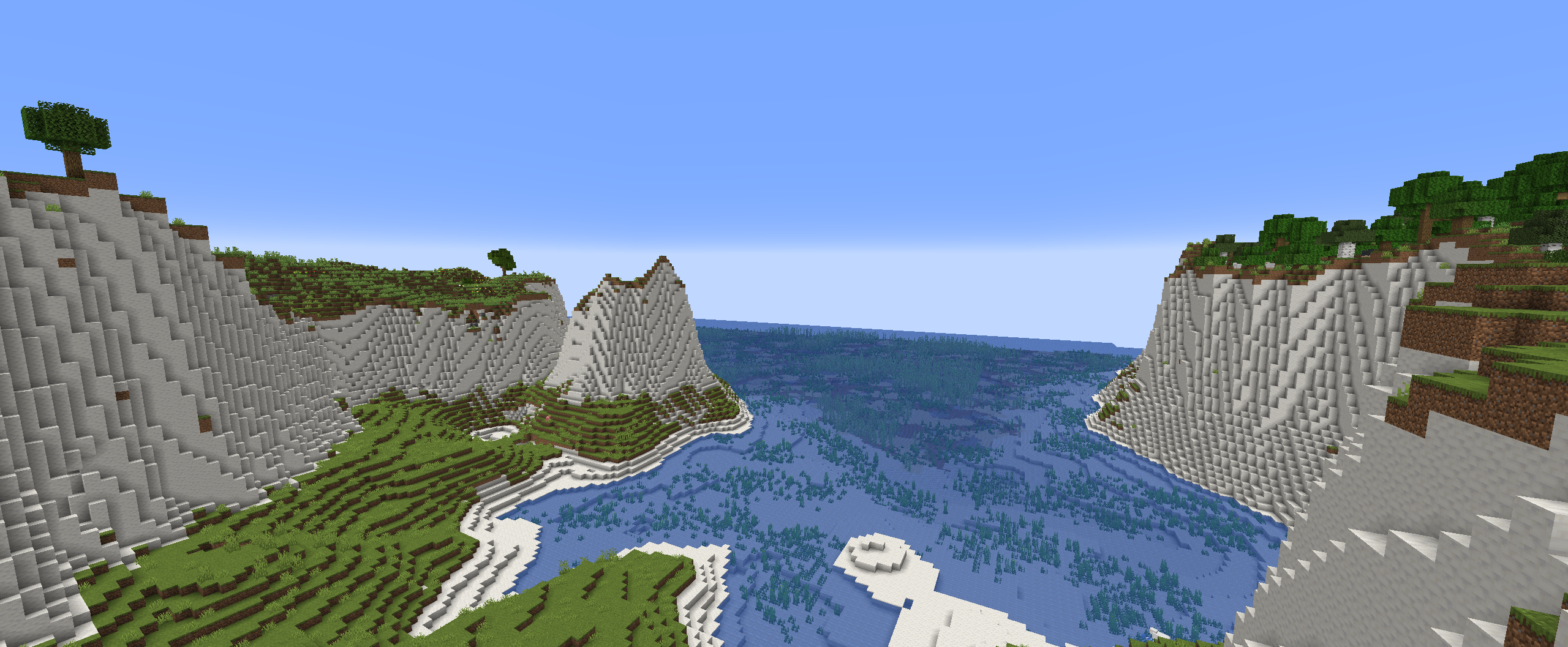
the coastlines are mostly covered in large beaches, that gradually transition into the ocean, but there are also steep cliffs near mountainous regions. These cliffs have a more realistic shape to them, than the vanilla stony shores.
Mountainous Regions
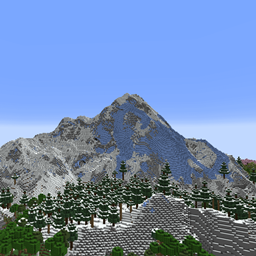
the "Onion Ring" mountains in vanilla are gone, and replaced with more cinematic looking mountain ranges, that are less pointy. These new mountains can be much higher than in vanilla.
Rivers and river valleys
Rivers are much less common and carve valleys through mountainous regions. They also won't get cut off by some weird terrain generation like in some places in vanilla.
Unique swamp placement and terrain
Swamps now generate seperately from windswept biomes and are often located in lower regions..
Smoother terrain
The weird terrain layers and facture splines from vanilla are gone and replaced with overall smoother height transitions.
Larger temperature and humidity regions
The size of the temperature and humidity noises has been increased to make biomes bigger and less condensed. But biomes in this datapack should still be more varied than they are like in the vanilla large biomes setting.
Compatability
Most worldgen mods (like Biomes O' Plenty, Nature's Spirit, ...) should be perfectly compatible, but lithosphere changes the deafult noise_settings so worldgen datapacks that change the overworld will be incompatible.
Datapacks that change the noise_settings files can be made compatible by changing their noise_settings to refer to Lithosphere's final_density.
Recommendations
- Nvidium + Sodium (or some other mod that enables higher render distances)
- Noisium
- Nature's Spirit
- William Wythers' Overhauled Overworld
- Steep surface fix
Feedback, questions or screenshots
If you have some questions, suggestions or feedback, or just want to post some of your screenshots of Lithosphere you can ask/post these on discord!
If you have some questions, suggestions or feedback, or just want to post some of your screenshots of Lithosphere you can ask/post these on discord!
Lithosphere 설치 방법
Install Millida Launcher
The launcher is free: download it at millida.net/launcher and sign in with any nickname.
Click “Install” on this page
The launcher opens and installs the mod for Minecraft 1.20–1.20.4 on Fabric, Forge, NeoForge or Quilt automatically.
Launch the game
A profile with it appears in the launcher: click “Play”.
Minecraft 1.20.4 runs on Java 17: with a different Java version the game may close right after launch.
버전
의존성 포함
| Minecraft | 로더 | 파일 | 날짜 | 작업 |
|---|---|---|---|---|
| 1.20.2 | Fabric, NeoForge, Forge, Quilt | lithosphere-1.6 (1.20 - 1.20.4)570 KB 2 |
FAQ
Which Minecraft versions does Lithosphere work on?
There are files for 1.20.4, 1.20.3, 1.20.2, 1.20.1, 1.20. The newest is 1.20.4.
Is Lithosphere for Forge or Fabric?
There are files for Fabric: 1.20–1.20.4, for Forge: 1.20–1.20.4, for NeoForge: 1.20–1.20.4 and for Quilt: 1.20–1.20.4.
Does Lithosphere need other mods?
The author lists no required dependencies: the Fabric, Forge, NeoForge or Quilt loader is enough.
Which Java does Lithosphere need?
Minecraft 1.20.4 runs on Java 17. If the game closes right after launch, the usual cause is the wrong Java version in the profile settings.
How do I download Lithosphere?
With Millida Launcher: it installs Lithosphere into a modpack by itself, for the right game version and loader. The launcher is free.
리뷰
Lithosphere의 첫 평가를 남겨 보세요


