

Minecraft 1.20.1, 1.21.1용 Item Alchemy 모드
Project E처럼 EMC 시스템을 추가합니다. 아이템을 등가 교환할 수 있습니다.
- 다운로드
- 4 다운로드
- 조회수
- 29 조회수
- 업데이트됨
- 업데이트됨 04.10.2026
- 1.18 — 26.3
 Fabric
- 클라이언트와 서버
Item Alchemy 모드 정보
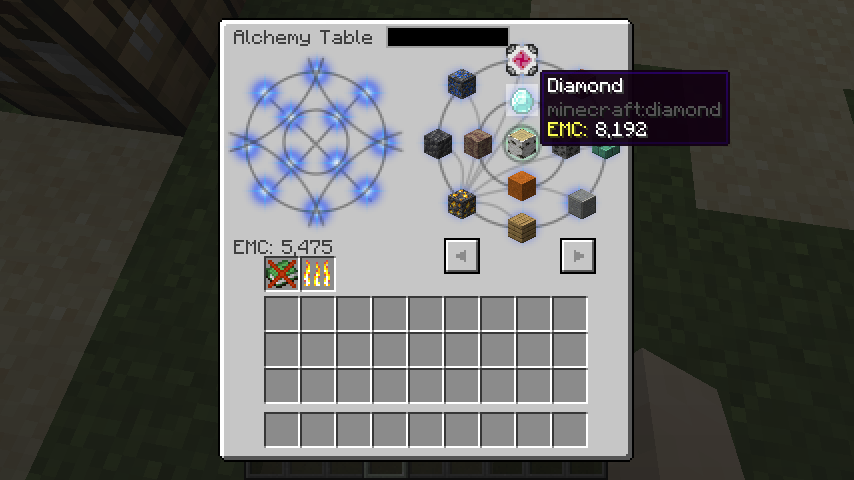
Add EMC like ProjectE and transform items in "Alchemy Table".
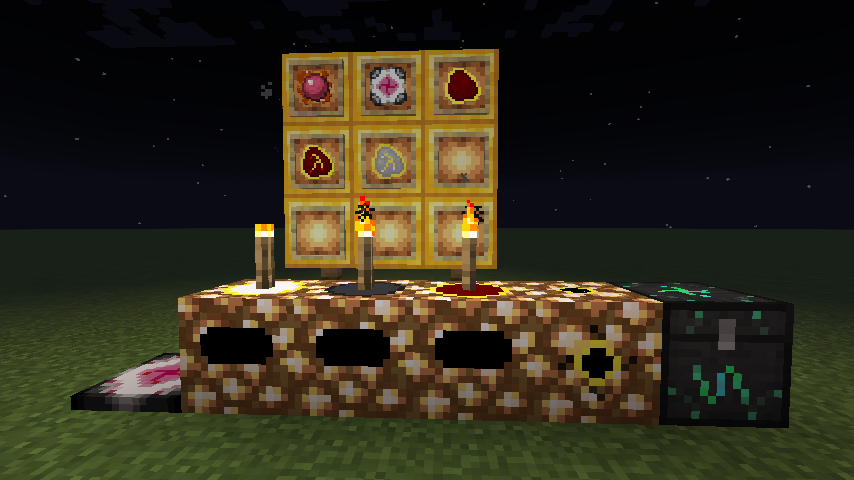
In "Philosopher's Stone" you can exchange blocks equivalently.
This mod is under development.
I wanted a mod like Project E for Fabric, so I made one.
This mod is Inspired by Project E.
This mod has MCPitanLibarch as a dependency and MCPitanLibarch requires Architecture API.
It's currently Fabric only and requires the Fabric API.
Items
- Philosopher's Stone...Equivalent exchange of blocks
- Alchemy Table...Convert items to EMC and EMC to items.
- Alchemy Pad...Handheld version of Alchemy Table
Item Alchemy 설치 방법
With Millida Launcher
Install Millida Launcher
The launcher is free: download it at millida.net/launcher and sign in with any nickname.
Click “Install” on this page
The launcher opens and installs the mod for Minecraft 1.18–26.3 on Fabric automatically, together with its dependencies: Fabric API, Dependency.
Launch the game
A profile with it appears in the launcher: click “Play”.
Manually
Install Fabric
The loader must match the game version of the mod file, for example Minecraft 26.3. After installing it, a separate profile appears in your launcher.
Download the file for your version
In the version list above, pick the file itemalchemy-1.4.1.jar (742 KB) for your game version.
Put it in the mods folder
The folder is inside .minecraft (Windows: %appdata%\.minecraft\mods). If it does not exist, create it. Required dependencies go there too: Fabric API, Dependency.
Launch the loader profile
Open “Mods” in the main menu: Item Alchemy should be in the list.
On a server
A server on Fabric
The mod only works on a server with the same loader and game version, for example 26.3.
File goes into the server’s mods folder
Stop the server, put the mod file into the mods folder and start the server again.
Use the “To server” button
On Millida Hosting, the button at the top of the page uploads the file to your server and restarts it for you.
버전
의존성 포함
| Minecraft | 로더 | 파일 | 날짜 | 작업 |
|---|---|---|---|---|
| 26.3 | Fabric | 26.3742 KB 4 | ||
| 26.3 | Fabric | 26.3741 KB | ||
| 26.2 | Fabric | 26.2747 KB | ||
| 26.2 | Fabric | 26.2747 KB | ||
| 26.2 | Fabric | 26.2745 KB | ||
| 26.2 | Fabric | 26.2825 KB | ||
| 26.2 | Fabric | 26.2817 KB | ||
| 26.2 | Fabric | 26.2792 KB |
실행에 필요한 것
- Fabric API필수
- Dependency필수
FAQ
Which Minecraft versions does Item Alchemy work on?
There are files for 1.18–26.3, 27 versions in total. The newest is 26.3.
Is Item Alchemy for Forge or Fabric?
Only for Fabric: 1.18–26.3. There are no files for Forge or NeoForge: a mod for another loader will not start.
What does Item Alchemy need to work?
Required: Fabric API, Dependency. Without them the mod will not start: dependencies go into the same mods folder.
Does Item Alchemy work on a server?
Yes. Item Alchemy works both in singleplayer and on a server.
Where can I download Item Alchemy safely?
On this page: the file itemalchemy-1.4.1.jar (742 KB) is stored on Millida’s server, with no link shorteners. SHA-1 checksum: 5d699102611e6434af1d6d35984b95996c4d9849.
리뷰
Item Alchemy의 첫 평가를 남겨 보세요


