
Minecraft 1.12.2, 26.2용 Iron Tanks 모드
IronChests가 바닐라 상자를 확장한 방식과 유사하게 Buildcraft 탱크를 확장합니다.
 NeoForge
 Fabric
 Forge
Iron Tanks
Iron Tanks is the original tiered fluid storage mod for Minecraft: better materials, bigger tanks, and more compact storage in the same one-block footprint.
The mod began as a BuildCraft add-on, bringing the same kind of storage progression to tanks that Iron Chests brought to vanilla chests. That legacy version is still available and still supported for Minecraft 1.12.2.
For modern Minecraft versions, Iron Tanks has moved beyond its BuildCraft dependency and now works as a standalone fluid storage mod. It no longer requires BuildCraft or any specific pipe mod, but it still fills the same role: simple, expandable, upgradeable fluid storage for modded Minecraft.

Features
- Tiered tanks with increasing capacity
- Stackable tanks that merge into one larger tank
- In-world tank upgrades without breaking the tank or spilling its contents
- Fluid rendering across connected tanks
- Liquids settle toward the bottom; gases rise toward the top
- Obsidian tanks resist explosions
- Void tanks destroy incoming fluid
- Creative tanks provide infinite fluid for creative/testing use
- Modern versions support standard fluid APIs for compatibility with other mods
- Legacy Minecraft 1.12.2 and earlier versions remain BuildCraft add-ons

Important: storage, not plumbing
Iron Tanks is a storage mod, not a pipe mod.
On its own, tanks can be filled and emptied by hand with buckets. For automated fluid movement, pair Iron Tanks with a mod that provides pipes, pumps, or machines.
Modern Iron Tanks does not require BuildCraft. Any compatible fluid transport mod that uses the standard fluid API should be able to interact with the tanks.
Legacy releases for Minecraft 1.12.2 and earlier remain BuildCraft-based and are intended for older modpacks built around that ecosystem.
Tank tiers
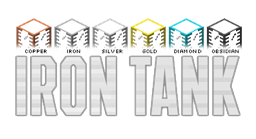
Iron Tanks includes a range of tanks for different stages of progression:
- Glass Tank
- Copper Tank
- Iron Tank
- Silver Tank
- Gold Tank
- Diamond Tank
- Emerald Tank
- Obsidian Tank
- Void Tank
- Creative Tank
Some tiers may depend on materials available in your Minecraft version or modpack. For example, silver may require another mod that adds silver ingots.
Which version should I use?
Use the version that matches your Minecraft version and mod loader.
Modern releases, starting with the newer Minecraft versions, are standalone and available for current mod loaders such as NeoForge and Fabric.
Minecraft 1.12.2 and earlier releases are the legacy BuildCraft add-on versions. They remain available for older modpacks and players who still use the classic BuildCraft ecosystem.
Optional crash diagnostics
Modern Iron Tanks versions include optional crash diagnostics to help fix bugs faster.
Crash reporting is off by default and sends nothing unless an operator enables it. Reports are sanitized before being sent and are limited to Iron Tanks-related errors. You can preview exactly what would be sent before enabling diagnostics.
Read more in https://github.com/Indemnity83/irontanks/blob/mc/26.1/CRASH_REPORTING.md
Legacy
“It's a start. From here, we go on to bigger and better things.” — Chris Carothers
That quote has been part of Iron Tanks since its original BuildCraft add-on days. It still fits: the mod has grown from a simple tank upgrade path into a long-running project with both modern standalone releases and legacy BuildCraft support.
Modpacks
Iron Tanks may be included in modpacks. No permission is required.
Iron Tanks 설치 방법
With Millida Launcher
Install Millida Launcher
The launcher is free: download it at millida.net/launcher and sign in with any nickname.
Click “Install” on this page
The launcher opens and installs the mod for Minecraft 1.7.10–26.2 on Fabric, Forge or NeoForge automatically.
Launch the game
A profile with it appears in the launcher: click “Play”.
Manually
Install Fabric, Forge or NeoForge
The loader must match the game version of the mod file, for example Minecraft 26.2. After installing it, a separate profile appears in your launcher.
Download the file for your version
In the version list above, pick the file irontanks-3.3.1+mc26.2.neoforge.jar (1.1 MB) for your game version and loader.
Put it in the mods folder
The folder is inside .minecraft (Windows: %appdata%\.minecraft\mods). If it does not exist, create it.
Launch the loader profile
Open “Mods” in the main menu: Iron Tanks should be in the list.
버전
의존성 포함
| Minecraft | 로더 | 파일 | 날짜 | 작업 |
|---|---|---|---|---|
| 26.2 | NeoForge | Iron Tanks v3.3.1 for neoforge 26.21.1 MB | ||
| 26.2 | Fabric | Iron Tanks v3.3.1 for fabric 26.21.1 MB 1 | ||
| 1.12.2 | Forge | Iron Tanks v2.4.0 for 1.12.272.2 KB 1 | ||
| 1.12.2 | — | irontanks-1.12.2-2.1.0-beta.18.jar62.1 KB | ||
| 1.7.10 | — | irontanks-1.7.10-1.1.16.16.jar50.8 KB 2 | ||
| 1.12.2 | — | Iron Tanks 2.1.0 Alpha 257 KB |
리뷰
Iron Tanks의 첫 평가를 남겨 보세요


