
Minecraft 1.21.1용 ImageTitles 모드
마인크래프트 타이틀을 커스텀 이미지로 교체하세요. 이미지로 리소스 팩을 만들면 서버의 모든 플레이어에게 표시할 수 있습니다.
 NeoForge
 Forge
Forge Fabric
 Quilt
QuiltImageTitles
Replace Minecraft titles with custom images. Create a resource pack with the images and you'll be able to display them to all players on your server. Go to ImageTitles Example for instructions on how to create a resource pack.
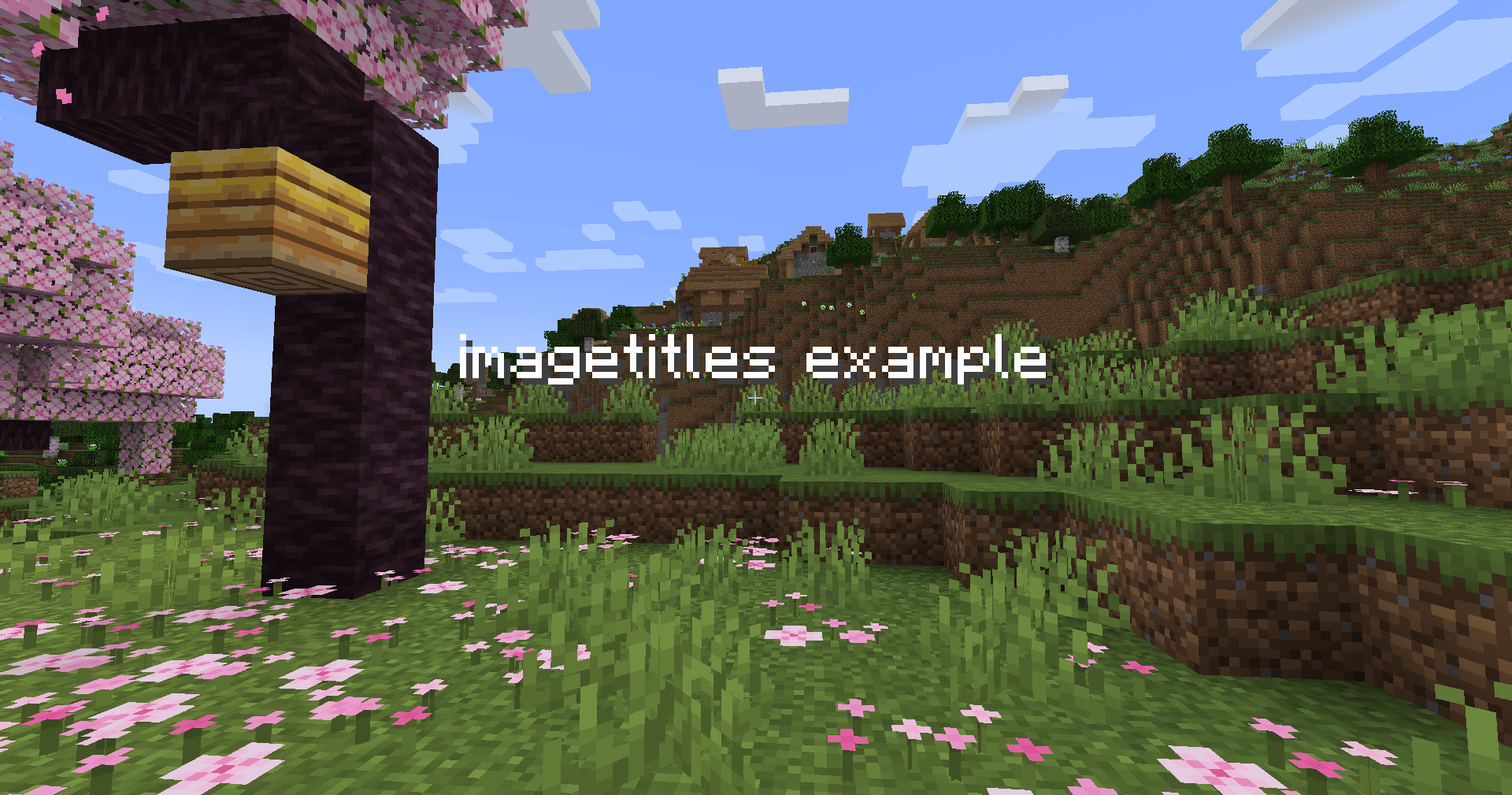
Vanilla:
ImageTitles:
This example was created with the ImageTitles Example resource pack. Using the command /title @s title {"text":"imagetitles example"}.
ImageTitles 설치 방법
With Millida Launcher
Install Millida Launcher
The launcher is free: download it at millida.net/launcher and sign in with any nickname.
Click “Install” on this page
The launcher opens and installs the mod for Minecraft 1.21.1 on Fabric, Forge, NeoForge or Quilt automatically.
Launch the game
A profile with it appears in the launcher: click “Play”.
Manually
Install Fabric, Forge, NeoForge or Quilt
The loader must match the game version of the mod file, for example Minecraft 1.21.1. After installing it, a separate profile appears in your launcher.
Download the file for your version
In the version list above, pick the file imagetitles-neoforge-1.21.1-1.2.0.jar (170 KB) for your game version and loader.
Put it in the mods folder
The folder is inside .minecraft (Windows: %appdata%\.minecraft\mods). If it does not exist, create it.
Launch the loader profile
Open “Mods” in the main menu: ImageTitles should be in the list.
Minecraft 1.21.1 runs on Java 21: with a different Java version the game may close right after launch.
버전
의존성 포함
| Minecraft | 로더 | 파일 | 날짜 | 작업 |
|---|---|---|---|---|
| 1.21.1 | NeoForge | ImageTitles-1.21.1-1.2.0-neoforge170 KB | ||
| 1.21.1 | Forge | ImageTitles-1.21.1-1.2.0-forge169 KB | ||
| 1.21.1 | Fabric, Quilt | ImageTitles-1.21.1-1.2.0-fabric169 KB |
리뷰
ImageTitles의 첫 평가를 남겨 보세요


