
Minecraft 1.10.2용 HydroGel 모드
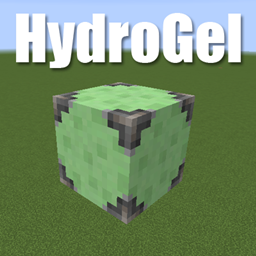
경작지를 수분 공급하는 단일 고체 블록을 추가하는 간단한 Minecraft 모드입니다.
HydroGel 모드 정보
I've wanted a solid hydrating block since the days of Xycraft...
I finally decided to take matters into my own hands...
Now you can have a block to hydrate elevated farmlands without worrying about holding up water or covering the water holes so you don't fall in.
Crafted with slime balls, iron bars, and a water bucket (of course).
HydroGel 설치 방법
With Millida Launcher
Install Millida Launcher
The launcher is free: download it at millida.net/launcher and sign in with any nickname.
Click “Install” on this page
The launcher opens and installs the mod for Minecraft 1.10.2 automatically.
Launch the game
A profile with it appears in the launcher: click “Play”.
Manually
Download the file for your version
In the version list above, pick the file hydrogel-0.9.jar (23 KB) for your game version.
Put it in the mods folder
The folder is inside .minecraft (Windows: %appdata%\.minecraft\mods). If it does not exist, create it.
Launch the loader profile
Open “Mods” in the main menu: HydroGel should be in the list.
Minecraft 1.10.2 runs on Java 8: with a different Java version the game may close right after launch.
버전
의존성 포함
| Minecraft | 로더 | 파일 | 날짜 | 작업 |
|---|---|---|---|---|
| 1.10.2 | — | Release v0.923 KB |
FAQ
Which Minecraft versions does HydroGel work on?
Only Minecraft 1.10.2: there are no files for other versions.
Which Java does HydroGel need?
Minecraft 1.10.2 runs on Java 8. If the game closes right after launch, the usual cause is the wrong Java version in the profile settings.
Where can I download HydroGel safely?
On this page: the file hydrogel-0.9.jar (23 KB) is stored on Millida’s server, with no link shorteners. SHA-1 checksum: 5a049df52d39e98ca924555f4f6d705a710b19c6.
리뷰
HydroGel의 첫 평가를 남겨 보세요


