
Minecraft 1.20.1, 1.21.1용 Hybrid Blocks 모드
게임에 다양한 장식용 및 다채로운 블록을 추가합니다.
 Fabric
 NeoForge
 Forge
Forge Quilt
QuiltHybrid Blocks 모드 정보
Hybrid Blocks is a mod focusing on adding new decorative and colorful blocks to help you give your builds just that little bit of extra detailing it needs.
The mod offers a large collection of blocks expanding on the vanilla set, including:
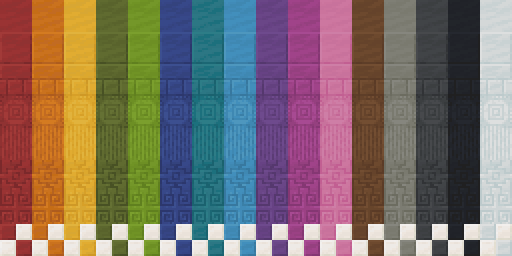
- Stained bricks for each of the 16 base colors in the game, as well as both nether bricks, and mud bricks. This also includes a variety of new brick patterns
- Shingles, in all 16 colors, for your roofing needs
- Chimney blocks matching each brick variant
- Stained quartz for each of the 16 base colors, plus new Quartz Tiles, perfect for your kitchen build
- Polished Calcite
- Borderless clear glass perfect for building an aquarium with a better view of all your pretty fish (wink wink)
Hybrid Blocks 설치 방법
With Millida Launcher
Install Millida Launcher
The launcher is free: download it at millida.net/launcher and sign in with any nickname.
Click “Install” on this page
The launcher opens and installs the mod for Minecraft 1.20–1.21.1 on Fabric, Forge, NeoForge or Quilt automatically.
Launch the game
A profile with it appears in the launcher: click “Play”.
Manually
Install Fabric, Forge, NeoForge or Quilt
The loader must match the game version of the mod file, for example Minecraft 1.21.1. After installing it, a separate profile appears in your launcher.
Download the file for your version
In the version list above, pick the file [1.21 Fabric] Hybrid Blocks 1.3.0.jar (4.6 MB) for your game version and loader.
Put it in the mods folder
The folder is inside .minecraft (Windows: %appdata%\.minecraft\mods). If it does not exist, create it.
Launch the loader profile
Open “Mods” in the main menu: Hybrid Blocks should be in the list.
Minecraft 1.21.1 runs on Java 21: with a different Java version the game may close right after launch.
버전
의존성 포함
| Minecraft | 로더 | 파일 | 날짜 | 작업 |
|---|---|---|---|---|
| 1.21.1 | Fabric | [1.21 Fabric] Hybrid Blocks 1.3.04.6 MB | ||
| 1.21.1 | NeoForge | [1.21 Neoforge] Hybrid Blocks 1.3.04.7 MB | ||
| 1.20.1 | Forge | [1.20 Forge] Hybrid Blocks 1.3.05.5 MB | ||
| 1.20.1 | Fabric, Quilt | [OUTDATED] Hybrid Blocks 1.0.1626 KB |
FAQ
Which Minecraft versions does Hybrid Blocks work on?
There are files for 1.21.1, 1.20.1, 1.20. The newest is 1.21.1.
Is Hybrid Blocks for Forge or Fabric?
There are files for Fabric: 1.20–1.21.1, for Forge: 1.20–1.20.1, for NeoForge: 1.21.1 and for Quilt: 1.20–1.20.1.
Does Hybrid Blocks need other mods?
The author lists no required dependencies: the Fabric, Forge, NeoForge or Quilt loader is enough.
Which Java does Hybrid Blocks need?
Minecraft 1.21.1 runs on Java 21. If the game closes right after launch, the usual cause is the wrong Java version in the profile settings.
Where can I download Hybrid Blocks safely?
On this page: the file [1.21 Fabric] Hybrid Blocks 1.3.0.jar (4.6 MB) is stored on Millida’s server, with no link shorteners. SHA-1 checksum: e1b368b5559a7cb1303a002d31ce339d16d35c5f.
리뷰
Hybrid Blocks의 첫 평가를 남겨 보세요


