
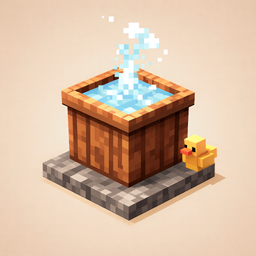
Minecraft 1.20.1, 1.21.1용 Hot Bath 모드
다양한 이점을 지닌 맞춤형 목욕 온수를 소개합니다. 뜨거운 목욕과 좋은 삶을 즐기세요.
 Forge
 NeoForge
Hot-bath Mod
Take a break from your adventures. Build a warm bath, wash away dirt and recharge with six bath fluids, portable bath bottles and useful mod integrations.
Forge 1.20.1 · NeoForge 1.21.1
▶ Watch the trailer · 0:54 · 1080p · English captions, music and effects
CurseForge · Modrinth · GitHub

Introduction
Welcome to Hot Bath Mod! Take a break from your adventures and soak in a relaxing hot bath. It's not just about hygiene; it's about buffs, healing, and magical effects! Whether you need to recover health, remove negative effects, or just warm up, we have the perfect bath for you.

Recommended Mods
🛁 Official Extension | ShowerCore 🛁 Ready to take your hygiene to the next level? 🚿✨ Introducing ShowerCore, the official HotBath extension that brings the splash! We're talking fully functional Bathtubs, refreshing Showers, and the absolute necessity—Rubber Ducks! 🦆💦 Don't just bathe, celebrate cleanliness!
🌟 Highly Recommended | Fluidlogged 🌟 Modrinth Link Fluidlogged enables custom fluid blocks to have a waterlogged effect with blocks like stairs, slabs, and more, allowing hotbath fluids to integrate naturally into various structures. Version note: Minecraft 1.20.1 needs Fluidlogged for this. Native Hot Bath waterlogging is 1.21.1+ NeoForge.
Known Issues
- Optifine Incompatibility:
Optifine may cause rendering issues with fluid colors in this mod. For example, fluids like milk bath may not display their correct colors and appear watery. This is a known incompatibility with Optifine, which affects the rendering of many mods. We recommend using alternative shader mods such as Sodium or Oculus for better compatibility.
Update 4.0 (1.20.1 Forge / 1.21.1 NeoForge)
Dirtiness System
A brand-new hygiene mechanic that tracks how dirty your character gets over time.
- Gradual dirt accumulation over 5 in-game days (base rate), influenced by multiple environmental factors:
- Biome: Nether (1.6x), Badlands/Desert/Swamp (1.5x), Jungle (1.3x), Ocean/River (0.85x)
- Activity: Sprinting (1.3x), Crawling (1.4x), Swimming (0.7x), Flying (0.9x)
- Weather: Rain (0.6x) and Thunderstorms (0.5x) help wash you off
- Depth: Deep caves below Y=0 (1.4x), caves below Y=50 (1.2x)
- Ground type: Dirt/Sand blocks slightly increase accumulation
- Instant dirt events: Getting hurt (+2%), killing mobs (+3%), killing bosses (+8%), nearby explosions (+5%), mining (+0.5%)
- Visual dirt overlay on player model with 10 procedural patterns, progressively covering legs → body → arms → head
- Fly particles spawn around the player after staying at 100% dirtiness for 2+ in-game days
- Bathing cleans you up: Standing in any hot bath fluid cleans you in ~20 seconds; moving in the water speeds it up to ~15 seconds
- Debug commands: /dirtiness get, /dirtiness set, /dirtiness clean
- Can be toggled off in config
Datapack-Driven Custom Fluids
Create unlimited custom bath fluids via datapacks — no code or recompilation required.
- Datapack path: data/<namespace>/hotbath/custom_fluids/<name>.json
- Fully configurable properties:
- Color (RGB), opacity, luminosity (0–15)
- Temperature (°C), viscosity, density
- Still and flowing textures (defaults to grayscale tinting)
- Particle toggles: splash, bubbles, steam
- Potion effects with configurable duration, amplifier, ambient, and icon visibility
- Trigger time (seconds before effects apply)
- Nutrition and thirst values (for compat mod integration)
- Built-in localization: Define translations for multiple languages directly in the JSON (en_us, zh_cn, ja_jp, etc.) with locale fallback chains
- Full item support: Custom fluid buckets, drinkable bottles, and splash bottles are automatically generated
- Fluid spreading: Custom fluids propagate their identity through BlockEntity data when flowing
- Waterlogging support (1.21.1+ NeoForge): Hot Bath fluids can be placed in waterloggable blocks such as stairs and slabs
- Hot reload: Fluids update when datapacks are reloaded
- Public API (CustomFluidAPI): Other mods can query, create, and apply custom fluid effects programmatically
- Guide book (Patchouli): Includes documentation, JSON format reference, and example fluids (Golden Bath, Slime Bath, Blazing Bath, Ender Bath, Enchanted Bath, Milk Tea Bath, Silent Spring Bath)
Example Datapack Downloads:
- hotbath_example_fluids_1.21.1.zip — For Minecraft 1.21.1 (NeoForge)
- hotbath_example_fluids_1.20.1.zip — For Minecraft 1.20.1 (Forge)
Mod Compatibility
All integrations are optional — Hot Bath detects installed mods at runtime and enables features automatically. If a compat fails, it is disabled gracefully with an in-game notification.
Alex's Mobs
- Dirty player interactions: Dirty players attract flies, mosquitoes (aggressive), and cockroaches (loitering)
- Raccoons: Wash items 1.5x faster in hot bath fluids; increased tame chance when washing items in hot bath fluids
- Capuchin monkeys: Attracted to hot springs, receive Regeneration buff, easier to tame (inspired by Japanese macaques)
Alex's Caves
- Gummy Bears take damage in hot water (melting mechanic)
- Herbal Bath can cure the IRRADIATED effect
- Gammaroach attracted to dirty players
- Raycat sits near hot springs
Serene Seasons
- Bathing in winter grants bonus Resistance (Early/Late Winter: Level I, Mid Winter: Level II)
- Ice and snow melt near hot bath fluids
Twilight Forest
- Bathing in hot water removes Frost effects
- Firefly particle effects appear around bath pools in the Twilight Forest dimension
- Ice-type mobs (Ice Crystal, Stable/Unstable Ice Core, Snow Guardian, Snow Queen) take damage in hot water
Farmer's Delight
- Bathing grants the Comfort effect (regenerates 1 HP every 4 seconds, ignoring hunger level)
Patchouli
- In-game Hot Bath Guide book with dynamic page visibility based on which compat mods are active
Update 3.0 (1.20.1 Forge / 1.21.1 NeoForge+)
New Items: Bath Water Bottles
Drinkable Bottles:
- Hot Water Bottle
: Speed I (45s)
- Honey Bath Water Bottle
: Absorption I (45s)
- Milk Bath Water Bottle
: Randomly remove 1 negative effect
- Herbal Bath Water Bottle
: Heal 3 hearts
- Resistance
I (45s)
- Peony Bath Water Bottle
: Luck I (45s)
- Rose Bath Water Bottle
: Strength I (45s)
Splash Bath Water Bottles:
- Effect: Thrown like a splash potion. Upon impact, it grants a Level 2 "Cold Resistance" buff (30s)
to players hit.
- Hot Water
: Speed II (30s)
- Honey
: Absorption II (30s)
- Milk
: Remove 2 negative effects
- Herbal
: Resistance II (30s) + Heal 2 hearts
- Peony
: Luck II (30s)
- Rose
: Strength II (30s)
Splash Bath Water Brewing Recipes
Add Gunpowder to any Bath Water Bottle to create its splash version.
Fluid Interactions
- Bubble Columns: Soul Sand creates upward bubbles, Magma Blocks create downward bubbles.
- Visuals: Custom bubble and drip particles matching the fluid color.
Mod Integrations
Note: These three mods all introduce temperature mechanics. To avoid conflicts or redundant features, it is recommended to install only one of them at a time.
- Tough As Nails:
- Bottles provide warming effect.
- HotBath fluids provide warming effect.
- Cold Sweat:
- Bottles increase body temp to ~36°C.
- HotBath fluids maintain body temp at ~37°C.
- Legendary Survival Overhaul:
- Bottles restore thirst
and give "Hot Drink" buff .
- HotBath fluids provide "Cold Resistance"
and "Thermostatic" buffs .
Classic Features (Items & Recipes)
Bath Herb
How to get:
- Buy 1 bath herb for 10 emeralds
from Novice Farmer Villagers.
- Buy 1 bath herb for 15 emeralds
from Wandering Traders.
Important Notes
- Aquatic Life: Fish (except tropical fish) and octopuses will take damage in HotBath fluids. Aquatic creatures will not spawn naturally.
- Placement: Coral, Conduits, and Sea Grass cannot be placed in HotBath fluids.
- Fishing: You cannot catch items by fishing in HotBath fluids.
Hot Bath 설치 방법
With Millida Launcher
Install Millida Launcher
The launcher is free: download it at millida.net/launcher and sign in with any nickname.
Click “Install” on this page
The launcher opens and installs the mod for Minecraft 1.20.1–1.21.3 on Forge or NeoForge automatically.
Launch the game
A profile with it appears in the launcher: click “Play”.
Manually
Install Forge or NeoForge
The loader must match the game version of the mod file, for example Minecraft 1.21.3. After installing it, a separate profile appears in your launcher.
Download the file for your version
In the version list above, pick the file hotbath-1.21.3-2.0.1.jar (209 KB) for your game version and loader.
Put it in the mods folder
The folder is inside .minecraft (Windows: %appdata%\.minecraft\mods). If it does not exist, create it.
Launch the loader profile
Open “Mods” in the main menu: Hot Bath should be in the list.
Minecraft 1.21.3 runs on Java 21: with a different Java version the game may close right after launch.
버전
의존성 포함
| Minecraft | 로더 | 파일 | 날짜 | 작업 |
|---|---|---|---|---|
| 1.20.1 | Forge | hotbath-1.20.1-4.1.0.jar1.2 MB 2 | ||
| 1.21.1 | NeoForge | hotbath-1.21.1-4.1.0.jar1.3 MB 1 | ||
| 1.21.3 | Forge | hotbath-1.21.3-2.0.1.jar209 KB |
리뷰
Hot Bath의 첫 평가를 남겨 보세요


