
Minecraft 26.3용 Hidden Recipe Book 모드
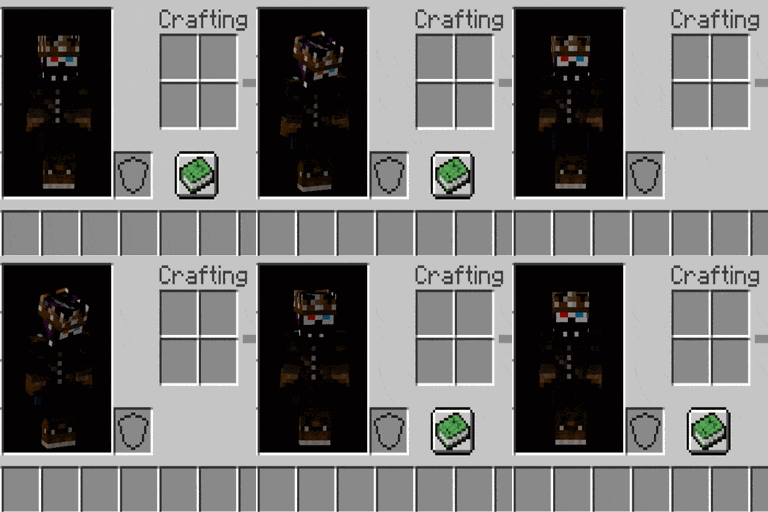
📗 [클라이언트] 제작 GUI 화면에서 레시피 책 아이콘의 표시 여부를 전환합니다.
 Fabric
 Forge
 NeoForge
 Quilt
Hidden Recipe Book 모드 정보
Hidden Recipe Book is a simple client-side mod which can toggle the visibility of the recipe button in all crafting GUI screens. It does not have to be installed in the server. Contains a few config options for when to send a message and disabling features. Also works on the furnace GUI.
Has a hotkey (by default Tab) which can toggle the visibility of the recipe button. Works when pressed with crafting grid visible. It is the same hotkey as the player list, but they won't interfere with each other.
All available config options:
shouldHideRecipeBook default true If the recipe book should be hidden by default on first launch of the client.
allowRecipeBookToggleHotkey default true If the recipe book visibility can be toggled with the hotkey.
showMessageOnRecipeBookToggle default false If a message should be sent whenever the recipe book is shown/hidden.
What it does:
Hotkey (by default Tab):
When pressing the hotkey:
You may freely use this mod in any modpack, as long as the download remains hosted within the CurseForge or Modrinth ecosystem.
Serilum.com contains an overview and more information on all mods available.
Comments are disabled as I'm unable to keep track of them across so many separate mod pages. For issues, ideas, suggestions or anything else there is the Github repo. Thanks!
Hidden Recipe Book 설치 방법
With Millida Launcher
Install Millida Launcher
The launcher is free: download it at millida.net/launcher and sign in with any nickname.
Click “Install” on this page
The launcher opens and installs the mod for Minecraft 1.19.3–26.3 on Fabric, Forge, NeoForge or Quilt automatically.
Launch the game
A profile with it appears in the launcher: click “Play”.
Manually
Install Fabric, Forge, NeoForge or Quilt
The loader must match the game version of the mod file, for example Minecraft 26.3. After installing it, a separate profile appears in your launcher.
Download the file for your version
In the version list above, pick the file hiddenrecipebook-26.3.0-5.2.jar (45 KB) for your game version and loader.
Put it in the mods folder
The folder is inside .minecraft (Windows: %appdata%\.minecraft\mods). If it does not exist, create it.
Launch the loader profile
Open “Mods” in the main menu: Hidden Recipe Book should be in the list.
버전
의존성 포함
| Minecraft | 로더 | 파일 | 날짜 | 작업 |
|---|---|---|---|---|
| 26.3 | Fabric, Forge, NeoForge, Quilt | [Fabric/Forge/Neo] 26.3.0-5.2 | Hidden Recipe Book45 KB | ||
| 1.19.3 | Forge | hiddenrecipebook_1.19.3-3.1.jar11 KB |
FAQ
Which Minecraft versions does Hidden Recipe Book work on?
There are files for 26.3, 1.19.3. The newest is 26.3.
Is Hidden Recipe Book for Forge or Fabric?
There are files for Fabric: 26.3, for Forge: 1.19.3–26.3, for NeoForge: 26.3 and for Quilt: 26.3.
Does Hidden Recipe Book need other mods?
The author lists no required dependencies: the Fabric, Forge, NeoForge or Quilt loader is enough.
Where can I download Hidden Recipe Book safely?
On this page: the file hiddenrecipebook-26.3.0-5.2.jar (45 KB) is stored on Millida’s server, with no link shorteners. SHA-1 checksum: 4a681325ed80bfb92022bb7f077f088caeea7469.
리뷰
Hidden Recipe Book의 첫 평가를 남겨 보세요


