
Minecraft 26.3용 Glow Sticks 모드
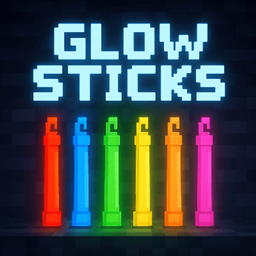
더 나은 탐험 및/또는 RPG를 위해 월드나 수중에서 제한된 시간 동안 켤 수 있는 다양한 색상의 야광봉입니다.
 Forge
Forge Fabric
 Quilt
Quilt NeoForge
Glow Sticks
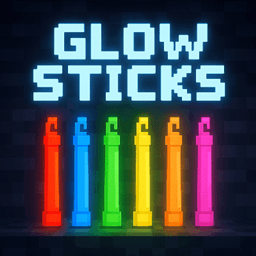
Glow Sticks adds throwable and placeable light sources for Minecraft.
Craft glow sticks in all 16 dye colors, throw them into caves or water, place permanent creative versions in builds, and use matching glow sticks as simple waypoints while exploring.
Features
- 16 glow stick colors
- Temporary glow sticks that can be activated, thrown, and placed
- Permanent creative glow sticks for decorative lighting
- Land and underwater usage without separate items
- Several visual variants for placed glow sticks
- Waypoint particles and configurable behavior
Overview Video
Quick Start
- Craft glow sticks with a glowing ingredient, glass, and glass panes.
- Use a glow stick once to activate it.
- After activation it is thrown automatically and places light where it lands.
The mod accepts glow berries, glow ink sacs, glow lichen, and glowstone dust as glowing ingredients. Colored glow sticks use matching stained glass. The white glow stick uses normal glass.
Highlights
- Works on land and underwater
- Glow sticks fade over time and lose brightness before disappearing
- despawnTicks=0 disables automatic fading for normal placed glow sticks
- Sneak while holding a glow stick to show waypoint particles to the nearest placed glow stick of the same color
- Creative glow sticks can be placed on floors, walls, and ceilings
- Clicking an existing creative glow stick cycles through its visual variant
- Glow sticks react to nearby redstone and can be controlled by signal strength
Why It Is Useful
- Fast cave marking without carrying lots of torches
- Underwater lighting for ruins, caves, and diving routes
- Atmospheric lights for adventure maps, RPG builds, and decoration
- Easy color-coding for paths, entrances, or points of interest
Report Issues
Please report issues through the GitHub issue tracker: https://github.com/MarkusBordihn/BOs-Glow-Sticks/issues
Logs and clear reproduction steps help a lot when tracking down bugs.
License
The MIT LICENSE applies only to the code in this repository. Images, models, and other assets are explicitly excluded.
Glow Sticks 설치 방법
Install Millida Launcher
The launcher is free: download it at millida.net/launcher and sign in with any nickname.
Click “Install” on this page
The launcher opens and installs the mod for Minecraft 26.2–26.3 on Fabric, Forge, NeoForge or Quilt automatically.
Launch the game
A profile with it appears in the launcher: click “Play”.
버전
의존성 포함
| Minecraft | 로더 | 파일 | 날짜 | 작업 |
|---|---|---|---|---|
| 26.3 | Forge | glow_sticks-forge-26.3-7.5.1.jar380 KB | ||
| 26.3 | Fabric, Quilt | glow_sticks-fabric-26.3-7.5.1.jar375 KB | ||
| 26.3 | NeoForge | glow_sticks-neoforge-26.3-7.5.1.jar371 KB | ||
| 26.2 | Forge | glow_sticks-forge-26.2-7.5.1.jar381 KB | ||
| 26.2 | NeoForge | glow_sticks-neoforge-26.2-7.5.1.jar372 KB | ||
| 26.2 | Fabric, Quilt | glow_sticks-fabric-26.2-7.5.1.jar376 KB |
리뷰
Glow Sticks의 첫 평가를 남겨 보세요


