
 Fabric
 NeoForge
 Forge
ForgeFramework 모드 정보





📙 소개:
Framework는 멀티 플랫폼 모드 개발을 돕기 위해 설계된 라이브러리로, 등록, 네트워크 메시지 등을 위한 시스템을 포함하고 있습니다. 또한 Framework에는 모딩의 잠재력을 더욱 끌어올릴 수 있는 추가 기능이 포함되어 있으며, 이는 아래에서 확인할 수 있습니다.
🚀 Open Model Format
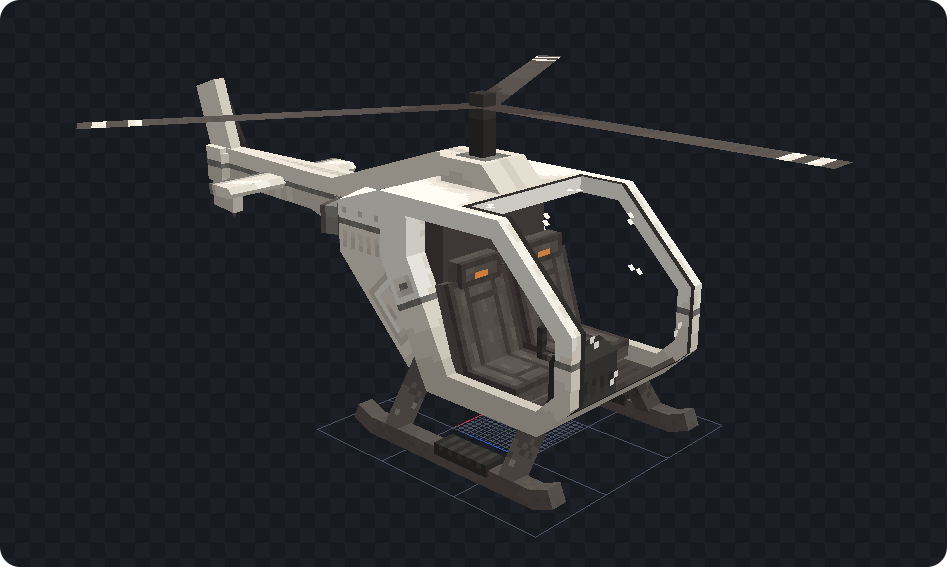
Open Model Format은 바닐라의 JSON 블록 모델 형식의 확장입니다. 블록 모델을 설계할 때 가해지던 임의의 제한을 제거하여, 이제 요소를 22.5도 단위가 아닌 어떤 각도로든 회전할 수 있습니다. 또한 요소를 최대 범위 [-16,-16, -16]에서 [32, 32, 32]보다 크게 배치하고 크기를 조정할 수 있습니다. 아래는 차량 모드에서 사용된 헬리콥터 모델의 예시입니다.
🔑 Synced Data Keys
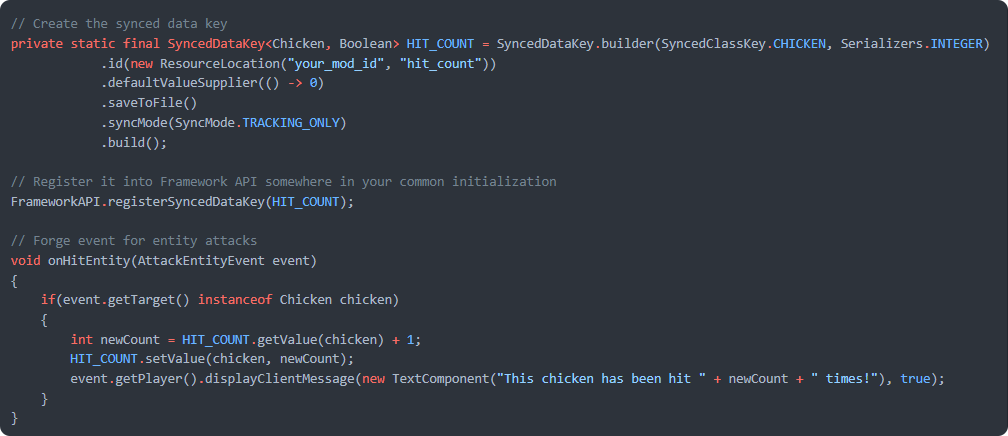
Synced Data Keys는 Minecraft의 엔티티 데이터 접근자 시스템을 개선한 것입니다. 복잡한 capability를 작성할 필요 없이 모든 엔티티에 추가 데이터를 붙일 수 있습니다. Framework의 Synced Data Keys를 사용하면 강력한 기능을 제공받을 수 있다는 장점이 있습니다. 이름에서 알 수 있듯이 데이터는 클라이언트에 자동으로 동기화될 수 있으므로 패킷을 다룰 필요가 없습니다. 데이터는 엔티티에 저장될 수 있어 월드를 다시 불러오거나 서버를 재시작해도 유지됩니다. Minecraft의 시스템과 달리 Framework는 데이터가 기본값으로 초기화되지 않고 사망 후에도 유지되도록 하는 옵션을 추가합니다. 아직 확신이 서지 않나요? 아래 예시를 확인하여 이 시스템이 얼마나 단순하면서도 강력한지 살펴보세요.
닭이 플레이어에게 맞은 횟수를 추적하는 예시입니다.
// Creating a synced data key private static final SyncedDataKey<Chicken, Boolean> HITCOUNT = SyncedDataKey.builder(SyncedClassKey.CHICKEN, Serializers.INTEGER) .id(new ResourceLocation("yourmodid", "hitcount")) .defaultValueSupplier(() -> 0) .saveToFile() .syncMode(SyncMode.TRACKINGONLY) .build(); // Call this in your common setup FrameworkAPI.registerSyncedDataKey(HITCOUNT); // Forge event for when a player attacks an entity void onHitEntity(AttackEntityEvent event) { if(event.getTarget() instanceof Chicken chicken) { int newCount = HITCOUNT.getValue(chicken) + 1; HITCOUNT.setValue(chicken, newCount); } }
📦 Easy Login Packets
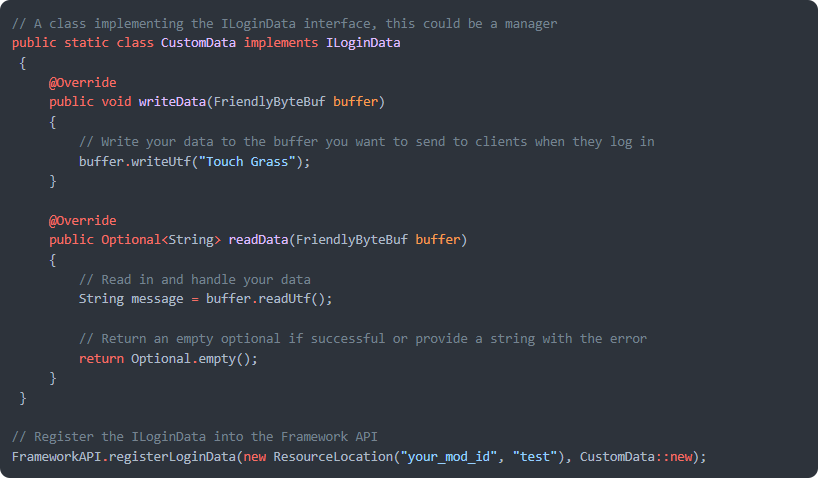
Forge는 개발자가 로그인 패킷을 만들 수 있는 기능을 제공하지만, 이를 구현하려면 상당한 양의 코드가 필요합니다. Framework는 필요한 코드를 간단한 등록 메서드로 압축하고 데이터를 클라이언트로 전송하는 것을 처리합니다.
📔 개발자:
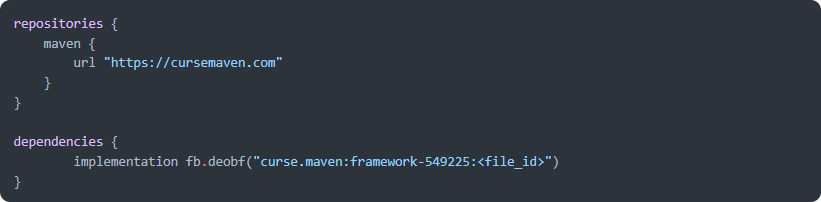
Framework가 개발에 어떻게 도움이 될 수 있는지 여기에서 기능을 읽어보세요.
🙋‍♀️ 지원이 필요하신가요? 공식 Discord 서버에 참여하세요:
댓글 섹션은 지원에 적합하지 않으니 공식 discord 서버에 참여하세요. 모드 설치 및 구성, 충돌 해결 등에 대한 도움을 받을 수 있습니다! 또한 모드 업데이트와 개발에 대한 소식도 (어디보다 먼저) 접할 수 있습니다.

Framework 설치 방법
With Millida Launcher
Install Millida Launcher
The launcher is free: download it at millida.net/launcher and sign in with any nickname.
Click “Install” on this page
The launcher opens and installs the mod for Minecraft 1.20.1–26.2 on Fabric, Forge or NeoForge automatically.
Launch the game
A profile with it appears in the launcher: click “Play”.
Manually
Install Fabric, Forge or NeoForge
The loader must match the game version of the mod file, for example Minecraft 26.2. After installing it, a separate profile appears in your launcher.
Download the file for your version
In the version list above, pick the file framework-fabric-26.2-0.13.26.jar (1.7 MB) for your game version and loader.
Put it in the mods folder
The folder is inside .minecraft (Windows: %appdata%\.minecraft\mods). If it does not exist, create it.
Launch the loader profile
Open “Mods” in the main menu: Framework should be in the list.
버전
의존성 포함
| Minecraft | 로더 | 파일 | 날짜 | 작업 |
|---|---|---|---|---|
| 26.2 | Fabric | Framework 0.13.261.7 MB 86 | ||
| 26.2 | NeoForge | Framework 0.13.26505 KB 11 | ||
| 26.1.2 | Fabric | Framework 0.13.22502 KB 12 | ||
| 26.1.1 | NeoForge | Framework 0.13.22502 KB | ||
| 1.20.1 | Forge | Framework 0.8.0375 KB 325 |
FAQ
Which Minecraft versions does Framework work on?
There are files for 26.2, 26.1.2, 26.1.1, 1.20.1. The newest is 26.2.
Is Framework for Forge or Fabric?
There are files for Fabric: 26.1.2–26.2, for Forge: 1.20.1 and for NeoForge: 26.1.1–26.2.
Does Framework need other mods?
The author lists no required dependencies: the Fabric, Forge or NeoForge loader is enough.
Where can I download Framework safely?
On this page: the file framework-fabric-26.2-0.13.26.jar (1.7 MB) is stored on Millida’s server, with no link shorteners. SHA-1 checksum: e11e02bf58b3e8daa930f0936109198735fe92d4.
리뷰
Framework의 첫 평가를 남겨 보세요


