

Minecraft 1.21.1, 1.16.5용 Fertilization 모드
모든 비료 필요를 충족시키기 위한 추가 뼛가루 변형을 추가합니다.
 NeoForge
 Fabric
 Forge
Fertilization 모드 정보
This mod adds additional bone meal variants that will speed up your cumbersome farming acts. By using compressed bone meal, you can grind that one plant that you need lots of much quicker. If you want to go way over the top, extremely compressed bone meal will have you covered - with its ability of applying a more than half a stack of bone meal in one go!
This mod requires Balm, which must be installed alongside the mod.
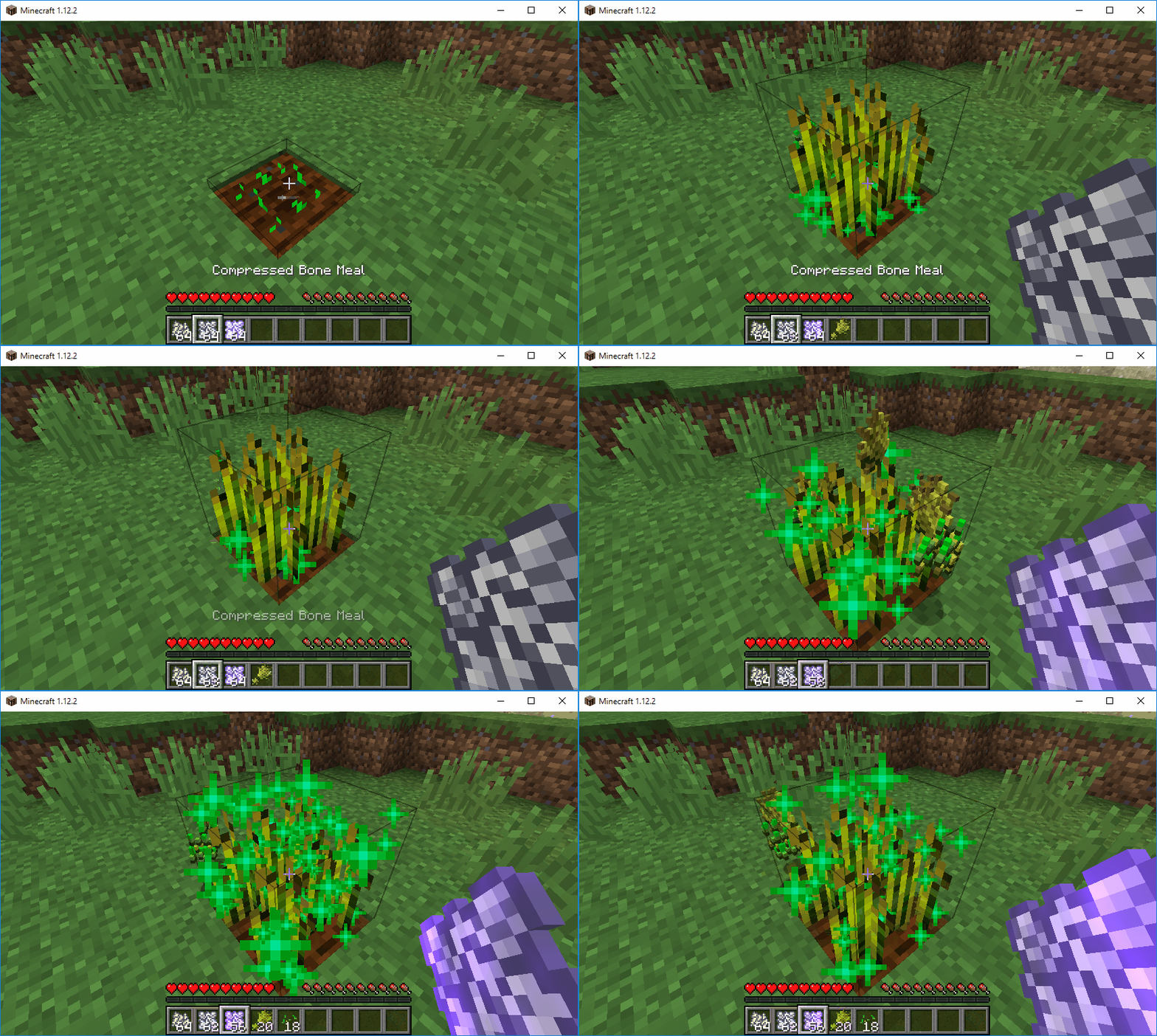
- Compressed Bone Meal, crafted out of four bone meal, basically applies four bone meal in one click (and auto-harvests, of course)
- Extremely Compressed Bone Meal, same as Compressed, except it's 36 times as powerful as bone meal (… and auto-harvests, still)
- Bone Meal can now grow vines downwards (just right-click vines with bone meal)
- Florist's Bone Meal, which can be used on grass to grow only flowers (and no annoying grass)
- Ability to get more of a specific flower by using Florist's Bone Meal on it
- Ability to get pretty big trees by using the extremely compressed bone meal on a sapling
Mod Showcase by Mischief of Mice
Fertilization 설치 방법
With Millida Launcher
Install Millida Launcher
The launcher is free: download it at millida.net/launcher and sign in with any nickname.
Click “Install” on this page
The launcher opens and installs the mod for Minecraft 1.16.3–26.2 on Fabric, Forge or NeoForge automatically.
Launch the game
A profile with it appears in the launcher: click “Play”.
Manually
Install Fabric, Forge or NeoForge
The loader must match the game version of the mod file, for example Minecraft 26.2. After installing it, a separate profile appears in your launcher.
Download the file for your version
In the version list above, pick the file fertilization-neoforge-26.2-26.2.0.4.jar (270 KB) for your game version and loader.
Put it in the mods folder
The folder is inside .minecraft (Windows: %appdata%\.minecraft\mods). If it does not exist, create it.
Launch the loader profile
Open “Mods” in the main menu: Fertilization should be in the list.
버전
의존성 포함
| Minecraft | 로더 | 파일 | 날짜 | 작업 |
|---|---|---|---|---|
| 26.2 | NeoForge | fertilization-neoforge-26.2-26.2.0.4.jar270 KB | ||
| 26.2 | Fabric | fertilization-fabric-26.2-26.2.0.4.jar280 KB 2 | ||
| 1.21.1 | Forge | fertilization-forge-1.21.1-21.1.4.jar238 KB | ||
| 1.17.1 | — | fertilization-6.0.0+0.jar229 KB | ||
| 1.16.3 | — | Fertilization_1.16.3-5.2.0.jar53.6 KB |
FAQ
Which Minecraft versions does Fertilization work on?
There are files for 26.2, 1.21.1, 1.17.1, 1.16.5, 1.16.4, 1.16.3. The newest is 26.2.
Is Fertilization for Forge or Fabric?
There are files for Fabric: 26.2, for Forge: 1.21.1 and for NeoForge: 26.2.
Does Fertilization need other mods?
The author lists no required dependencies: the Fabric, Forge or NeoForge loader is enough.
Where can I download Fertilization safely?
On this page: the file fertilization-neoforge-26.2-26.2.0.4.jar (270 KB) is stored on Millida’s server, with no link shorteners. SHA-1 checksum: fadc9277a812ff4ac21e6ce452f3774e47f5f6c0.
리뷰
Fertilization의 첫 평가를 남겨 보세요


