
- 다운로드
- 1 다운로드
- 조회수
- 18 조회수
- 업데이트됨
- 업데이트됨 30.10.2026
- 1.19 — 1.20.1
 Fabric
[FABRIC] Launchpads 모드 정보
![[FABRIC] Launchpads — 스크린샷 2](https://media.forgecdn.net/attachments/390/937/launchpadlogo2.png)
Check out the Forge version here
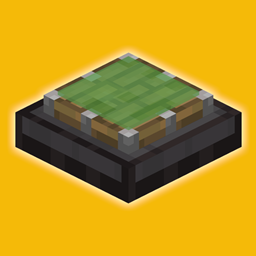
Minecraft mod that adds launchpads and directional launchpads (configurable) to the game!
![[FABRIC] Launchpads — 스크린샷 2](https://media.forgecdn.net/attachments/390/935/brr.png)
Features:
- A Launchblock that shoots the player into the direction their facing.
- A Directional Launchblock that is configurable with numbers, and renders the direction with text above it (you can toggle this off!).
- Smaller versions of these launchpads for non-collision usage (perfect for boats!). Just put the regular launchpads in the stonecutter!
- Custom GUI for editing the launchpad.
- Works on ALL entities.
- Support for English, Dutch, Slovak & Swedish!
Please keep in mind that the GIFS on this page are outdated; the slime & honey is partially transparent like vanilla!
Crafting recipe launchblock:
![[FABRIC] Launchpads — 스크린샷 4](https://media.forgecdn.net/attachments/389/548/craftingrecipeslime.png)
Crafting recipe directional launchblock:
![[FABRIC] Launchpads — 스크린샷 5](https://media.forgecdn.net/attachments/389/550/craftingrecipehoney.png)
[FABRIC] Launchpads 설치 방법
With Millida Launcher
Install Millida Launcher
The launcher is free: download it at millida.net/launcher and sign in with any nickname.
Click “Install” on this page
The launcher opens and installs the mod for Minecraft 1.19–1.20.1 on Fabric automatically.
Launch the game
A profile with it appears in the launcher: click “Play”.
Manually
Install Fabric
The loader must match the game version of the mod file, for example Minecraft 1.20.1. After installing it, a separate profile appears in your launcher.
Download the file for your version
In the version list above, pick the file zihlaunchpads-1.2.0.jar (143 KB) for your game version.
Put it in the mods folder
The folder is inside .minecraft (Windows: %appdata%\.minecraft\mods). If it does not exist, create it.
Launch the loader profile
Open “Mods” in the main menu: [FABRIC] Launchpads should be in the list.
Minecraft 1.20.1 runs on Java 17: with a different Java version the game may close right after launch.
버전
의존성 포함
| Minecraft | 로더 | 파일 | 날짜 | 작업 |
|---|---|---|---|---|
| 1.20.1 | Fabric | [1.20.x] Launchpads 1.2.0143 KB 1 | ||
| 1.19 | Fabric | [1.19] Launchpads 1.2.0142 KB |
FAQ
Which Minecraft versions does [FABRIC] Launchpads work on?
There are files for 1.20.1, 1.20, 1.19. The newest is 1.20.1.
Is [FABRIC] Launchpads for Forge or Fabric?
Only for Fabric: 1.19–1.20.1. There are no files for Forge or NeoForge: a mod for another loader will not start.
Does [FABRIC] Launchpads need other mods?
The author lists no required dependencies: the Fabric loader is enough.
Which Java does [FABRIC] Launchpads need?
Minecraft 1.20.1 runs on Java 17. If the game closes right after launch, the usual cause is the wrong Java version in the profile settings.
Where can I download [FABRIC] Launchpads safely?
On this page: the file zihlaunchpads-1.2.0.jar (143 KB) is stored on Millida’s server, with no link shorteners. SHA-1 checksum: 1429787e47591419ca983d36dc21022683144370.
리뷰
[FABRIC] Launchpads의 첫 평가를 남겨 보세요


