

Minecraft 1.21.1용 Extra Move Animations (Cobblemon) 모드
Cobblemon의 애니메이션이 있는 기술 선택에 만족하지 못하셨나요? 이 팩이 더 추가합니다!
 Fabric
 NeoForge
 데이터 팩
데이터 팩Extra Move Animations (Cobblemon) 모드 정보
Are you not currently impressed with the selection of moves with animations in Cobblemon? Cut them some slack, please, but this pack aims to adds some more!
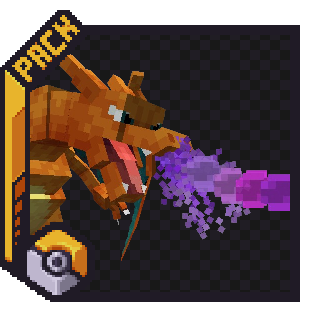
As of the Latest Update (1.3.af), these moves have animations:
- Dragon Pulse
- Aura Sphere
- Make It Rain
- Bitter Blade
- Discharge
- Bulk Up
- Teleport
- Earthquake
- Twinkle Tackle (Z-Move)
- Self-Destruct
You can expect around 1-2 (Maybe 3) new animations per update, decided by the members of the Cobblemon Discord from a selection of moves that I pick out.
This addon is both a Resource Pack and a Datapack as one file. The Resource Pack must be installed in your Resource Pack folder, or through [Esc] -> Options -> Resource Packs, while the Datapack must be installed in a Minecraft World's Datapack Folder, or through More -> Data Packs during world creation. (There is also an option to download it as a mod, for those who want to do that)
Extra Move Animations (Cobblemon) 설치 방법
With Millida Launcher
Install Millida Launcher
The launcher is free: download it at millida.net/launcher and sign in with any nickname.
Click “Install” on this page
The launcher opens and installs the mod for Minecraft 1.21.1 on Fabric or NeoForge automatically, together with its dependencies: Cobblemon.
Launch the game
A profile with it appears in the launcher: click “Play”.
Manually
Install Fabric or NeoForge
The loader must match the game version of the mod file, for example Minecraft 1.21.1. After installing it, a separate profile appears in your launcher.
Download the file for your version
In the version list above, pick the file extra-move-anims-cobblemon-1.7v1.0.2.jar (571 KB) for your game version and loader.
Put it in the mods folder
The folder is inside .minecraft (Windows: %appdata%\.minecraft\mods). If it does not exist, create it. Required dependencies go there too: Cobblemon.
Launch the loader profile
Open “Mods” in the main menu: Extra Move Animations (Cobblemon) should be in the list.
On a server
A server on Fabric or NeoForge
The mod only works on a server with the same loader and game version, for example 1.21.1.
File goes into the server’s mods folder
Stop the server, put the mod file into the mods folder and start the server again.
Use the “To server” button
On Millida Hosting, the button at the top of the page uploads the file to your server and restarts it for you.
Minecraft 1.21.1 runs on Java 21: with a different Java version the game may close right after launch.
버전
의존성 포함
| Minecraft | 로더 | 파일 | 날짜 | 작업 |
|---|---|---|---|---|
| 1.21.1 | Fabric, NeoForge | 1.21.1571 KB 4 | ||
| 1.21.1 | 데이터 팩 | 1.21.1461 KB | ||
| 1.21.1 | Fabric, NeoForge | 1.21.1571 KB | ||
| 1.21.1 | 데이터 팩 | 1.21.1461 KB | ||
| 1.21.1 | Fabric, NeoForge | 1.21.1589 KB | ||
| 1.21.1 | 데이터 팩 | 1.21.1471 KB | ||
| 1.21.1 | Fabric, NeoForge | 1.21.1592 KB | ||
| 1.21.1 | 데이터 팩 | 1.21.1480 KB |
실행에 필요한 것
FAQ
Which Minecraft versions does Extra Move Animations (Cobblemon) work on?
Only Minecraft 1.21.1: there are no files for other versions.
Is Extra Move Animations (Cobblemon) for Forge or Fabric?
There are files for Fabric: 1.21.1 and for NeoForge: 1.21.1. There are no files for Forge: a mod for another loader will not start.
What does Extra Move Animations (Cobblemon) need to work?
Required: Cobblemon. Without it the mod will not start: dependencies go into the same mods folder.
Does Extra Move Animations (Cobblemon) work on a server?
Yes. Extra Move Animations (Cobblemon) works both in singleplayer and on a server.
Which Java does Extra Move Animations (Cobblemon) need?
Minecraft 1.21.1 runs on Java 21. If the game closes right after launch, the usual cause is the wrong Java version in the profile settings.
Where can I download Extra Move Animations (Cobblemon) safely?
On this page: the file extra-move-anims-cobblemon-1.7v1.0.2.jar (571 KB) is stored on Millida’s server, with no link shorteners. SHA-1 checksum: 88f5f5290a98311bed5e9ce68553f4447d18af9f.
리뷰
Extra Move Animations (Cobblemon)의 첫 평가를 남겨 보세요


