

Minecraft 1.16.5, 1.18.2용 Dynamic Trees - Quark 모드
Dynamic trees와 Quark 간의 호환성 모드
- 다운로드
- 1 다운로드
- 조회수
- 58 조회수
- 업데이트됨
- 업데이트됨 05.09.2026
- 1.16.4 — 1.18.2
 Forge
Forge- 클라이언트와 서버
개요
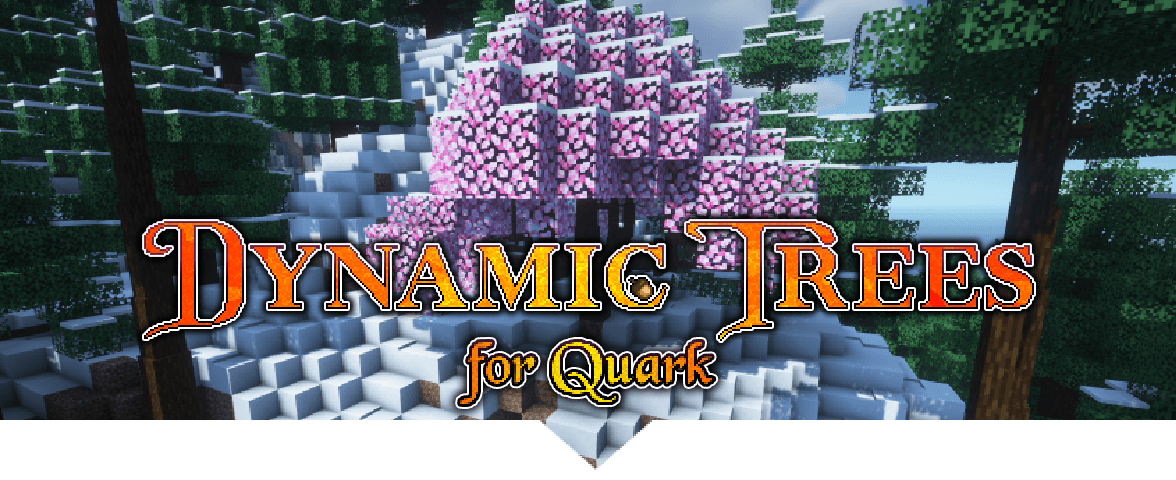
이 모드는 Quark를 Dynamic Trees와 호환되게 만들어, 해당 모드에서 추가된 나무들의 동적으로 자라는 버전을 추가하고 월드 생성 시 완전히 대체합니다. 나무, 그들의 행동 및 생성은 Tree Pack을 사용하여 사용자 정의하고 조정할 수 있습니다.

기능
새로운 나무
- Fiery Blossom
- Frosty Blossom
- Serene Blossom
- Sunny Blossom
- Sweet Blossom
- Warm Blossom

새로운 버섯 (DT+ 필요)
- Glow Shroom
Quark의 Azalea
이 애드온을 사용하면 진달래 나무가 Quark의 진달래 원목을 가지게 되며, 더 많은 원목을 드롭하여 더 실용적으로 만듭니다.
Quark의 원목을 가진 진달래 덤불
월드 생성
구현됨:
- Blossom 나무가 세계 전역에 드문드문 생성됩니다
- 생성되는 진달래 나무는 Quark의 가지와 원목 드롭을 가집니다
할 일:
- glimmering weald 생물군계는 아직 동적 glow shroom과 함께 생성되지 않습니다. (지하 생성은 작업 중입니다)
다른 애드온
다른 모드용 애드온은 Dynamic Trees 페이지에서 찾을 수 있습니다.
제안 및 요청
호환성을 위한 새로운 모드를 요청하려면 Github Discussions에서 해주세요.
요구 사항
- Dynamic Trees
- Quark
- 선택적으로, 동적 Glow Shroom을 포함하는 Dynamic Trees Plus
라이선스, 허가 및 모드팩
이 모드를 ANY 모드팩 또는 서버에서 사용할 수 있는 허가가 부여됩니다. 허가를 요청하지 마세요. 원하는 모드팩에서 사용할 수 있습니다! 물어볼 필요가 없습니다. 이 모드는 MIT 라이선스를 가지며 소스는 github에 공개되어 있습니다.
Dynamic Trees - Quark 설치 방법
With Millida Launcher
Install Millida Launcher
The launcher is free: download it at millida.net/launcher and sign in with any nickname.
Click “Install” on this page
The launcher opens and installs the mod for Minecraft 1.16.4–1.18.2 on Forge automatically, together with its dependencies: Quark, Dependency.
Launch the game
A profile with it appears in the launcher: click “Play”.
Manually
Install Forge
The loader must match the game version of the mod file, for example Minecraft 1.18.2. After installing it, a separate profile appears in your launcher.
Download the file for your version
In the version list above, pick the file DynamicTreesQuark-1.18.2-2.3.0-Beta1.jar (428 KB) for your game version.
Put it in the mods folder
The folder is inside .minecraft (Windows: %appdata%\.minecraft\mods). If it does not exist, create it. Required dependencies go there too: Quark, Dependency.
Launch the loader profile
Open “Mods” in the main menu: Dynamic Trees - Quark should be in the list.
On a server
A server on Forge
The mod only works on a server with the same loader and game version, for example 1.18.2.
File goes into the server’s mods folder
Stop the server, put the mod file into the mods folder and start the server again.
Use the “To server” button
On Millida Hosting, the button at the top of the page uploads the file to your server and restarts it for you.
Minecraft 1.18.2 runs on Java 17: with a different Java version the game may close right after launch.
버전
의존성 포함
| Minecraft | 로더 | 파일 | 작업 |
|---|---|---|---|
| 1.18.2 | Forge | 1.18.2428 KB | |
| 1.16.5 | Forge | 1.16.5413 KB 1 |
실행에 필요한 것
- Dependency선택 사항
- Quark필수
- Dependency필수
FAQ
Which Minecraft versions does Dynamic Trees - Quark work on?
There are files for 1.18.2, 1.16.5, 1.16.4. The newest is 1.18.2.
Is Dynamic Trees - Quark for Forge or Fabric?
Only for Forge: 1.16.4–1.18.2. There are no files for Fabric or NeoForge: a mod for another loader will not start.
What does Dynamic Trees - Quark need to work?
Required: Quark, Dependency. Without them the mod will not start: dependencies go into the same mods folder. Optional: Dependency.
Does Dynamic Trees - Quark work on a server?
Yes. Dynamic Trees - Quark works both in singleplayer and on a server.
Which Java does Dynamic Trees - Quark need?
Minecraft 1.18.2 runs on Java 17. If the game closes right after launch, the usual cause is the wrong Java version in the profile settings.
Where can I download Dynamic Trees - Quark safely?
On this page: the file DynamicTreesQuark-1.18.2-2.3.0-Beta1.jar (428 KB) is stored on Millida’s server, with no link shorteners. SHA-1 checksum: 3941f5cc3b021cf079f9f5c1b3460b024548f357.
리뷰
Dynamic Trees - Quark의 첫 평가를 남겨 보세요


