
- 조회수
- 14 조회수
- 업데이트됨
- 업데이트됨 18.10.2026
- 1.21 — 1.21.1
 Fabric
DJ Villager 모드 정보

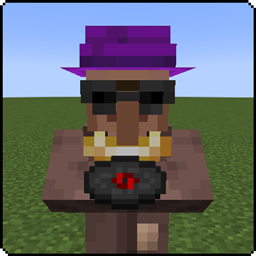
DJ Villager
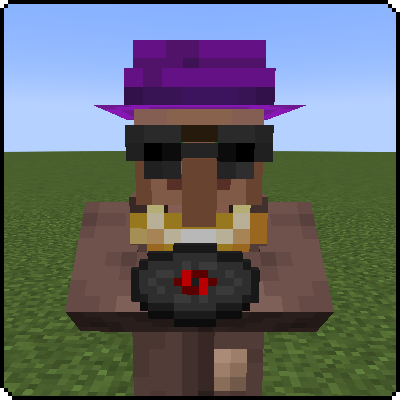
This mod adds the DJ Villager profession!
Just place a Jukebox near a Villager to get a DJ Villager.
The DJ Villager will sell you music discs and buy note-blocks sometimes.
Downloads

Fabric Versions - 1.19.4, 1.18.2, 1.18.1

Discord - https://discord.gg/TRffJzvy
DJ Villager
Place a jukebox near a villager that needs a job to get a DJ Villager!
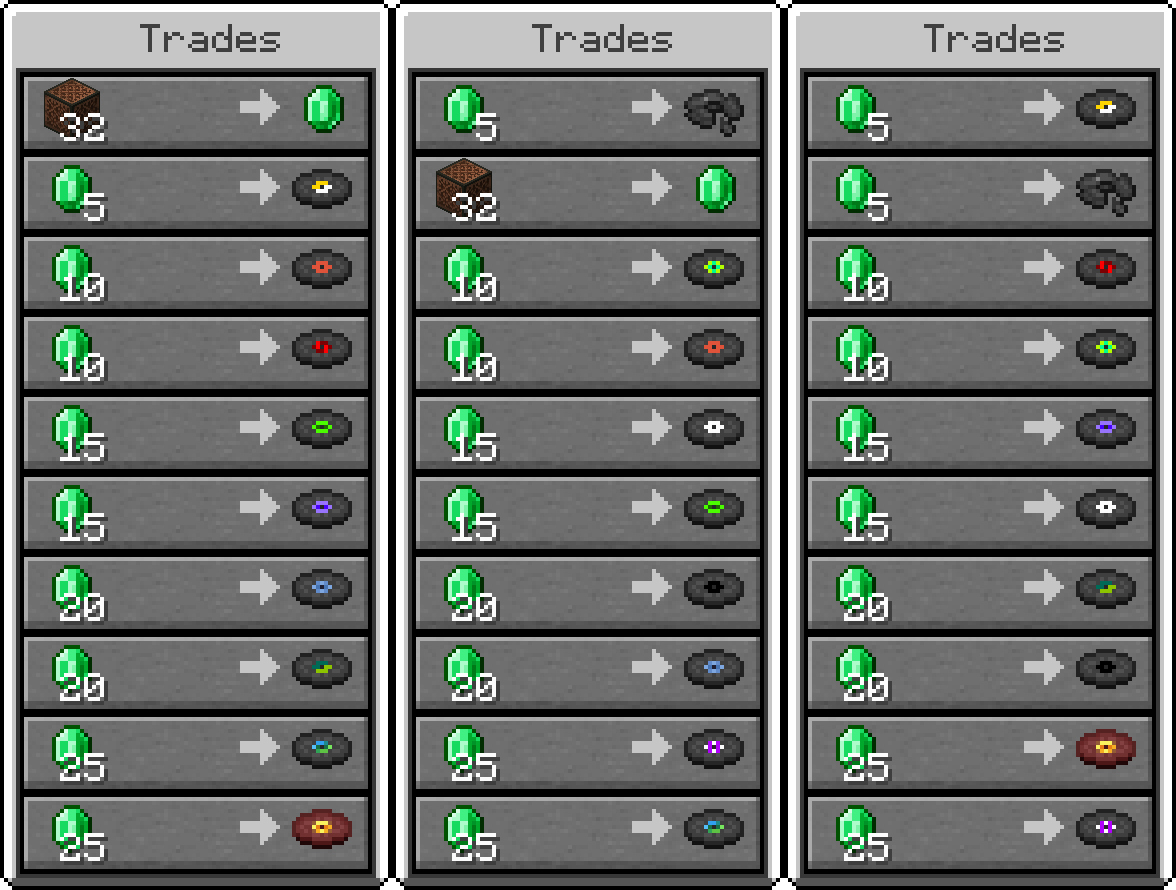
Below are all the possible trades. You will be limited to buy only one music disc, but will fill up experience by half.
Explore Exline Mods for top-notch gaming accessories and mods. Elevate your gaming experience with our high-quality products. Visit exlinemods.com now to gear up and enhance your gameplay!
Need Minecraft server hosting?
Look no further than Bisect Hosting.
I am now officially sponsored by Bisect Hosting and will make commissions from any purchases made with the link and code below.
Use code EXLINE to get 25% off your first purchase while supporting this mod as well! Thank you to all who sign up for a server with my link!
Thanks to bisect hosting, I can test out my mods on servers to make sure they work correctly for you!
Thank you for downloading this mod and supporting me to keep it updated!
DJ Villager 설치 방법
With Millida Launcher
Install Millida Launcher
The launcher is free: download it at millida.net/launcher and sign in with any nickname.
Click “Install” on this page
The launcher opens and installs the mod for Minecraft 1.21–1.21.1 on Fabric automatically.
Launch the game
A profile with it appears in the launcher: click “Play”.
Manually
Install Fabric
The loader must match the game version of the mod file, for example Minecraft 1.21.1. After installing it, a separate profile appears in your launcher.
Download the file for your version
In the version list above, pick the file djvillager-v1.0.0-fabric-1.21.jar (52 KB) for your game version.
Put it in the mods folder
The folder is inside .minecraft (Windows: %appdata%\.minecraft\mods). If it does not exist, create it.
Launch the loader profile
Open “Mods” in the main menu: DJ Villager should be in the list.
Minecraft 1.21.1 runs on Java 21: with a different Java version the game may close right after launch.
버전
의존성 포함
| Minecraft | 로더 | 파일 | 날짜 | 작업 |
|---|---|---|---|---|
| 1.21 | Fabric | v1.0.0 for Fabric 1.21.x51.8 KB |
FAQ
Which Minecraft versions does DJ Villager work on?
There are files for 1.21.1, 1.21. The newest is 1.21.1.
Is DJ Villager for Forge or Fabric?
Only for Fabric: 1.21–1.21.1. There are no files for Forge or NeoForge: a mod for another loader will not start.
Does DJ Villager need other mods?
The author lists no required dependencies: the Fabric loader is enough.
Which Java does DJ Villager need?
Minecraft 1.21.1 runs on Java 21. If the game closes right after launch, the usual cause is the wrong Java version in the profile settings.
Where can I download DJ Villager safely?
On this page: the file djvillager-v1.0.0-fabric-1.21.jar (52 KB) is stored on Millida’s server, with no link shorteners. SHA-1 checksum: 866bcb02d73c066cd29b55327630d814b6c2cee5.
리뷰
DJ Villager의 첫 평가를 남겨 보세요


