
Minecraft 1.20.1, 1.21용 Damage Numbers 모드
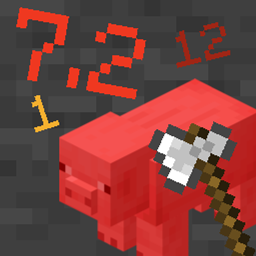
모든 개체가 피해를 받을 때 간단한 피해 숫자 파티클을 추가합니다
 NeoForge
 Fabric
 Forge
ForgeDamage Numbers for Minecraft
Adds simple damage number particles when any entity takes damage. Compatible with 1.19.4 and 1.20.X. Damage numbers work for any living entity and can be customized or disabled in the mod settings.
Screenshots
Download
You can download the latest version of the mod from Modrinth or CurseForge. You'll need one of Fabric, Forge, or NeoForge to load the mod.
Authors
Made with ❤ by Lua (foxgirl.dev)
Damage Numbers 설치 방법
With Millida Launcher
Install Millida Launcher
The launcher is free: download it at millida.net/launcher and sign in with any nickname.
Click “Install” on this page
The launcher opens and installs the mod for Minecraft 1.19.4–1.21 on Fabric, Forge or NeoForge automatically.
Launch the game
A profile with it appears in the launcher: click “Play”.
Manually
Install Fabric, Forge or NeoForge
The loader must match the game version of the mod file, for example Minecraft 1.21. After installing it, a separate profile appears in your launcher.
Download the file for your version
In the version list above, pick the file damagenumbers-1.4.1-neoforge.jar (37 KB) for your game version and loader.
Put it in the mods folder
The folder is inside .minecraft (Windows: %appdata%\.minecraft\mods). If it does not exist, create it.
Launch the loader profile
Open “Mods” in the main menu: Damage Numbers should be in the list.
Minecraft 1.21 runs on Java 21: with a different Java version the game may close right after launch.
버전
의존성 포함
| Minecraft | 로더 | 파일 | 날짜 | 작업 |
|---|---|---|---|---|
| 1.21 | NeoForge | Damage Numbers 1.4.1 (NeoForge)37.5 KB | ||
| 1.21 | Fabric | Damage Numbers 1.4.1 (Fabric)37.3 KB 1 | ||
| 1.20.2 | Forge | Damage Numbers 1.4.0 (Forge)37.5 KB 2 |
리뷰
Damage Numbers의 첫 평가를 남겨 보세요


