
 NeoForge
 Forge
ForgeCuisine Delight 모드 정보
의존성: Farmer's Delight
호환성:
- Nether's Delight
- Ocean's Delight
- End's Delight
- Miner's Delight
- Twilight Forest
- Twilight's Flavors & Delight
- Alex's Mobs
- Alex's Delight
- Croptopia
Discord: https://discord.gg/BCHNhsDMXz
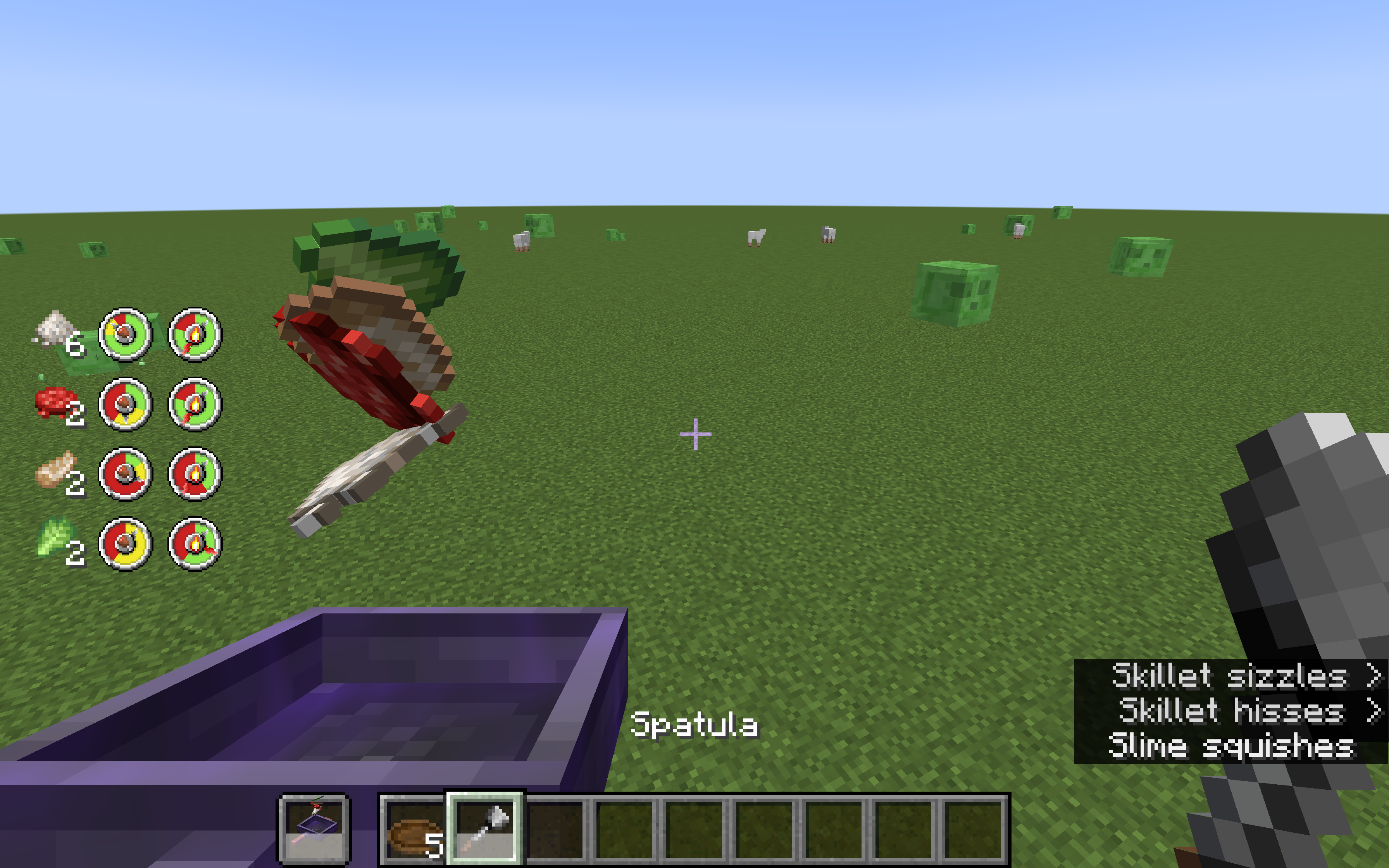
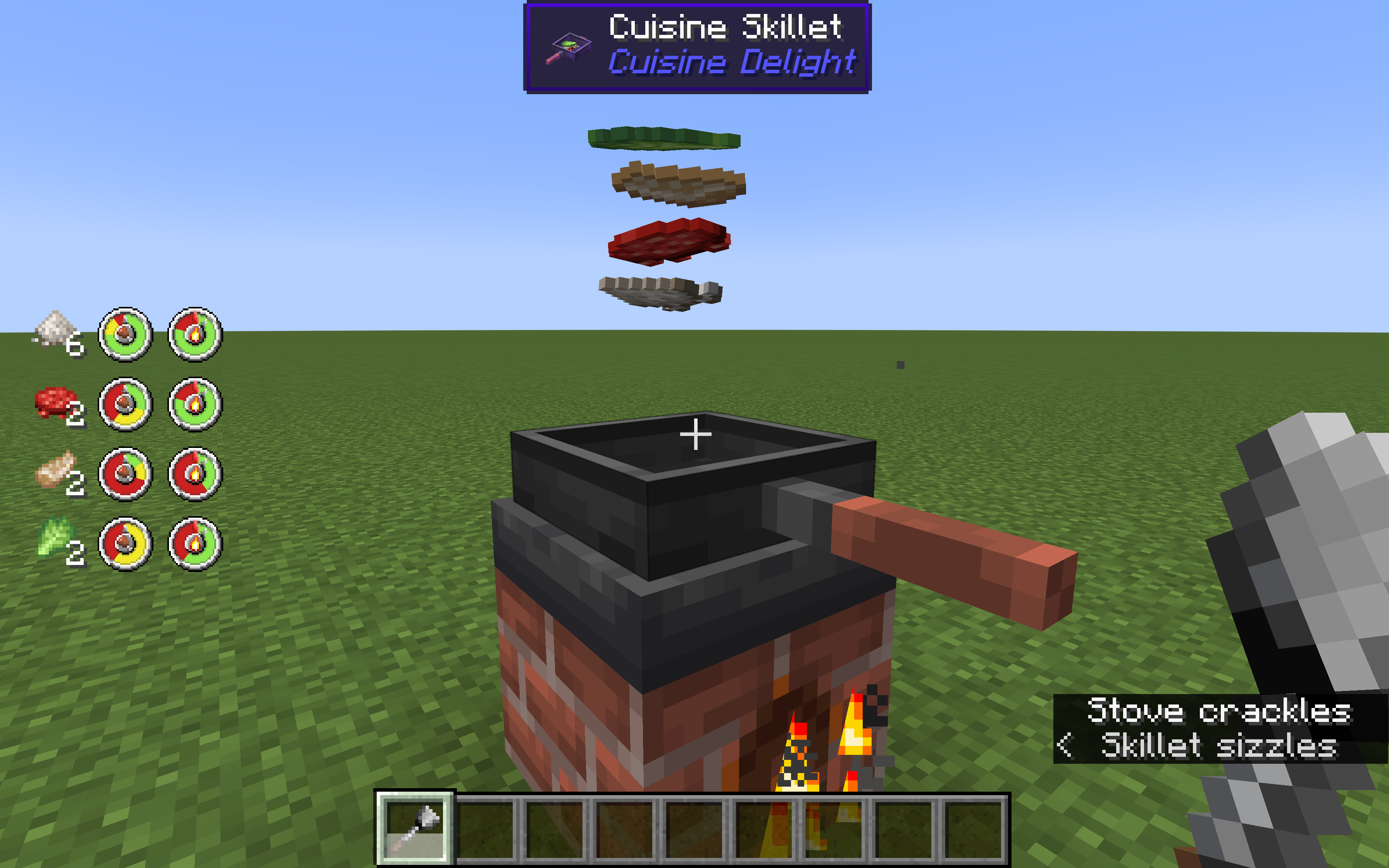
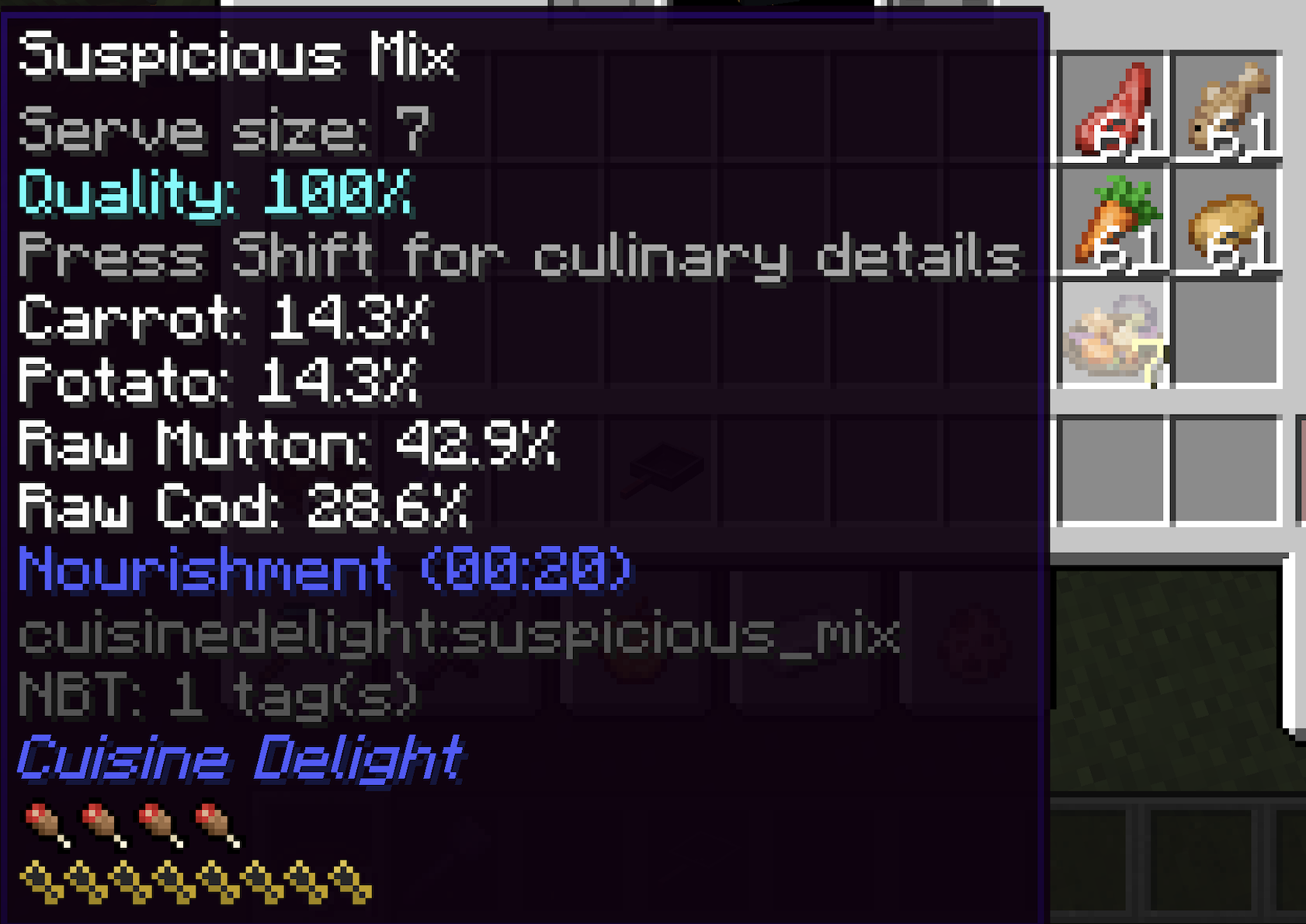
이 모드에서는 어떤 재료든 사용해 음식을 요리할 수 있습니다. 화로에서 요리하거나, 요리용 프라이팬에 Fire Aspect를 부여해 보조 손에서 요리할 수 있습니다. 음식을 들고 우클릭하면 재료가 추가되고, 뒤집개를 들고 우클릭하면 저어서 한쪽 면이 과하게 타는 것을 막을 수 있습니다. 접시를 들고 우클릭하면 요리를 담을 수 있습니다.
추가된 각 재료마다 두 가지 척도가 개별적으로 계산됩니다: 음식이 얼마나 잘 익었는지, 그리고 한쪽 면이 얼마나 탔는지입니다. 조리 시간이 더 긴 재료를 먼저 넣고 자주 저어서 과하게 타지 않도록 해야 합니다. 제대로 하면 추가 포만감 보너스가 붙은 맛있는 접시를 얻을 수 있습니다.
왼쪽 척도에서 초록색은 덜 익음, 노란색은 딱 알맞게 익음, 빨간색은 과하게 익음을 의미합니다.
오른쪽 척도에서 초록색은 타지 않음, 빨간색은 탐을 의미합니다.
프라이팬은 Farmer's Delight의 프라이팬으로 제작되며, Fire Aspect를 부여하면 화로 없이도 요리할 수 있고, Efficiency를 부여하면 한 번에 프라이팬에 추가할 수 있는 음식의 상한이 늘어납니다. Efficiency V의 경우 한 번에 6개까지 추가할 수 있어 요리 안의 재료 균형을 더 세밀하게 조절할 수 있습니다.
서로 다른 종류의 재료(탄수화물, 고기, 채소, 해산물)를 사용하면 추가한 종류마다 보너스를 받을 수 있습니다. 균형 잡힌 식사를 요리해 보세요!
저희의 다른 모드도 확인해 보세요:
Twilight's Flavors & Delight: Twilight Forest 재료로 만드는 Farmer's Delight 스타일 음식. Neapolitan 스타일 음식도 추가합니다.
Fruits Delight: 11종의 과일과 48가지 음식을 추가합니다. 모든 과일에는 고유한 음식 효과가 있습니다
L2Backpack: 배낭, 대량 아이템 보관, 원격 이동
L2Artifacts: 높은 능력치 상승과 특수 능력을 주는 Curios 아이템
ModularGolems: 전투와 몹 농장에 유용한, Tinker처럼 고도로 커스터마이즈 가능한 골렘
L2Complements: 엔드게임 재료, 장비, 마법 부여, 물약
L2Weaponry: 각각 특수 능력을 지닌 다양한 근접 무기, 투척 무기, 방패
L2Archery: 각각 특수 능력을 지닌 다양한 활과 화살
L2Hostility: 플레이어의 강함에 적응하는 몹 강화 모드. 몹을 처치하면 난이도가 올라가고, 죽으면 난이도가 내려갑니다.
Curse of Pandora: 목걸이와 팔찌로 연결해 힘을 조합할 수 있는 다양한 부적
Cuisine Delight 설치 방법
With Millida Launcher
Install Millida Launcher
The launcher is free: download it at millida.net/launcher and sign in with any nickname.
Click “Install” on this page
The launcher opens and installs the mod for Minecraft 1.20–1.21.1 on Forge or NeoForge automatically.
Launch the game
A profile with it appears in the launcher: click “Play”.
Manually
Install Forge or NeoForge
The loader must match the game version of the mod file, for example Minecraft 1.21.1. After installing it, a separate profile appears in your launcher.
Download the file for your version
In the version list above, pick the file cuisinedelight-1.2.10.jar (901 KB) for your game version and loader.
Put it in the mods folder
The folder is inside .minecraft (Windows: %appdata%\.minecraft\mods). If it does not exist, create it.
Launch the loader profile
Open “Mods” in the main menu: Cuisine Delight should be in the list.
Minecraft 1.21.1 runs on Java 21: with a different Java version the game may close right after launch.
버전
의존성 포함
| Minecraft | 로더 | 파일 | 날짜 | 작업 |
|---|---|---|---|---|
| 1.21.1 | NeoForge | cuisinedelight-1.2.10.jar901 KB 9 | ||
| 1.20.1 | Forge, NeoForge | cuisinedelight-1.1.20.jar845 KB 6 | ||
| 1.20.1 | NeoForge, Forge | cuisinedelight-1.1.7.jar172 KB | ||
| 1.20.1 | NeoForge, Forge | cuisinedelight-1.1.6.jar757 KB |
FAQ
Which Minecraft versions does Cuisine Delight work on?
There are files for 1.21.1, 1.20.1, 1.20. The newest is 1.21.1.
Is Cuisine Delight for Forge or Fabric?
There are files for Forge: 1.20–1.20.1 and for NeoForge: 1.20–1.21.1. There are no files for Fabric: a mod for another loader will not start.
Does Cuisine Delight need other mods?
The author lists no required dependencies: the Forge or NeoForge loader is enough.
Which Java does Cuisine Delight need?
Minecraft 1.21.1 runs on Java 21. If the game closes right after launch, the usual cause is the wrong Java version in the profile settings.
Where can I download Cuisine Delight safely?
On this page: the file cuisinedelight-1.2.10.jar (901 KB) is stored on Millida’s server, with no link shorteners. SHA-1 checksum: 1ab3047ba436b69cce0dd0b9af57addd49b5c9e9.
리뷰
Cuisine Delight의 첫 평가를 남겨 보세요


