

Minecraft 1.20.1, 1.21.1용 Corpse x Curios API Compat 모드
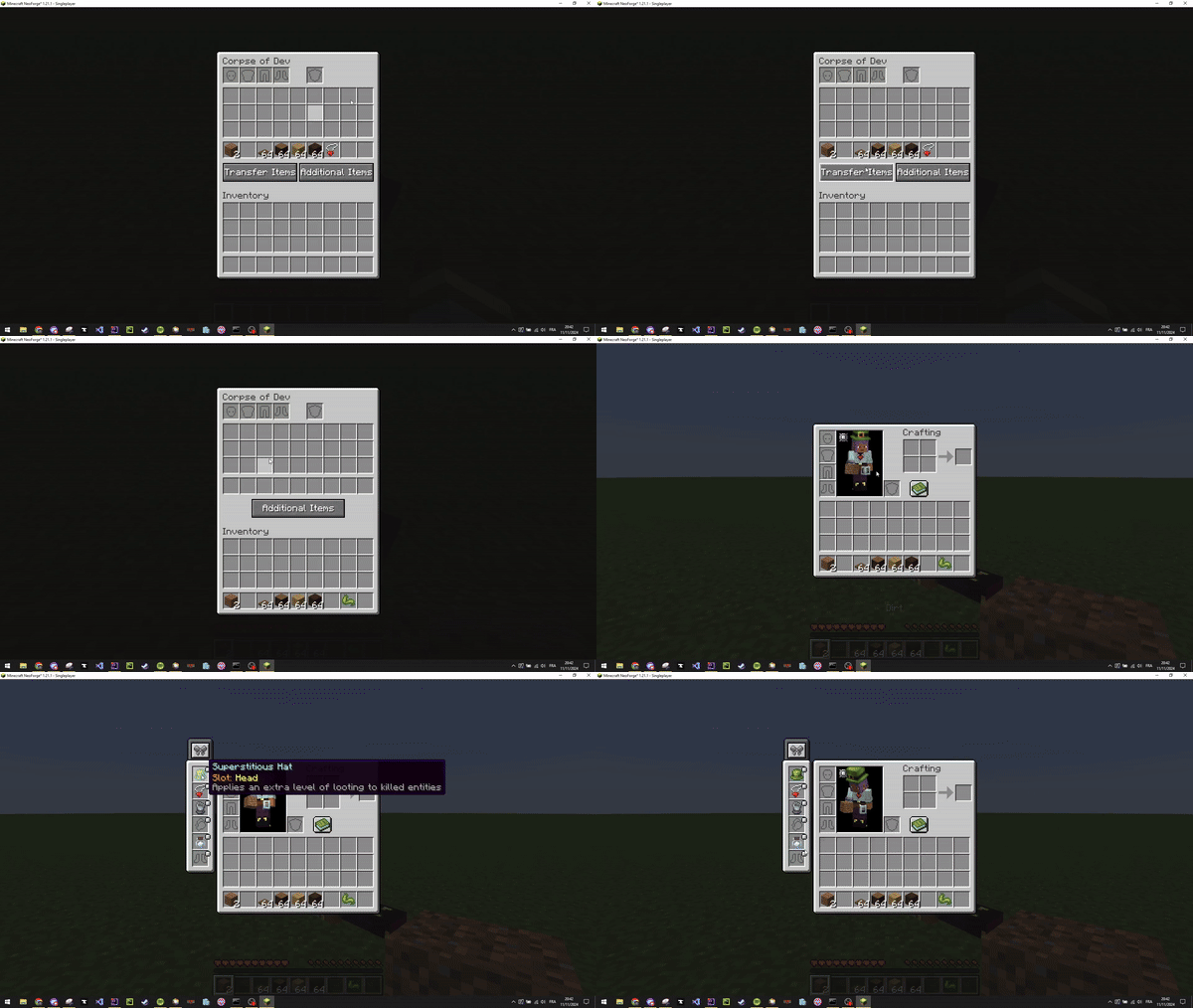
Curios 아이템을 해당 슬롯에 직접 장착할 수 있게 해주는 작은 모드입니다
 NeoForge
 Forge
Corpse x Curios API Compat
This little mod allows you to directly equip your Curios items to the respective slots
Support is available on Discord
If you'd like to support me and the development of my mods, I recommend trying out BisectHosting. Use code "project8gbderam" to get 25% off your first month of a gaming server for new customers. They offer 24/7 support and lightning-fast response times, ensuring you're in great hands and providing exceptional assistance for all your gaming needs.
https://www.bisecthosting.com/project8gbderam
Corpse x Curios API Compat 설치 방법
With Millida Launcher
Install Millida Launcher
The launcher is free: download it at millida.net/launcher and sign in with any nickname.
Click “Install” on this page
The launcher opens and installs the mod for Minecraft 1.20.1–26.3 on Forge or NeoForge automatically, together with its dependencies: BaguetteLib, Dependency, Curios API.
Launch the game
A profile with it appears in the launcher: click “Play”.
Manually
Install Forge or NeoForge
The loader must match the game version of the mod file, for example Minecraft 26.3. After installing it, a separate profile appears in your launcher.
Download the file for your version
In the version list above, pick the file corpsecurioscompat-26.3-NeoForge-4.2.0.jar (18 KB) for your game version and loader.
Put it in the mods folder
The folder is inside .minecraft (Windows: %appdata%\.minecraft\mods). If it does not exist, create it. Required dependencies go there too: BaguetteLib, Dependency, Curios API.
Launch the loader profile
Open “Mods” in the main menu: Corpse x Curios API Compat should be in the list.
On a server
A server on Forge or NeoForge
The mod only works on a server with the same loader and game version, for example 26.3.
File goes into the server’s mods folder
Stop the server, put the mod file into the mods folder and start the server again.
Use the “To server” button
On Millida Hosting, the button at the top of the page uploads the file to your server and restarts it for you.
버전
의존성 포함
| Minecraft | 로더 | 파일 | 날짜 | 작업 |
|---|---|---|---|---|
| 26.3 | NeoForge | 26.318.5 KB 1 | ||
| 26.2 | NeoForge | 26.218 KB | ||
| 26.1.2 | NeoForge | 26.1.218 KB | ||
| 1.21.1 | NeoForge | 1.21.123.1 KB 2 | ||
| 1.20.1 | Forge | 1.20.122 KB 1 | ||
| 26.3 | NeoForge | 26.318.4 KB | ||
| 26.2 | NeoForge | 26.218 KB | ||
| 26.1.2 | NeoForge | 26.1.218 KB |
실행에 필요한 것
- BaguetteLib필수
- Dependency필수
- Curios API필수
리뷰
Corpse x Curios API Compat의 첫 평가를 남겨 보세요


