

 Fabric
 NeoForge
 Forge
ForgeCopper Equipment Mod

Enhance your Minecraft experience with the Copper Equipment Mod!
Unlock the potential of copper with this mod, which adds a full set of tools, weapons, and armor crafted from copper ingots. Copper equipment strikes a balance between iron and stone gear, offering moderate strength and durability with a unique look.
Features:
- Copper Tools and Sword: Reliable tools and weapons with decent stats, ideal for early to mid-game use.
- Copper Armor: Offers moderate protection with armor ratings of 2 (helmet), 4 (chestplate), 3 (leggings), and 2 (boots). If your armor gets oxidized it will lose enchantments and trims.
- Copper Horse Armor: Protect your steed with stylish copper plating and a rating of 4.
- Crafting: Use copper ingots like traditional materials to craft all gear.
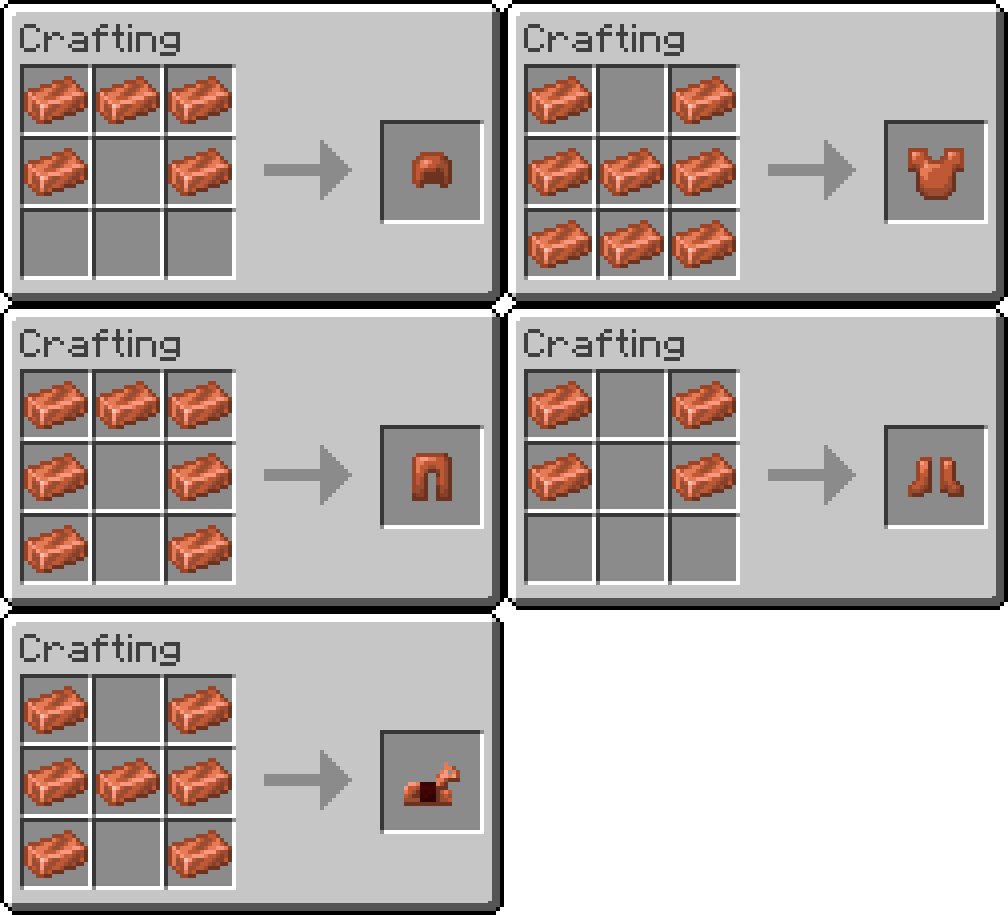
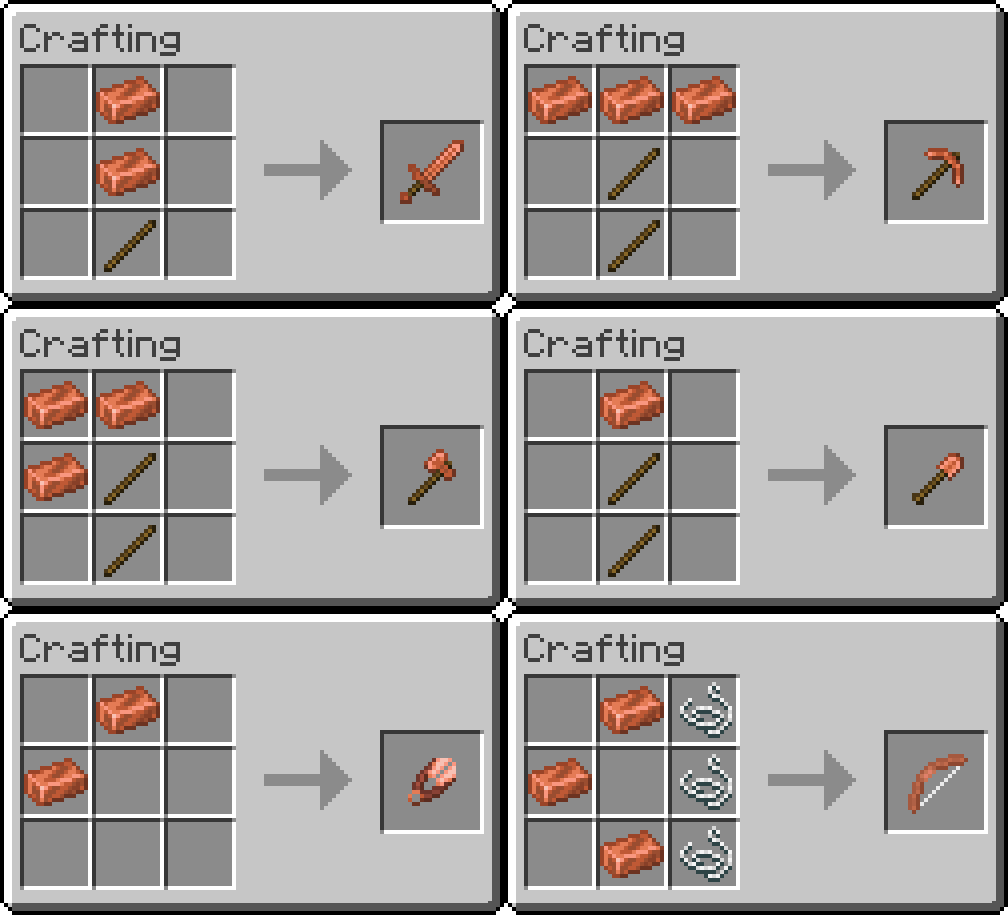
Default Stats:
- Durability: 190 uses
- Efficiency: 5
- Tool Enchantability: 10
- Armor Enchantability: 12
- Sword Attack Damage: 5.5
- Sword Attack Speed: 1.6
- Shovel Attack Damage: 4
- Shovel Attack Speed: 1
- Axe Attack Damage: 9
- Axe Attack Speed: 0.9
- Hoe Attack Damage: 1
- Hoe Attack Speed: 2.5
- Helmet Armor Rating: 2
- Chestplate Armor Rating: 4
- Leggings Armor Rating: 3
- Boots Armor Rating: 2
- Horse Armor Rating: 4
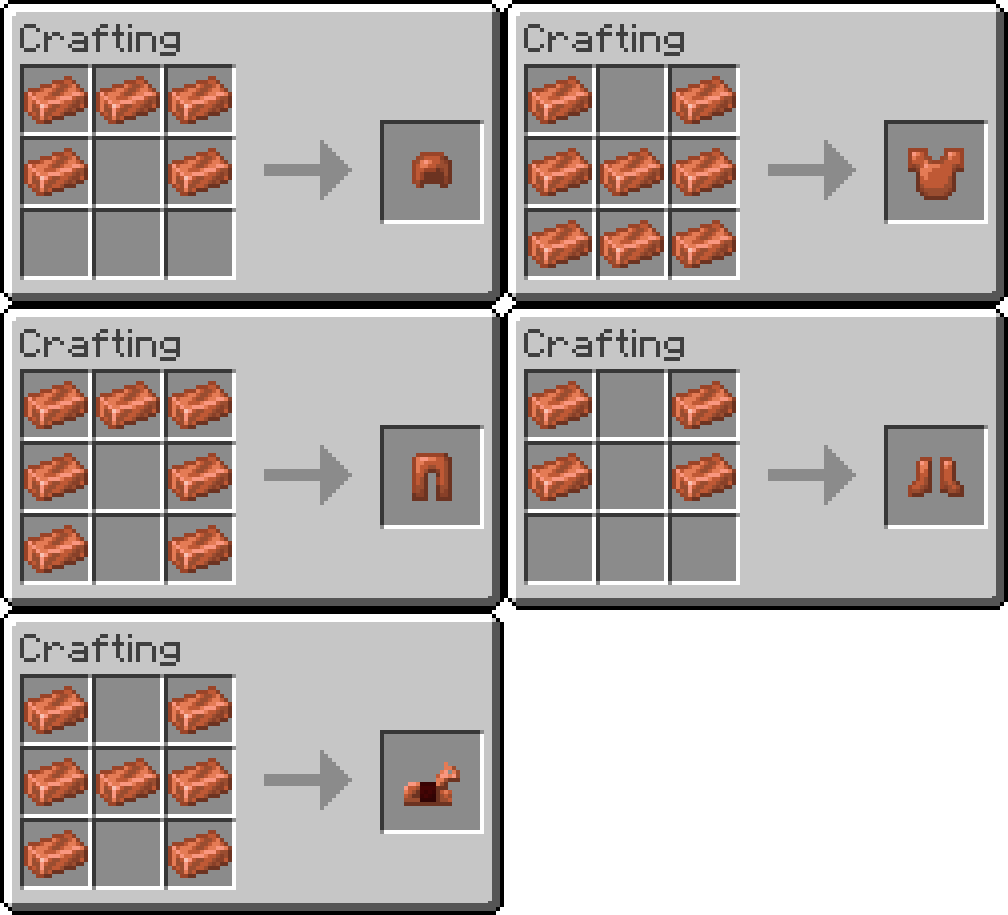
Customization:
Make the mod truly your own! All equipment stats can be customized to suit your playstyle or balance preferences. Simply edit the configuration file located at: C:\Users\username\AppData\Roaming\.minecraft\config\exlinecopperequipment.properties.
Adjust durability, attack damage, efficiency, and more to tailor the experience to your liking!
Dynamic Oxidation Effect:
Tools, weapons, and armor naturally oxidize as they wear down, changing from bright copper to a weathered green. This visual touch doesn’t affect performance but adds a unique aesthetic to your gear.
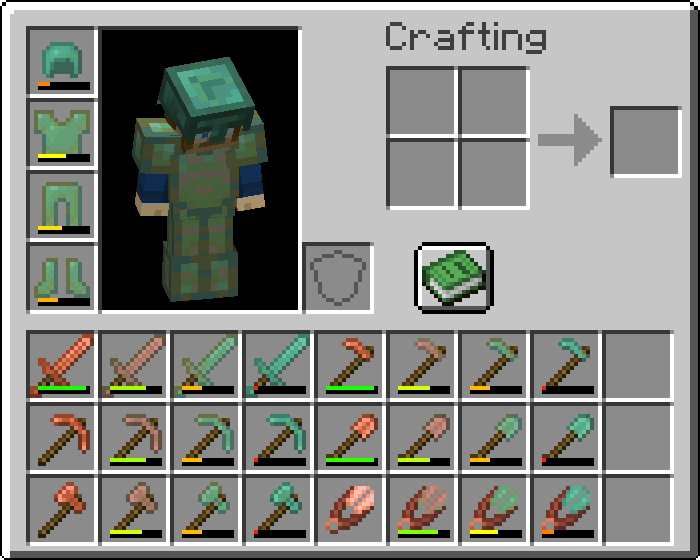
Seamless Progression:
Copper equipment bridges the gap between stone and iron, making it perfect for early-game exploration and mid-game adventures.
Download Now!
Bring copper to life in your survival world with Copper Equipment Mod. Add functionality, style, and customization options to enhance your Minecraft experience!
Other Mods by Exline
Click on the banners below to see the mod's page.






Are you interested in supporting me and the development of my mods? If so, I suggest trying out BisectHosting. As a new customer, use the code: EXLINE, to receive a 25% discount on your first month of a gaming server. With 24/7 support and rapid response times, you can expect outstanding service for all your gaming needs.
Copper Equipment 설치 방법
With Millida Launcher
Install Millida Launcher
The launcher is free: download it at millida.net/launcher and sign in with any nickname.
Click “Install” on this page
The launcher opens and installs the mod for Minecraft 1.18–1.21.10 on Fabric, Forge or NeoForge automatically.
Launch the game
A profile with it appears in the launcher: click “Play”.
Manually
Install Fabric, Forge or NeoForge
The loader must match the game version of the mod file, for example Minecraft 1.21.10. After installing it, a separate profile appears in your launcher.
Download the file for your version
In the version list above, pick the file villagerdrops-v1.0.0-fabric-1.21.10.jar (105 KB) for your game version and loader.
Put it in the mods folder
The folder is inside .minecraft (Windows: %appdata%\.minecraft\mods). If it does not exist, create it.
Launch the loader profile
Open “Mods” in the main menu: Copper Equipment should be in the list.
Minecraft 1.21.10 runs on Java 21: with a different Java version the game may close right after launch.
버전
의존성 포함
| Minecraft | 로더 | 파일 | 날짜 | 작업 |
|---|---|---|---|---|
| 1.21.10 | Fabric | v1.0.0 for Fabric 1.21.10105 KB | ||
| 1.21 | Fabric | v1.0.0 for Fabric 1.21167 KB | ||
| — | Fabric | v1.0.1 for Fabric-1.21-beta.4167 KB | ||
| 1.19.4 | Forge | Copper Equipment - [v2.0.9] [Forge] [1.19.4]163 KB | ||
| 1.20.2 | NeoForge | Copper Equipment - [v2.0.8] [NeoForge] [1.20.2, 1.20.4]160 KB | ||
| 1.20.2 | NeoForge | Copper Equipment - [v2.0.8] [Neoforge] [1.20.2]160 KB | ||
| 1.18.1 | Forge | Copper Equipment - [Forge] [1.18]222 KB |
리뷰
Copper Equipment의 첫 평가를 남겨 보세요


