
 Forge
Forge NeoForge
Ceramics 모드 정보
Ceramics is a mod designed to increase Minecraft's gameplay using clay. Originally inspired by the clay bucket from Iguana Tinker Tweaks, this mod simply added a clay bucket, but now it adds quite a few other features made from clay to both improve the early game and be used in long term builds.
In the mods current form, it adds features in three categories.
Tools
Ceramics adds various tools designed to extend options for tools using clay. Available tools include:
Terracotta buckets: Early game bucket alternative.
- Can transport cold liquids with ease, but cracks when filling with hot fluid.
- Cracked buckets break on emptying, making it effectively single use for hot fluids.
- Cool fluids can be transported freely.
- Unlike other clay bucket mods, these are fully dynamic and will automatically add variants for all available fluids (such as Tinker Construct or Forestry).
Terracotta plate armor: Alternative to leather armor early game.
- Leather is often hard to obtain before iron, so clay provides a more affordable alternative.
- Apparently clay plate armor was once a thing, so kinda historically accurate.
Fluids
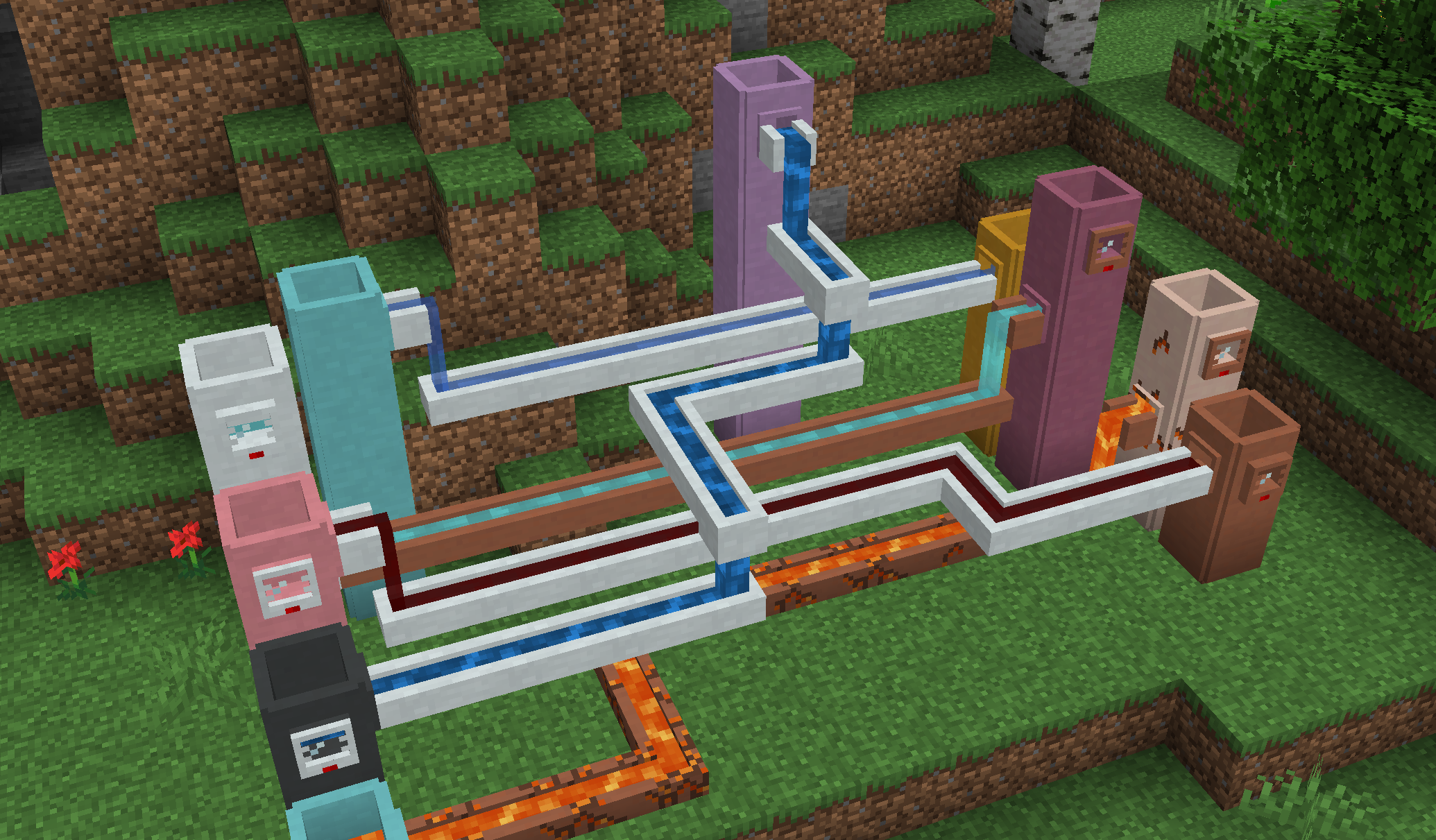
Ceramics adds several different fluid related blocks to store and transport fluids in world.
Cisterns: An extendable liquid storage block.
- In comes in all 17 clay colors which have a capacity of 4 per barrel, plus an additional 16 porcelain colors which have a capacity of 6 buckets per barrel.
- The capacity can be further extended by stacking the cistern vertically, which add the base value for each extension placed on top.
- Will visually connect to faucets, channels, and gauges.
Gauges: Read fluid level.
- Place on the side of any fluid tank, including cisterns and those from other mods.
- Right click to display the name of the contained fluid and the amount.
Faucets: Allow simple fluid extraction.
- Can connect to the side or bottom of a block and pour into one below the faucet.
- Can be activated by right click or redstone, and will slowly pour until the tank below is full or it runs out of fluid.
- Primary way to fill channels.
Channels: Allow simple fluid transport.
- Cannot extract fluids, require a faucet to fill. Will push fluids into nearby tanks or blocks.
- Each side has a direction, which will be set on placement and can be configured afterwards by right click.
- Can additionally pour downward, which can be enabled by hand or redstone.
All fluid blocks come in two variants:
- Terracotta: Will crack over time if filled with hot fluids, but can transport and store cool fluids freely. Cracked terracotta can be repaired using raw clay.
- Porcelain: Heat resistant, allowing transporting hot fluids without damage to the block. Require the addition of porcelain.
Decoration
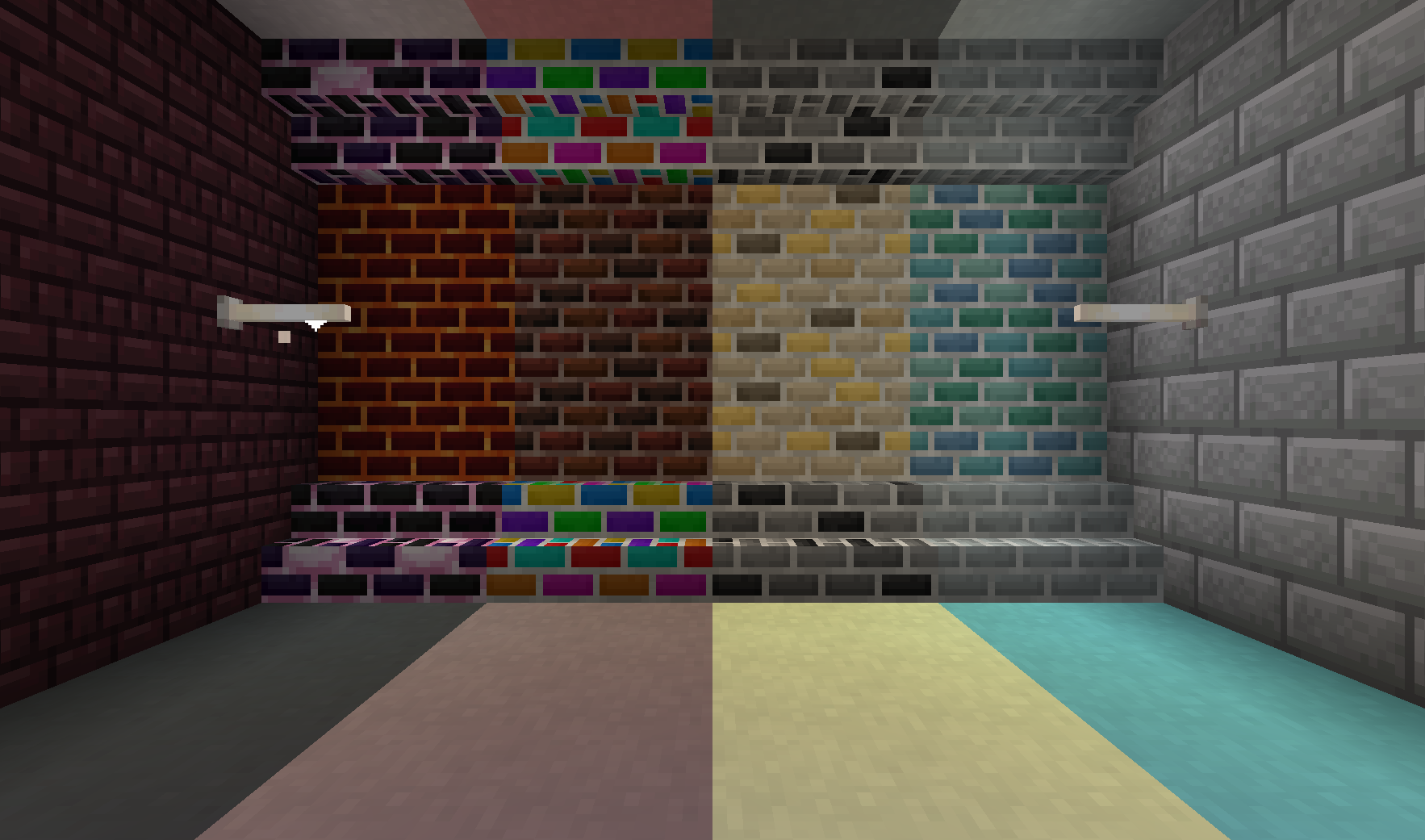
Apart from functional blocks, Ceramics adds a range of decorative blocks to spruce up any base.
Porcelain: Decorative block that is similar to stained terracotta or concrete, but in pastel colors.
Porcelain Bricks: White variant of bricks. Can be made into slabs, stairs, and walls
Fancy Bricks: Six additional styles of bricks with a slightly more random pattern. Each type comes in slabs, stairs, and walls.
- Dark Bricks: undefinedDark red bricks with a factory tones
- Monochrome Bricks: gray bricks with the occasional black accent
- Golden Bricks: Bright yellow bricks designed to show riches
- Marine Bricks: Oceanic bricks to decorate a prismarine build.
- Lava Bricks: Magmatic bricks to improve a Nether base
- Dragon Bricks: Endish bricks to provide a dark pop
Rainbow Bricks and Clay: feature a colorful, but gradual rainbow animation.
- Clay comes in 8 variants based on where the animation starts.
- Bricks can be made into stairs, slabs, and walls.
More Information
For information on 1.12 and earlier, check out the images tab or read about Ceramics on the official Feed the Beast Wiki. You can also come discuss Ceramics on the SlimeKnights Discord.
Feel free to use this mod in a mod pack, provided you give a link back to this page
If you want to support me on Patreon, use the following link:
Ceramics 설치 방법
With Millida Launcher
Install Millida Launcher
The launcher is free: download it at millida.net/launcher and sign in with any nickname.
Click “Install” on this page
The launcher opens and installs the mod for Minecraft 1.10.2–1.20.1 on Forge or NeoForge automatically.
Launch the game
A profile with it appears in the launcher: click “Play”.
Manually
Install Forge or NeoForge
The loader must match the game version of the mod file, for example Minecraft 1.20.1. After installing it, a separate profile appears in your launcher.
Download the file for your version
In the version list above, pick the file Ceramics-1.20.1-1.8.0.jar (882 KB) for your game version and loader.
Put it in the mods folder
The folder is inside .minecraft (Windows: %appdata%\.minecraft\mods). If it does not exist, create it.
Launch the loader profile
Open “Mods” in the main menu: Ceramics should be in the list.
Minecraft 1.20.1 runs on Java 17: with a different Java version the game may close right after launch.
버전
의존성 포함
| Minecraft | 로더 | 파일 | 날짜 | 작업 |
|---|---|---|---|---|
| 1.20.1 | Forge, NeoForge | Ceramics 1.8.0 for 1.20.1882 KB | ||
| 1.16.3 | Forge | Ceramics 1.6.0 for 1.16.x824 KB | ||
| 1.15.2 | Forge | Ceramics 1.4.0 for 1.15.2495 KB | ||
| 1.10.2 | — | Ceramics v1.1.293.3 KB | ||
| 1.10.2 | — | Ceramics v1.1.0a72.1 KB |
FAQ
Which Minecraft versions does Ceramics work on?
There are files for 1.20.1, 1.16.4, 1.16.3, 1.16.2, 1.15.2, 1.10.2. The newest is 1.20.1.
Is Ceramics for Forge or Fabric?
There are files for Forge: 1.15.2–1.20.1 and for NeoForge: 1.20.1. There are no files for Fabric: a mod for another loader will not start.
Does Ceramics need other mods?
The author lists no required dependencies: the Forge or NeoForge loader is enough.
Which Java does Ceramics need?
Minecraft 1.20.1 runs on Java 17. If the game closes right after launch, the usual cause is the wrong Java version in the profile settings.
Where can I download Ceramics safely?
On this page: the file Ceramics-1.20.1-1.8.0.jar (882 KB) is stored on Millida’s server, with no link shorteners. SHA-1 checksum: a696fad01b02a88e6d19e5f2cae76375973dfd84.
리뷰
Ceramics의 첫 평가를 남겨 보세요


