

Minecraft 1.20.1용 Bitter Brews 모드
Bitter Brews는 새롭고 특별한 효과를 부여하는 독특한 차를 Minecraft에 추가하는 모드입니다!
 NeoForge
 Forge
Forge Fabric
 Quilt
QuiltBitter Brews 모드 정보
For exceptional server hosting services, look no further than BisectHosting. New customers can use code "Yirmiri" to get 25% off their first month, and their support team is always available to assist you in any way they can.

Bitter Brews is not being developed anymore and I would advise against using it, it only stays up on CurseForge to not break modpacks
📖About Bitter Brews📖
Bitter Brews is a mod that adds unique teas to Minecraft that of which grant new, special effects!
This mod does not support later versions of TipsyLib/RunicLib, please use v2.0.9 or earlier.
Feel free to include this project in modpacks!
- Copper Kettle: a new crafting station where most brewing will take place, requires a heat block to use
- Brews: new drinks that can be created at the copper kettle and grant new and unique effects
- Stoves: a new building block to heat up copper kettles (Excessive Building adds soul stove compatibility)
- Peppers: a new ingredient obtained via piglin bartering or bastions, soul peppers are exclusive to bastions
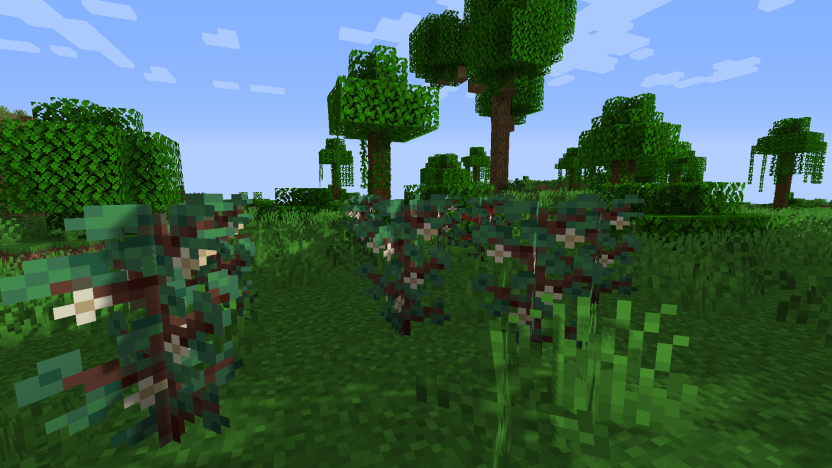
- Coffee Bushes: a new crop found in jungles that can be farmed for coffee beans
🤍Other Azurune Projects🖤
Q: I have an issue/bug I want to report, where can I do that?
- A: You can leave bug reports on the GitHub page, please see if someone else has reported the same issue to avoid duplicates.
Q: I have a suggestion for the mod, where can I leave it?
- A: You can leave suggestions for the mod in our Discord server, please make sure to follow the guidelines for posts.
Q: Will there be a port to X version?
- A: I do not have any plans to port to any older versions of Minecraft however I will try to keep the mod up to date with the latest Minecraft version.
Bitter Brews 설치 방법
With Millida Launcher
Install Millida Launcher
The launcher is free: download it at millida.net/launcher and sign in with any nickname.
Click “Install” on this page
The launcher opens and installs the mod for Minecraft 1.20.1 on Fabric, Forge, NeoForge or Quilt automatically.
Launch the game
A profile with it appears in the launcher: click “Play”.
Manually
Install Fabric, Forge, NeoForge or Quilt
The loader must match the game version of the mod file, for example Minecraft 1.20.1. After installing it, a separate profile appears in your launcher.
Download the file for your version
In the version list above, pick the file Bitter Brews-forge-1.20.1-1.0.2.jar (246 KB) for your game version and loader.
Put it in the mods folder
The folder is inside .minecraft (Windows: %appdata%\.minecraft\mods). If it does not exist, create it.
Launch the loader profile
Open “Mods” in the main menu: Bitter Brews should be in the list.
Minecraft 1.20.1 runs on Java 17: with a different Java version the game may close right after launch.
버전
의존성 포함
| Minecraft | 로더 | 파일 | 날짜 | 작업 |
|---|---|---|---|---|
| 1.20.1 | NeoForge, Forge | Bitter Brews-forge-1.20.1-1.0.2.jar246 KB | ||
| 1.20.1 | Fabric, Quilt | Bitter Brews-fabric-1.20.1-1.0.2.jar226 KB |
리뷰
Bitter Brews의 첫 평가를 남겨 보세요


