

Minecraft 1.21.1, 1.19.2용 Better Mods Button
당신의 모드 버튼, 당신 방식대로. 원하는 위치에, 원하는 방식으로!
 NeoForge
 Forge
ForgeBetter Mods Button 모드 정보
 
📖 소개:
Better Mods Button은 Minecraft 1.13 이전의 Forge 버전들처럼 일시정지 화면에 모드 버튼을 다시 추가해 주므로, 게임 내 모드 설정(지원되는 경우)에 쉽게 접근하는 데 사용할 수 있습니다.
보너스로, 모드 버튼을 화면 어디에 어떻게 정확히 표시할지에 대한 다양한 옵션이 있습니다(Mod Menu에서 많은 영감을 받았습니다). 총 모드 개수 표시와 업데이트 알림 글리프 토글 모두 지원됩니다.
📷 미디어:
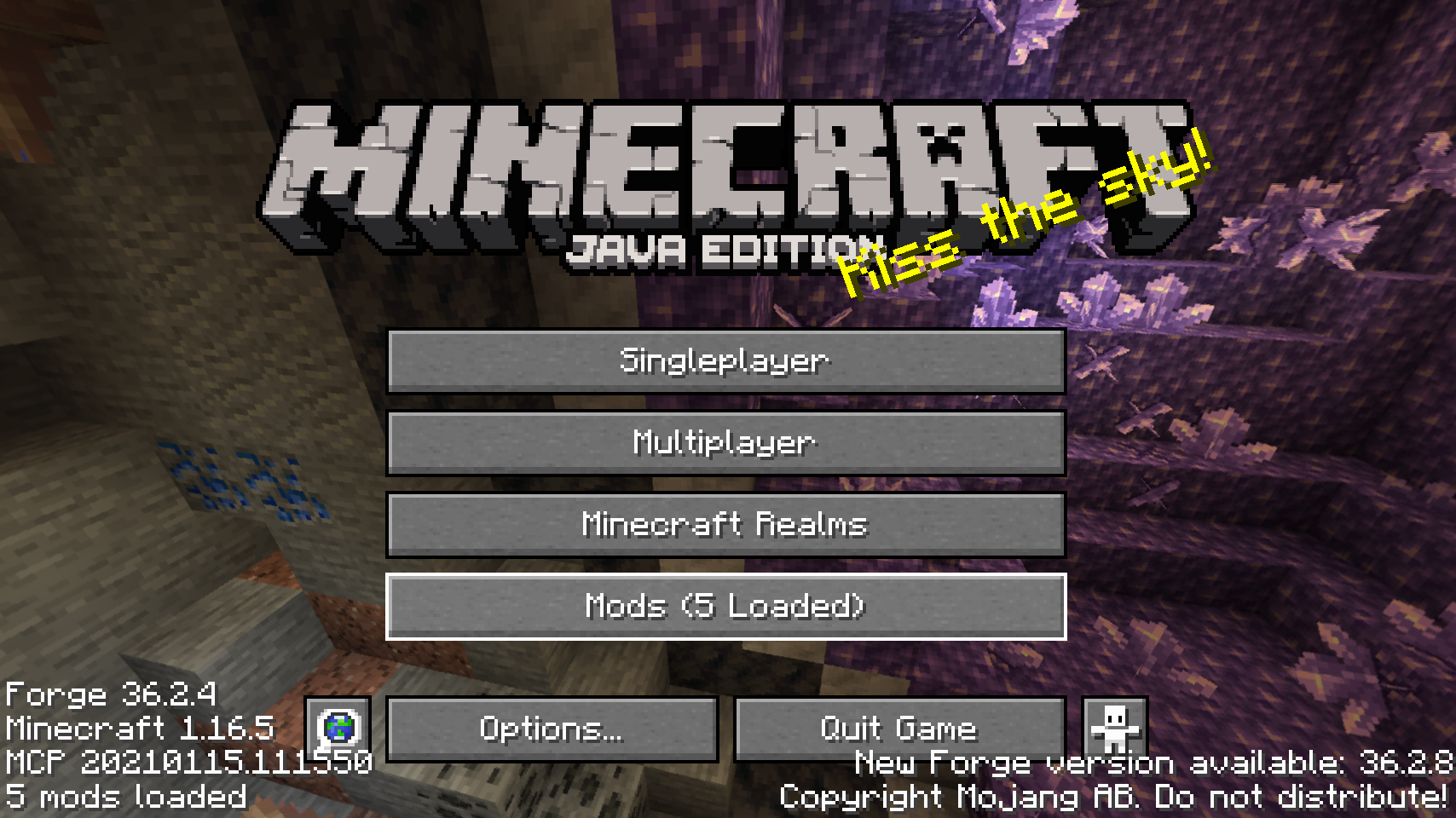
  
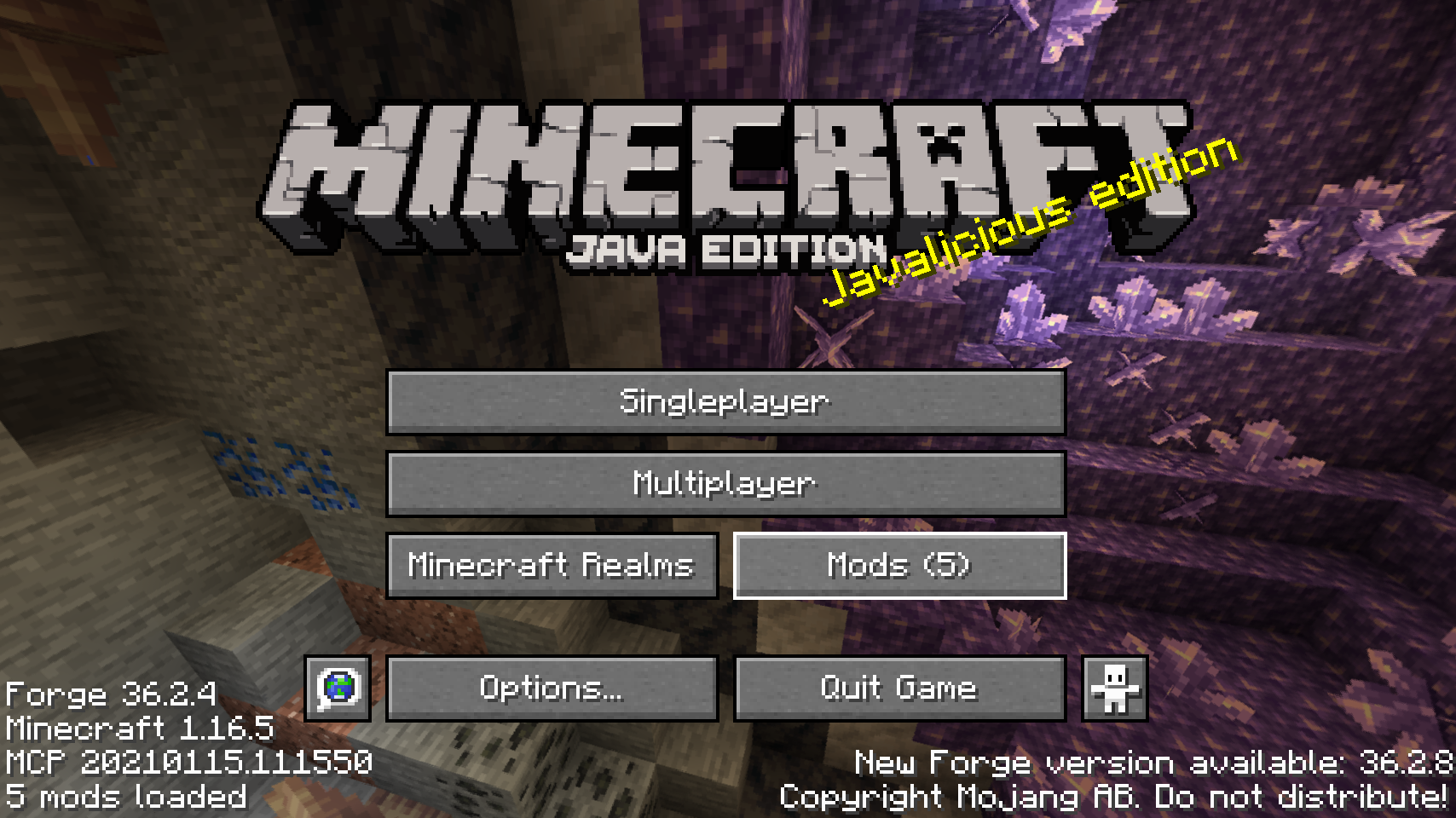
타이틀 화면의 기본 모드 버튼    대체 모드 버튼 배치 중 하나
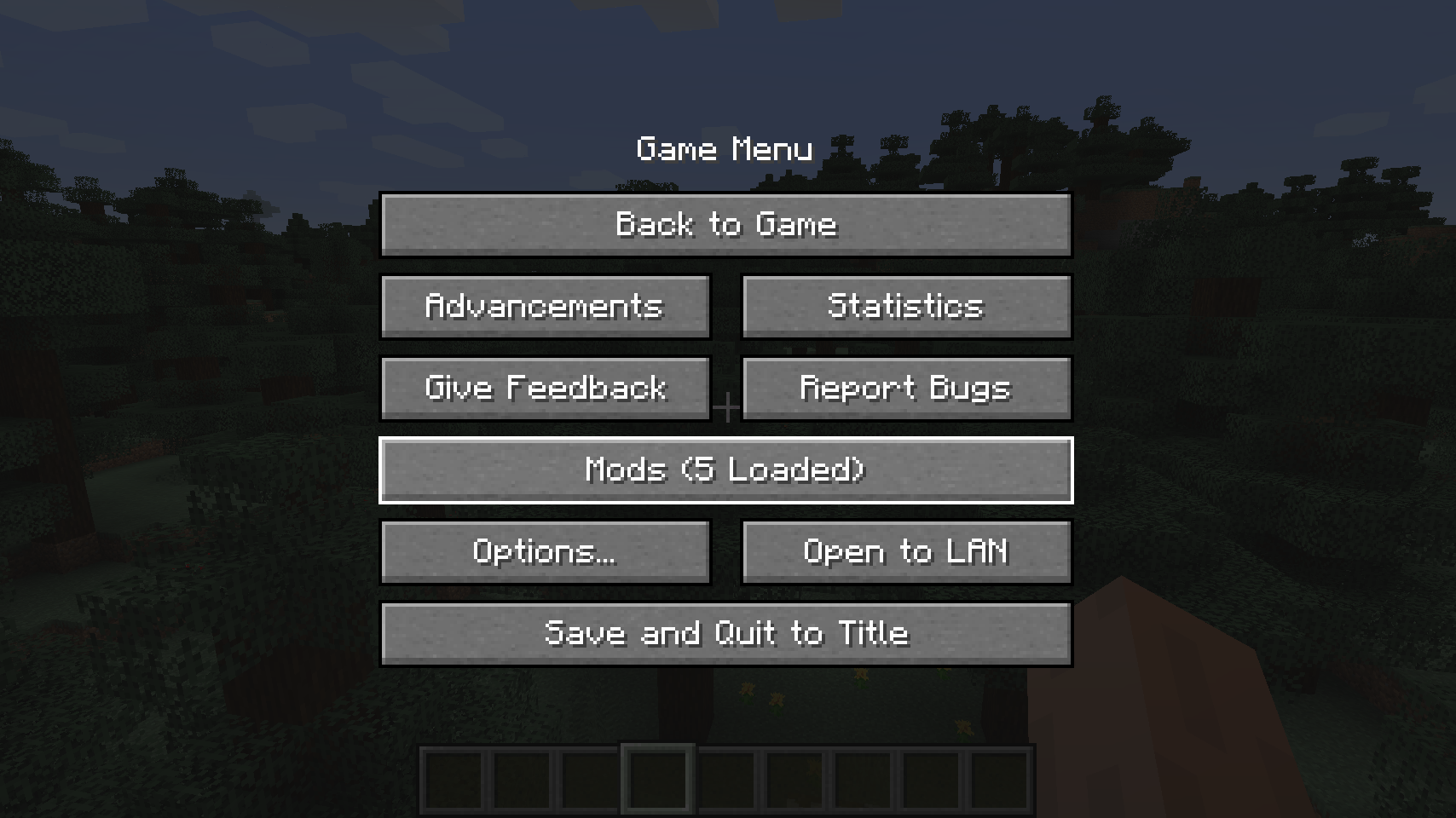
  
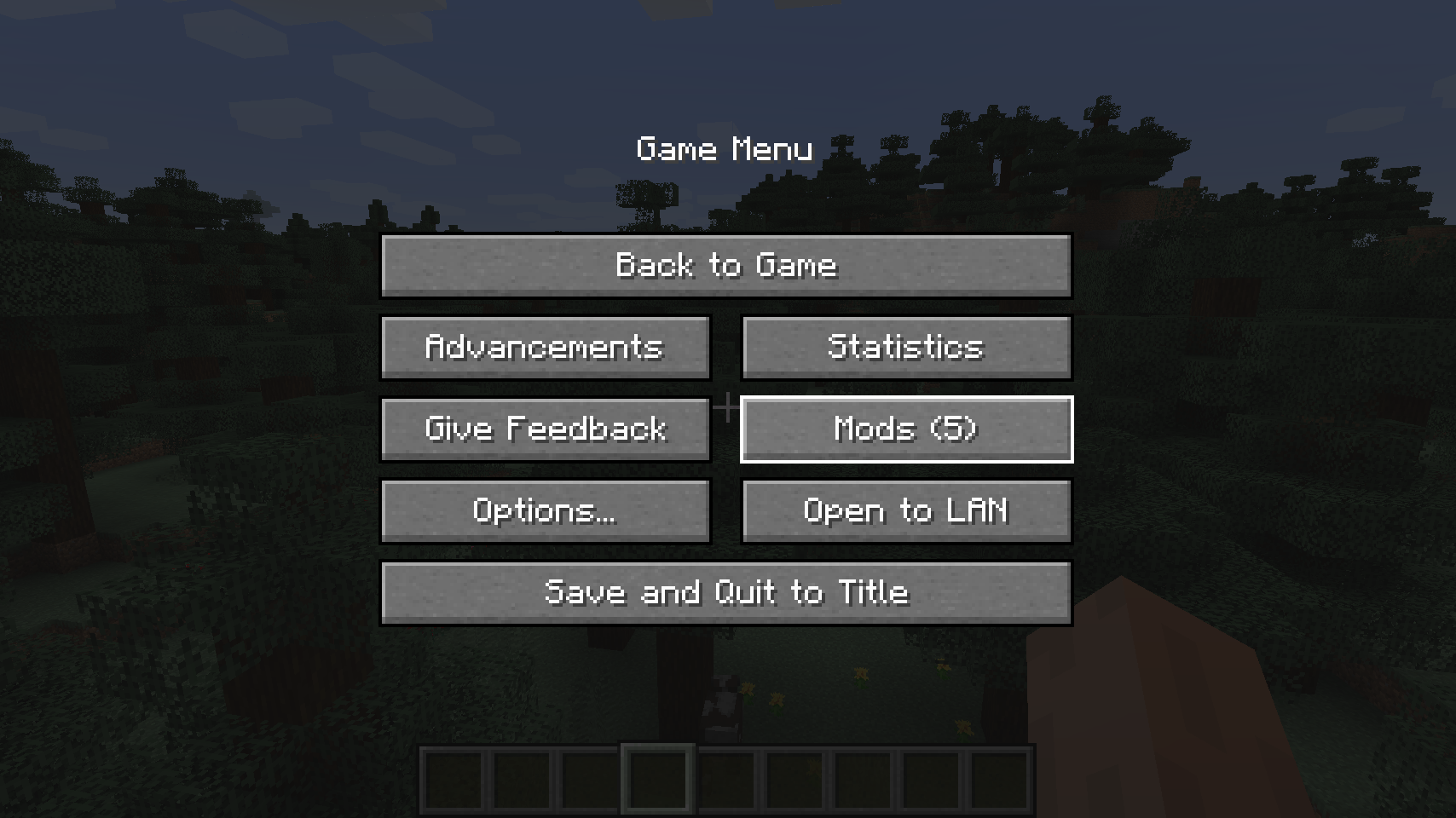
일시정지 메뉴의 기본 모드 버튼    일시정지 화면을 위한 대체 배치

  
또 다른 대체 일시정지 화면 버튼 배치   
💡 자주 묻는 질문:
Q: 이 모드는 어떻게 설정하나요? A: 제 Config Menus for Forge 모드를 설치하고 게임 내에서 직접 설정하세요!
Q: Fabric 포팅은요? A: 대신 ProspectorDev의 Mod Menu를 사용하세요.
🏆 크레딧:
Better Mods Button 개발에 도움과 영감을 준 것들:
- ProspectorDev의 Mod Menu 모드에서 이 모드의 대부분의 설정 옵션에 대한 영감을 얻음


Better Mods Button 설치 방법
With Millida Launcher
Install Millida Launcher
The launcher is free: download it at millida.net/launcher and sign in with any nickname.
Click “Install” on this page
The launcher opens and installs the mod for Minecraft 1.18.2–26.1.2 on Forge or NeoForge automatically.
Launch the game
A profile with it appears in the launcher: click “Play”.
Manually
Install Forge or NeoForge
The loader must match the game version of the mod file, for example Minecraft 26.1.2. After installing it, a separate profile appears in your launcher.
Download the file for your version
In the version list above, pick the file bettermodsbutton-v26.1.2-mc26.1.x+neoforge.jar (55 KB) for your game version and loader.
Put it in the mods folder
The folder is inside .minecraft (Windows: %appdata%\.minecraft\mods). If it does not exist, create it.
Launch the loader profile
Open “Mods” in the main menu: Better Mods Button should be in the list.
Better Mods Button works on the player’s side only: there is no need to install it on a server.
버전
의존성 포함
| Minecraft | 로더 | 파일 | 날짜 | 작업 |
|---|---|---|---|---|
| 1.21.1 | NeoForge | 1.21.165.1 KB | ||
| 1.21.1 | Forge | 1.21.161.8 KB | ||
| 26.1.2 | NeoForge | 26.1.255.1 KB | ||
| 26.1 | NeoForge | 26.155 KB | — | |
| 1.21.11 | NeoForge | 1.21.1147.3 KB | — | |
| 1.21 | NeoForge | 1.2159.6 KB | — | |
| 1.19.2 | Forge | 1.19.256.1 KB | — | |
| 1.18.2 | Forge | 1.18.254.8 KB | — |
FAQ
Which Minecraft versions does Better Mods Button work on?
There are files for 1.18.2–26.1.2, 8 versions in total. The newest is 26.1.2.
Is Better Mods Button for Forge or Fabric?
There are files for Forge: 1.18.2–1.21.1 and for NeoForge: 1.21–26.1.2. There are no files for Fabric: a mod for another loader will not start.
Does Better Mods Button need other mods?
The author lists no required dependencies: the Forge or NeoForge loader is enough.
Do I need to install Better Mods Button on a server?
No. Better Mods Button works on the player’s side only: there is no need to install it on a server.
Where can I download Better Mods Button safely?
On this page: the file bettermodsbutton-v26.1.2-mc26.1.x+neoforge.jar (55 KB) is stored on Millida’s server, with no link shorteners. SHA-1 checksum: 2a9bcf56e9964467e42d2af97db2c5c9be895bee.
리뷰
Better Mods Button의 첫 평가를 남겨 보세요


