
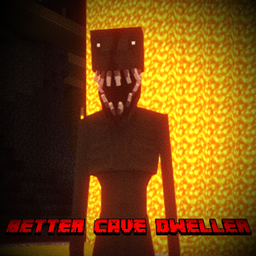
Minecraft 1.20.1용 Better Cave Dweller 모드
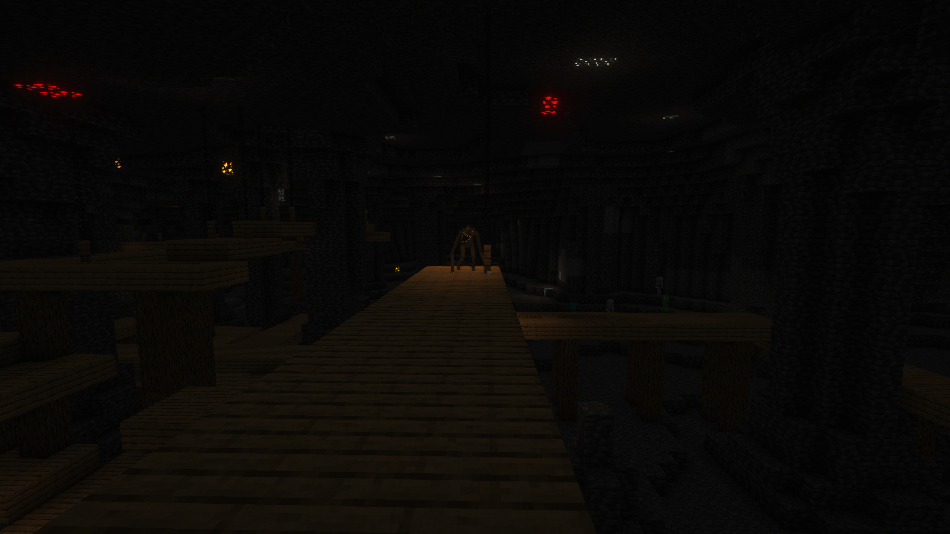
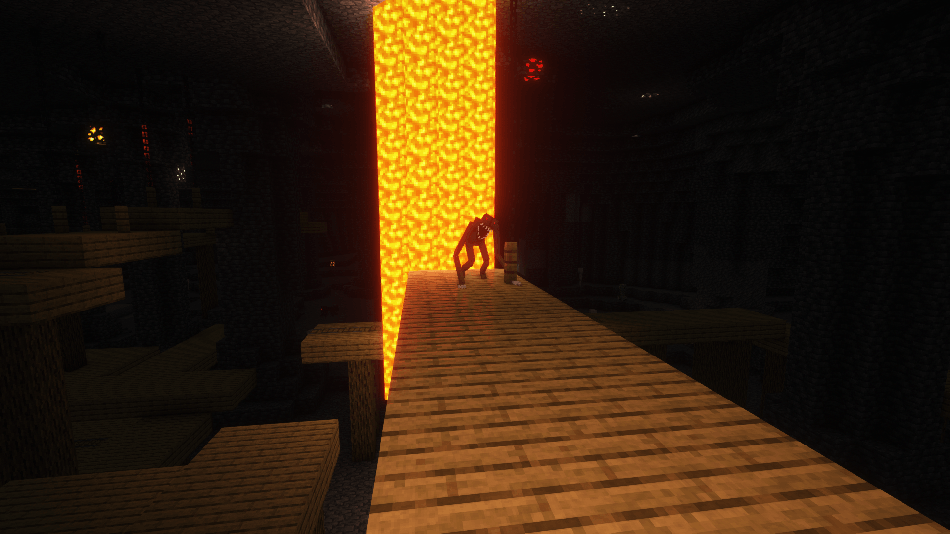
모두가 동굴 거주자로 알고 있는 이미 끔찍한 몹에게 더 무서운 외형과 더 나은 애니메이션을 부여합니다
 Fabric
 Forge
ForgeBetter Cave Dweller 모드 정보
WORKING WITH DEVELOPER FOR SOMETHING EVEN BETTER
DISCONTINUED UNTIL FURTHER NOTICE!!
FABRIC VERSIONS ARE HERE!!
THIS MOD REQUIRES GECKOLIB!!
(GeckoLib should be downloaded instantly when downloading this mod, if that's not the case please notify me and download GeckoLib using the link above)
If there are any issues like Minecraft saying you need a newer version of GeckoLib or the forge loader you will just need to create a profile using the required forge loader and manually install the correct version of GeckoLib.
IF THE ANIMATIONS ARE NOT WORKING WHEN USING SHADERS PLEASE DOWNLOAD THE FOLLOWING MOD!!! Oculus & GeckoLib Compat mod.
COPYRIGHT:
This mod is a combination of other mods that make the cave dweller a lot scarier and better. The combined mods are:
- Enhanced cave noise made by Schpalrbo
- Cave dweller evolved made by SiverDX
and a resource pack named cave dweller sound overhaul made by Scorchy.
I have permissions from all of the creators of the original mods, screenshots of approvement are at the images tab.
This also means that I myself am not an experienced coder, however I'll try to help the best I can with issues.
In case you want to download the resource pack that is already implemented in the mod
you'll need to click here
Better Cave Dweller 설치 방법
With Millida Launcher
Install Millida Launcher
The launcher is free: download it at millida.net/launcher and sign in with any nickname.
Click “Install” on this page
The launcher opens and installs the mod for Minecraft 1.19.3–1.20.1 on Fabric or Forge automatically.
Launch the game
A profile with it appears in the launcher: click “Play”.
Manually
Install Fabric or Forge
The loader must match the game version of the mod file, for example Minecraft 1.20.1. After installing it, a separate profile appears in your launcher.
Download the file for your version
In the version list above, pick the file Better Cave Dweller-1.20.1-white-eyes-fabric.jar (1.8 MB) for your game version and loader.
Put it in the mods folder
The folder is inside .minecraft (Windows: %appdata%\.minecraft\mods). If it does not exist, create it.
Launch the loader profile
Open “Mods” in the main menu: Better Cave Dweller should be in the list.
Minecraft 1.20.1 runs on Java 17: with a different Java version the game may close right after launch.
버전
의존성 포함
| Minecraft | 로더 | 파일 | 날짜 | 작업 |
|---|---|---|---|---|
| 1.20.1 | Fabric | Better Cave Dweller-1.20.1-white-eyes-fabric.jar1.8 MB 16 | ||
| 1.19.3 | Forge | Better Cave Dweller 1.19.3.jar2.1 MB 1 | ||
| 1.20.1 | Forge | Better Cave Dweller-1.20.11.8 MB 33 |
FAQ
Which Minecraft versions does Better Cave Dweller work on?
There are files for 1.20.1, 1.19.3. The newest is 1.20.1.
Is Better Cave Dweller for Forge or Fabric?
There are files for Fabric: 1.20.1 and for Forge: 1.19.3–1.20.1. There are no files for NeoForge: a mod for another loader will not start.
Does Better Cave Dweller need other mods?
The author lists no required dependencies: the Fabric or Forge loader is enough.
Which Java does Better Cave Dweller need?
Minecraft 1.20.1 runs on Java 17. If the game closes right after launch, the usual cause is the wrong Java version in the profile settings.
Where can I download Better Cave Dweller safely?
On this page: the file Better Cave Dweller-1.20.1-white-eyes-fabric.jar (1.8 MB) is stored on Millida’s server, with no link shorteners. SHA-1 checksum: 4979f98258f0a7da2a5b801fe119e7dc7b7b2679.
리뷰
Better Cave Dweller의 첫 평가를 남겨 보세요


