

Minecraft 1.16.5용 BedrockIfy 모드
BedrockIfy는 Minecraft Bedrock Edition의 유용한 기능 일부를 Minecraft Java Edition에 구현하는 Fabric Minecraft 모드입니다.
- 조회수
- 64 조회수
- 업데이트됨
- 업데이트됨 05.09.2026
- 1.16.2 — 1.16.5
 Fabric
- 클라이언트와 서버
BedrockIfy
BedrockIfy is a fabric Minecraft Mod that implements some useful Minecraft Bedrock Edition features into Minecraft Java Edition.

Features
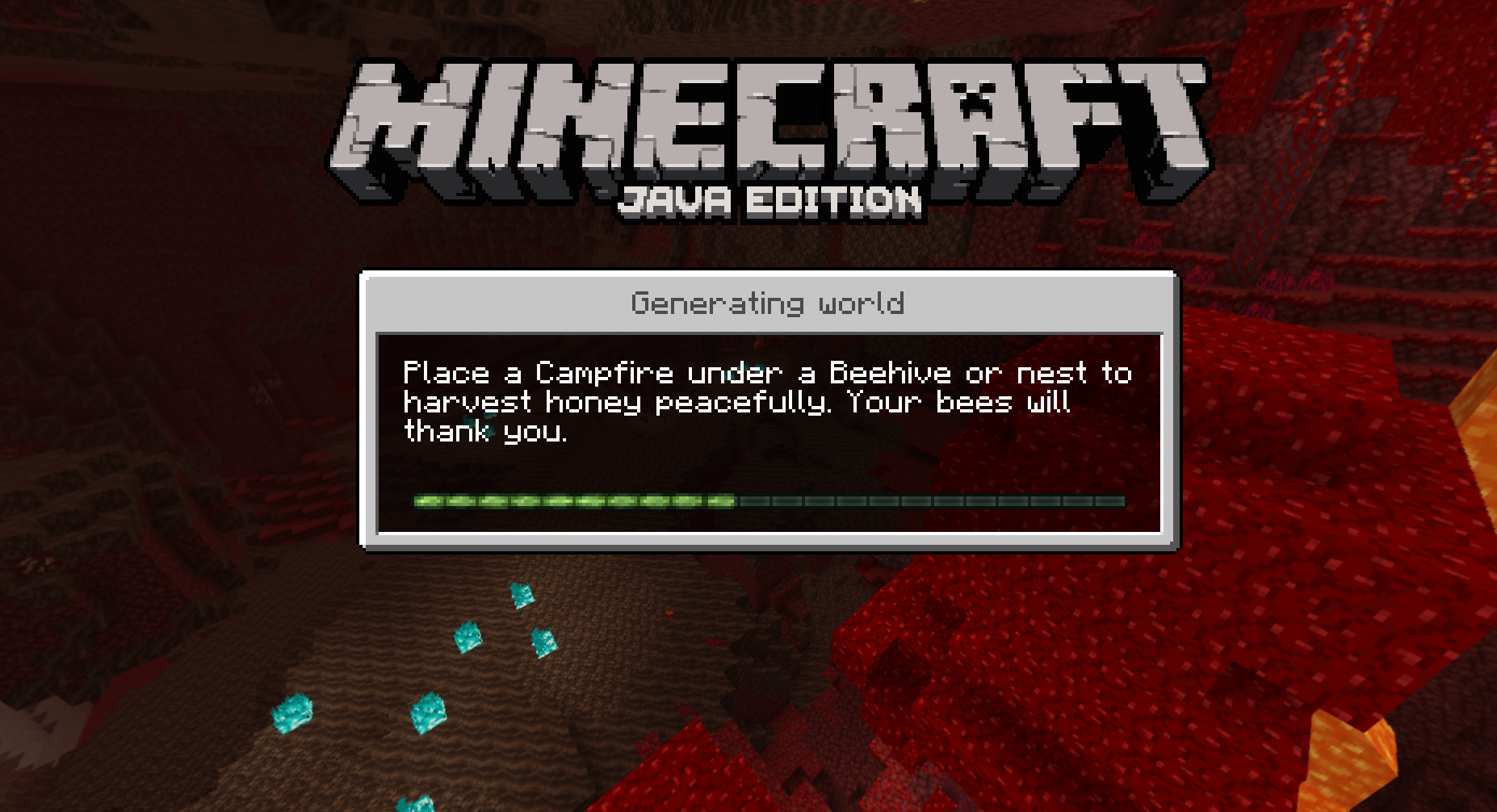
- Bedrock-like loading screens with helpful tips.
- Third person eating animations.
- Sheared Sheep Colors
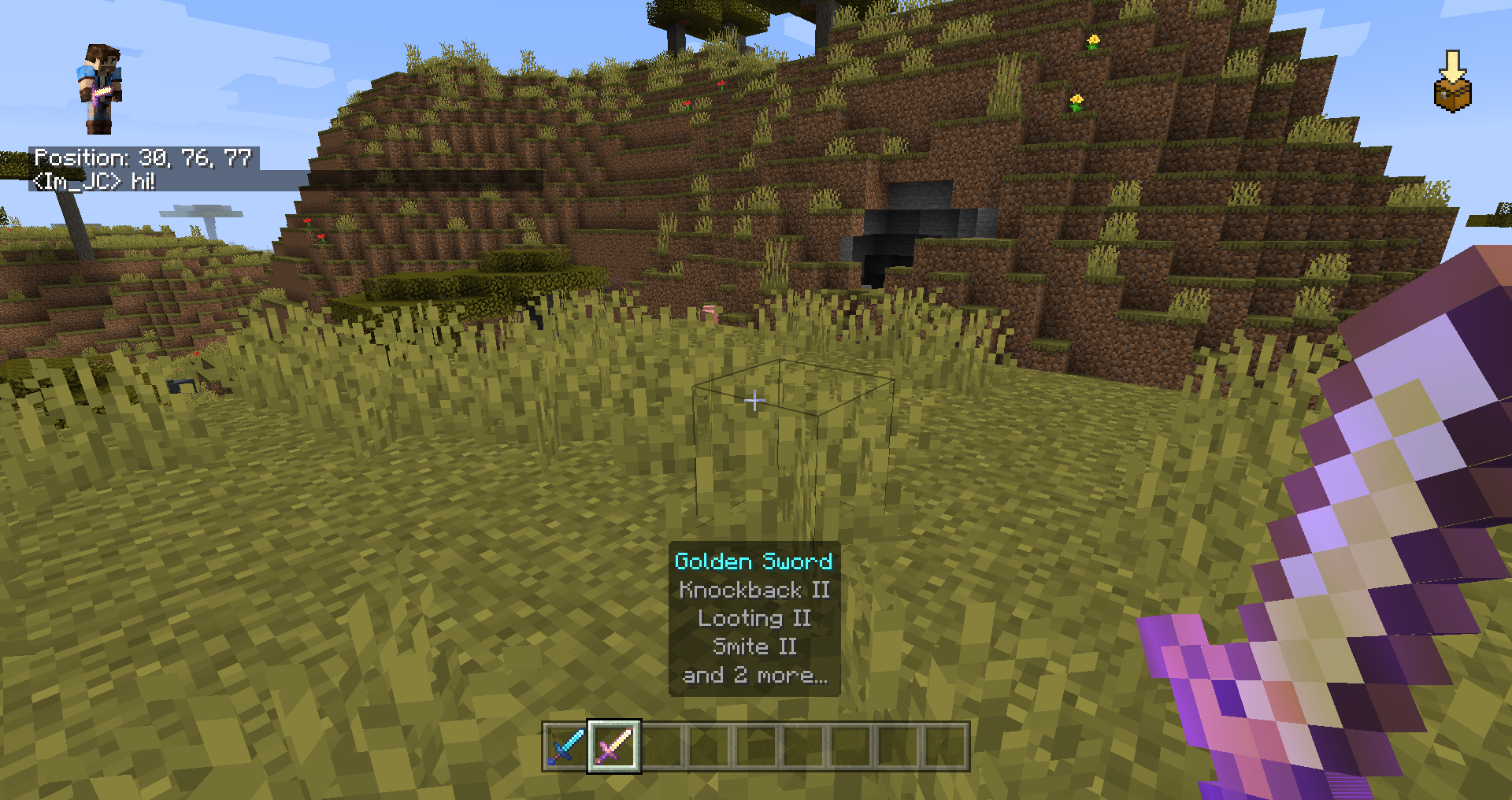
- Position and "paper doll" overlay.
- Dynamic Inactive Hud Opacity.
- Saving status overlay.
- 3D fishing hook
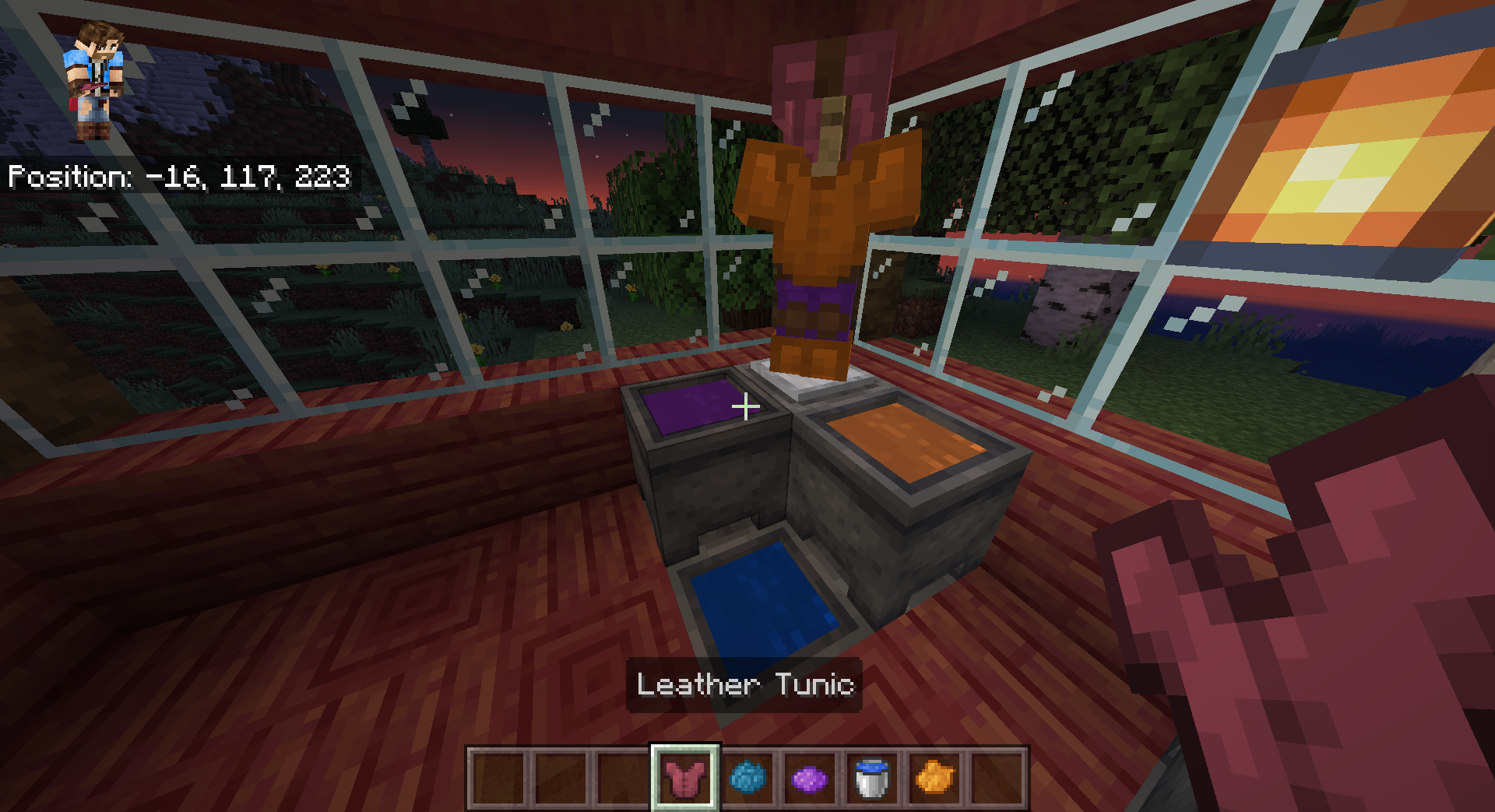
- Bedrock Cauldrons that hold dyed water and potions
- Bedrock Sun Glare
- Bedrock Crafting Recipes (Toggleable).
- Bedrock-like chat.
- Bedrock Edition world color noise for grass and water.
- Idle hand animations.
- Held item descriptions (enchantments, books and potions).
- Reach-around block placement.
- Quick armor swap.
- Dying and Fallen Trees!
- Bedrock Light block shading.
- Disable flying momentum (Drift) in creative mode.
- Stop elytra flying by pressing space on air.
Bedrockify also includes "eye-candy" features like the ability use the rotating title screen background in all option screens instead of the boring vanilla dirt background.
Installation:
This mod requires Fabric and Fabric API. Drop BedrockIfy and Fabric API JARs inside the mods folder.

Building from source:
Under Linux / Mac OS
git clone https://github.com/juancarloscp52/BedrockIfy/ cd BedrockIfy ./gradlew build
Under Windows
git clone https://github.com/juancarloscp52/BedrockIfy/ cd BedrockIfy gradlew build
You can find the built JARs inside BedrockIfy/build/libs
License
Bedrockify is released under the free and open-source GPL-3.0 License.
BedrockIfy 설치 방법
With Millida Launcher
Install Millida Launcher
The launcher is free: download it at millida.net/launcher and sign in with any nickname.
Click “Install” on this page
The launcher opens and installs the mod for Minecraft 1.16.2–1.16.5 on Fabric automatically.
Launch the game
A profile with it appears in the launcher: click “Play”.
Manually
Install Fabric
The loader must match the game version of the mod file, for example Minecraft 1.16.5. After installing it, a separate profile appears in your launcher.
Download the file for your version
In the version list above, pick the file bedrockify-1.1.0+mc1.16.2-5.jar (1.1 MB) for your game version.
Put it in the mods folder
The folder is inside .minecraft (Windows: %appdata%\.minecraft\mods). If it does not exist, create it.
Launch the loader profile
Open “Mods” in the main menu: BedrockIfy should be in the list.
On a server
A server on Fabric
The mod only works on a server with the same loader and game version, for example 1.16.5.
File goes into the server’s mods folder
Stop the server, put the mod file into the mods folder and start the server again.
Use the “To server” button
On Millida Hosting, the button at the top of the page uploads the file to your server and restarts it for you.
Minecraft 1.16.5 runs on Java 8: with a different Java version the game may close right after launch.
버전
의존성 포함
| Minecraft | 로더 | 파일 | 작업 |
|---|---|---|---|
| 1.16.5 | Fabric | 1.16.51.1 MB |
리뷰
BedrockIfy의 첫 평가를 남겨 보세요


