

Minecraft 1.20.1, 1.19.2용 BBL Utility 모드
블록 파괴기와 설치기, 액체 설치기와 수집기, 자원 생성기를 포함한 다양한 유용한 아이템과 블록
 NeoForge
 Forge
ForgeBBL Utility
Overview
Requires BBL Core
BBL Utility adds various new blocks and items to minecraft to help in various ways from block breakers to sapling growers utility aim to provide a base of useful things for your modded adventure
Items
- Crook - Increases drops of leaf blocks
- Sapling Grower - Instantly grows saplings and anything inside the "utility:valid_for_sapling_grower" block tag
- Animal Net - Right click to pick up mobs. Config can be used to set what mob type its allowed to capture
- Death Stone - Given to the player on Death, when used returns player to death point, Can be disabled
- Floater - When held in off hand allows any block in the main hand to be placed in the air or water
- Mini Coal/Charcoal - Smelts a single item
- Wooden Shears - Shears but wooden
- Leafy String - String made from Leaves
- Soaked Paper - Dried into Paper
- Log Sheet - Soaked into Soaked Paper
- Ender Pearl Fragment - Drops from Ender Ore, crafts into Ender Pearls
Blocks
- Ender Ore - Spawns under ground either Deepslate or Stone version
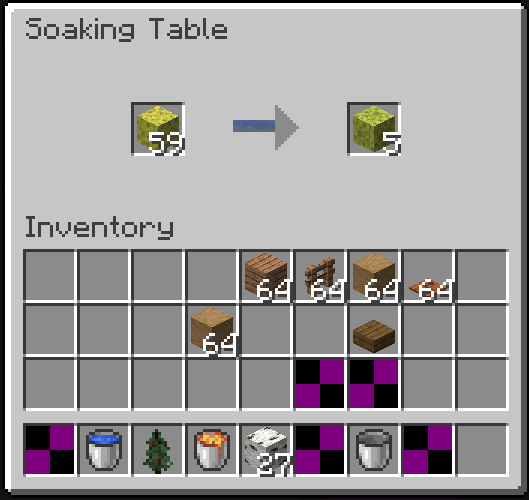
- Drying Table - Dries items, can be waterlogged to soak instead. Recipe driven
- Block Placer - Places blocks
- Block Breaker - Breaks blocks, when using tools its enchantments are used as well, can be filtered
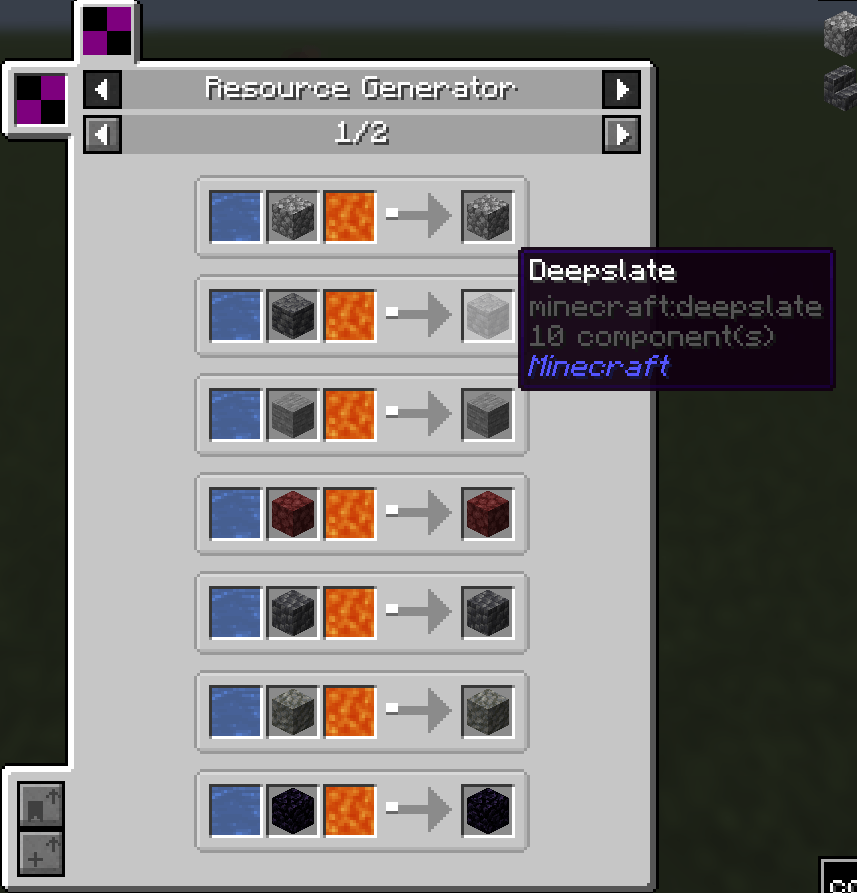
- Resource Generator - Generates Cobblestone, Stone ect using fluids. Recipe driven
- Fluid Placer - Placer fluids
- Fluid Collector - Collects fluids
- Item Repairer - Repairs items, time taken depends on the amount of damage
- Fluid Generator - Generates fluids passively, Recipe driven
- Redstone Clock - A highly configurable block that emits redstone, time, pulse duration and pulse strengh can all be set
- Item Collector - Collects items in the world has configurable range and positioning
Support
Join the BBL Discord for support, report bugs and suggest features or additions. You can also support me on Patreon to gain Alpha access to Modpacks and Mods in dev
BBL Utility 설치 방법
With Millida Launcher
Install Millida Launcher
The launcher is free: download it at millida.net/launcher and sign in with any nickname.
Click “Install” on this page
The launcher opens and installs the mod for Minecraft 1.19.2–26.1.2 on Forge or NeoForge automatically.
Launch the game
A profile with it appears in the launcher: click “Play”.
Manually
Install Forge or NeoForge
The loader must match the game version of the mod file, for example Minecraft 26.1.2. After installing it, a separate profile appears in your launcher.
Download the file for your version
In the version list above, pick the file utility-26.1.2-2.8.6.jar (624 KB) for your game version and loader.
Put it in the mods folder
The folder is inside .minecraft (Windows: %appdata%\.minecraft\mods). If it does not exist, create it.
Launch the loader profile
Open “Mods” in the main menu: BBL Utility should be in the list.
버전
의존성 포함
| Minecraft | 로더 | 파일 | 날짜 | 작업 |
|---|---|---|---|---|
| 26.1.2 | NeoForge | BBL Utility - 26.1.2-2.8.6624 KB | ||
| 1.20.6 | NeoForge | opolisutilities-3.0.0.jar861 KB | ||
| 1.20.1 | Forge | opolisutilities-1.20.1-2.11.4.jar963 KB | ||
| 1.20.1 | NeoForge, Forge | opolisutilities-1.20.1-2.4.6.jar819 KB | ||
| 1.19.2 | — | opolisutilities-1.19.X-1.17.2.jar240 KB |
리뷰
BBL Utility의 첫 평가를 남겨 보세요


