
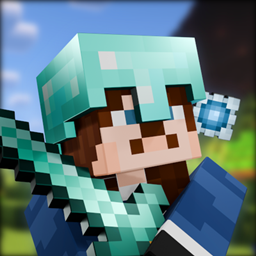
Minecraft 1.20.1, 1.21.1용 Armor 3D 모드
플레이어와 엔티티가 착용한 갑옷을 3D로 렌더링하며, 대부분의 모드 갑옷, 염료, 장식과 호환되고 16x 리소스 팩을 지원합니다.
 NeoForge
 Fabric
 Forge
Forge Quilt
QuiltArmor 3D 모드 정보
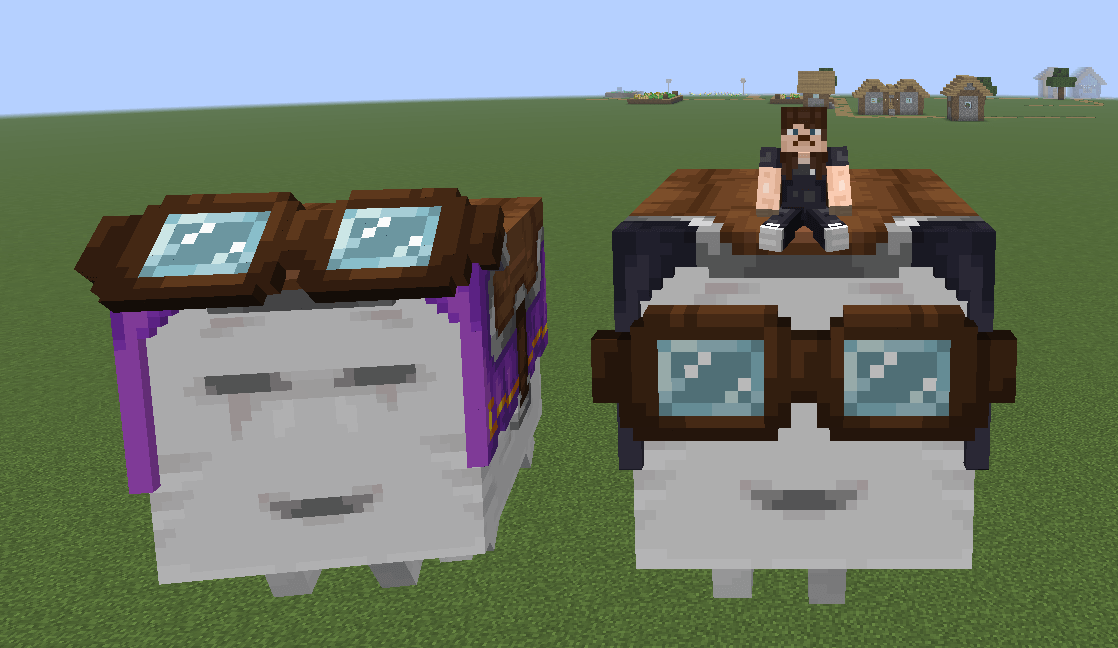
This mod enables rendering of the player and entity equipped armor/elytra/harness in 3D and is compatible with most standard armor mods, dyes, and trims with support for 16x resource packs.
This project is still a beta stage so expect few visual bugs. Although extensive precautions were taken to prevent frame rate drops, performance may decrease in areas with many armored entities. This is due to the dynamic armor model which ensures compatibility across all armors, but comes at a slight performance cost even when using optimization mods.
🔗 ALSO ON BEDROCK EDITION
🟠 PLANNED FEATURES
- 3D Saddles (with modded/resource pack support)
- 3D Ghast Harness (with modded/resource pack support)
- 3D Wolf Armor (with modded/resource pack support)
- 3D Horse Armor (with modded/resource pack support)
- 3D Nautilus Armor (with modded/resource pack support)
- Better Optimization
- 32x Resource Pack Support
- Compatibility with Curios API
🔵 DEPENDENCIES
- Entity Model Features (2.4 or above)
🟢 COMPATIBILITES
⚠️ Works, but not as intended.
- 3D Skin Layers
- Fresh Animations (and all extensions)
- Fresh Player
- Better Combat
- Punchy!
- Not Enough Animations
- First-person Model
- ⚠️ Show Me Your Skin!
- Elytra Physics
- Aether (gloves and pendants)
- Expanded Combat (gauntlets)
- MmmMmmMmmMmm
- Illagers Wear Armor
- Corpse
- Paper Doll
- Easy NPC
- Straw Statues
🔴 INCOMPATIBILITES
Any mod that adds new armor layers are currently incompatible. 3D Elytra and Ghast Harness will break on all animation texture packs like Fresh Animations and Fresh Moves that require their own custom models. A patch will be released in the future!
- Epic Fight
- I See My Armored Hand
- Villager Armor Layer
- Female Gender Mod
Armor 3D 설치 방법
With Millida Launcher
Install Millida Launcher
The launcher is free: download it at millida.net/launcher and sign in with any nickname.
Click “Install” on this page
The launcher opens and installs the mod for Minecraft 1.20–26.3 on Fabric, Forge, NeoForge or Quilt automatically.
Launch the game
A profile with it appears in the launcher: click “Play”.
Manually
Install Fabric, Forge, NeoForge or Quilt
The loader must match the game version of the mod file, for example Minecraft 26.3. After installing it, a separate profile appears in your launcher.
Download the file for your version
In the version list above, pick the file armor3d-0.0.5-neoforge-1.21.1.jar (47 KB) for your game version and loader.
Put it in the mods folder
The folder is inside .minecraft (Windows: %appdata%\.minecraft\mods). If it does not exist, create it.
Launch the loader profile
Open “Mods” in the main menu: Armor 3D should be in the list.
버전
의존성 포함
| Minecraft | 로더 | 파일 | 날짜 | 작업 |
|---|---|---|---|---|
| 1.21 | Fabric, Forge, NeoForge, Quilt | v0.9.4.2299 KB 71 | ||
| 1.20.1 | Forge | v0.1.046.3 KB | ||
| 1.21.1 | NeoForge | v0.0.5 Alpha47.3 KB |
FAQ
Which Minecraft versions does Armor 3D work on?
There are files for 1.20–26.3, 24 versions in total. The newest is 26.3.
Is Armor 3D for Forge or Fabric?
There are files for Fabric: 1.20–26.3, for Forge: 1.20–26.3, for NeoForge: 1.20–26.3 and for Quilt: 1.20–26.3.
Does Armor 3D need other mods?
The author lists no required dependencies: the Fabric, Forge, NeoForge or Quilt loader is enough.
How do I download Armor 3D?
With Millida Launcher: it installs Armor 3D into a modpack by itself, for the right game version and loader. The launcher is free.
리뷰
Armor 3D의 첫 평가를 남겨 보세요


