
Minecraft 1.20.1, 1.21.1용 Accessible Step 모드
다른 버튼을 누르지 않고도 온전한 블록을 올라갈 수 있습니다. 이제 여러 모드 로더를 지원합니다!
 Fabric
 NeoForge
 Forge
ForgeAccessible Step
Walk up full-height blocks without reaching for the jump button. Now for multiple mod loaders!
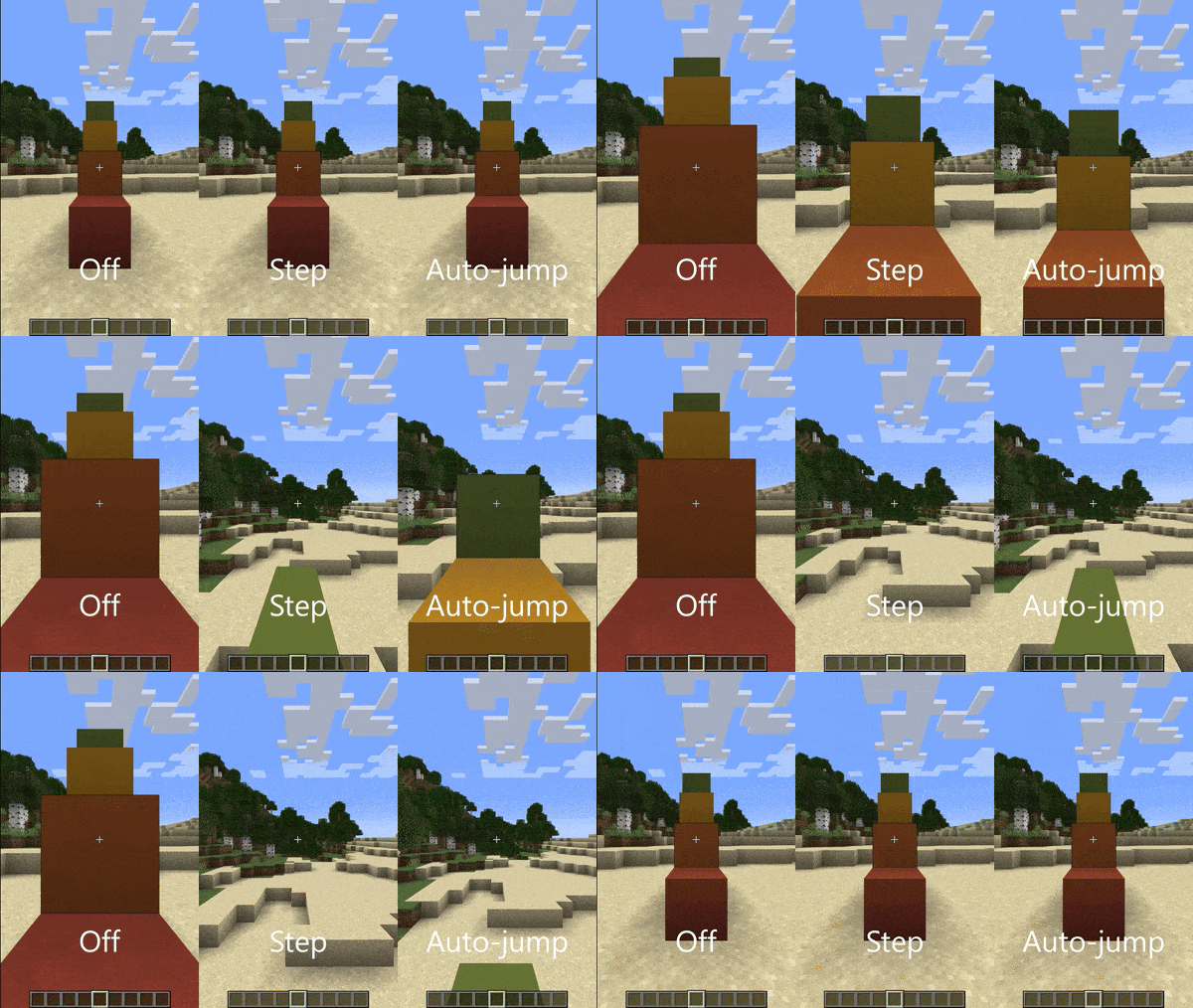
- Fabric releases of this mod require Fabric API.
- Neoforge/Forge releases do not require any other mods.
This mod adds a new "Step Assistance" option into the Accessibility and Controls screens, replacing the auto-jump option. Like auto-jump, it is off by default on new installations of Minecraft, so you will need to turn it on yourself.
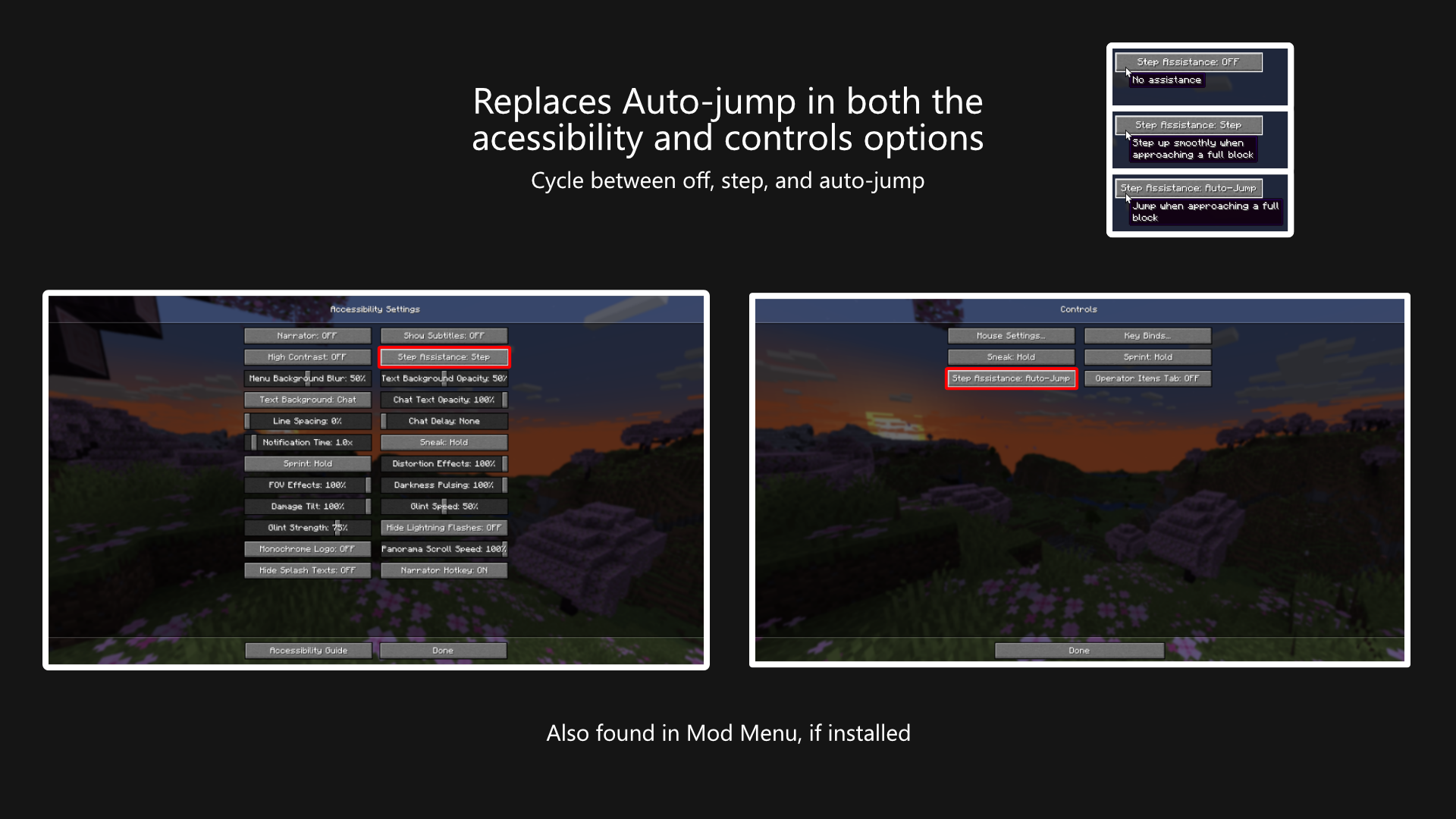
The option can be cycled between three values:
- Off, where no assistance is given.
- Step, where the player's step height is increased to cover full blocks.
- Auto-jump, where Minecraft's built-in auto-jump is used.
Does this work on Multiplayer?
Yes, this mod works on multiplayer. This mod does not have to be installed on the server.
But, you might want to be careful. While this mod is meant as an accessibility tool, some servers (especially competitive ones) will likely classify this mod as cheating. To be safe, turn off step assistance while playing on competitive servers. You can set up per-server profiles in the mod's config menu while connected to the server to automatically switch when joining.
Why yet another stepping-up-blocks mod?
Mostly, it's because I'm learning to mod and small projects like these are good ways to learn new parts of the game's code.
But also I've wanted to maintain a small set of mods that I commonly use so I can update them whenever I like. I've since over-engineered some automation to update things automatically, so I'm more confident that I can actually maintain these mods over a longer term.
I'm probably not going to port this further back than 1.20, but if you find yourself needing this for earlier versions, check out StepUp for Fabric, or StepItUp for Forge.
Translation
A big thank you to the following people for their work:
- VladAndreiMorariu - Italian
If you want to help make this mod easier to use for people around the earth, then please don't hesitate to create a pull request adding/updating the language files on GitHub.
License
This mod is licensed under the Mozilla Public License 2.0. You may use this mod in your mod packs.
Accessible Step 설치 방법
With Millida Launcher
Install Millida Launcher
The launcher is free: download it at millida.net/launcher and sign in with any nickname.
Click “Install” on this page
The launcher opens and installs the mod for Minecraft 1.20.1–26.3 on Fabric, Forge or NeoForge automatically.
Launch the game
A profile with it appears in the launcher: click “Play”.
Manually
Install Fabric, Forge or NeoForge
The loader must match the game version of the mod file, for example Minecraft 26.3. After installing it, a separate profile appears in your launcher.
Download the file for your version
In the version list above, pick the file accessible-step-fabric-26.3-2.4.1+26.3.jar (63 KB) for your game version and loader.
Put it in the mods folder
The folder is inside .minecraft (Windows: %appdata%\.minecraft\mods). If it does not exist, create it.
Launch the loader profile
Open “Mods” in the main menu: Accessible Step should be in the list.
버전
의존성 포함
| Minecraft | 로더 | 파일 | 날짜 | 작업 |
|---|---|---|---|---|
| 26.3 | Fabric | Accessible Step v2.4.1+26.3 for Fabric62.8 KB 1 | ||
| 26.3 | NeoForge | Accessible Step v2.4.1+26.3 for NeoForge61.3 KB | ||
| 1.20.1 | Forge | Accessible Step v2.4.0+1.20.1 (forge)126 KB | ||
| 1.20.1 | Fabric | Accessible Step v2.4.0+1.20.1 (fabric)126 KB | ||
| 1.21 | NeoForge | Accessible Step v2.2.2+1.21.1 (neoforge)124 KB | ||
| 1.20.4 | Forge | Accessible Step v2.1.0+1.20.4 (forge)124 KB |
리뷰
Accessible Step의 첫 평가를 남겨 보세요


